● Included With Your Scanner
● Setting Up Your Scanner
❍ Power Related Issues
❍ Base Station
❍ Setting Up an Audio Recording Device or Computer Recording
❍ Vehicle Installation
■ Mounting Using the Bracket
■ Mounting Using the DIN-E Sleeve (Option for BCT15X)
■ Removing the Scanner from the DIN-E Sleeve
■ Mounting Using ISO Technique
❍ Removing the Display Sticker
❍ Connecting an Optional Antenna
❍ Connecting an Earphone/Headphone
❍ Connecting an Extension Speaker
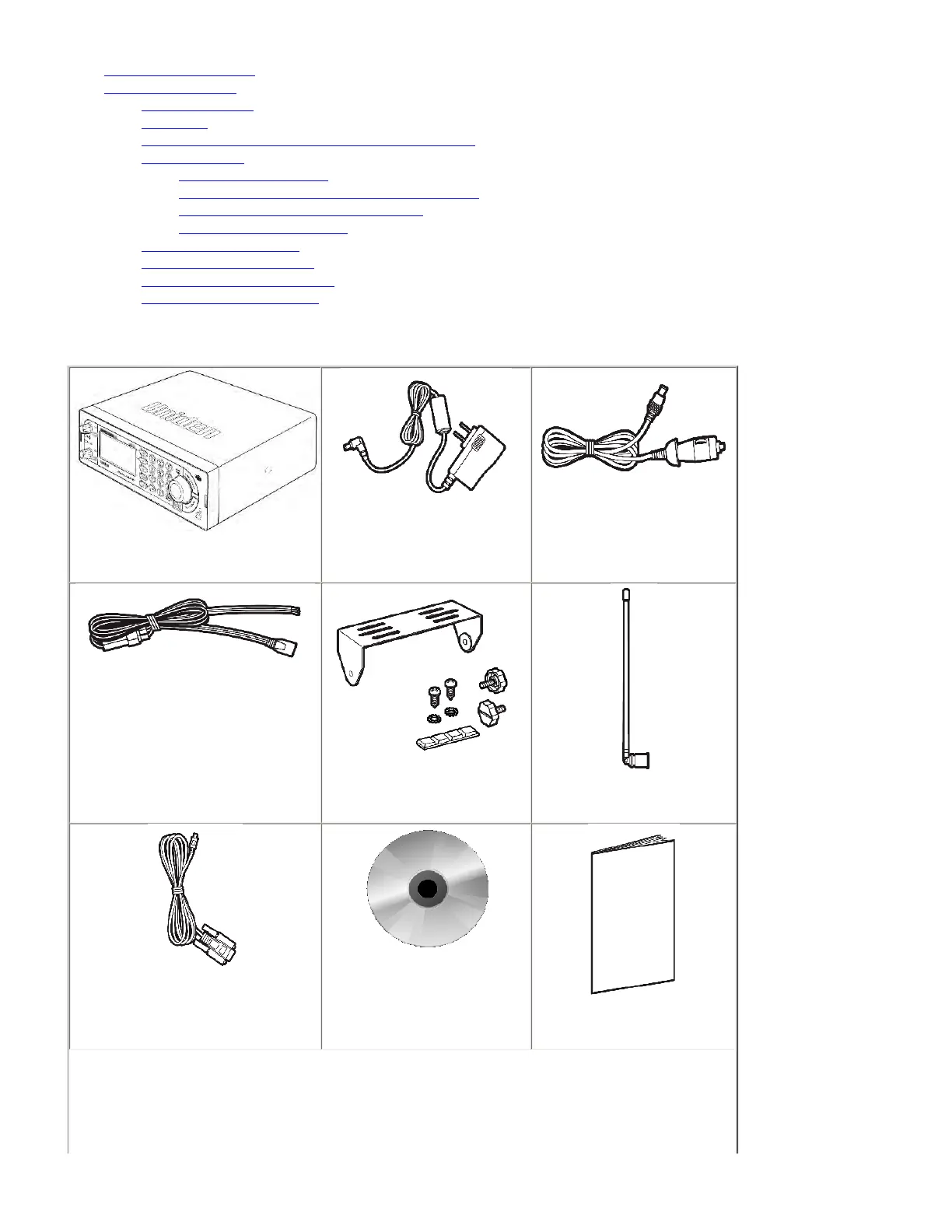
Included With Your Scanner
Scanner
AC Adapter
Vehicle Accessory Power Cord
Three-Wire Harness
Mounting Bracket and Hardware
Antenna
Serial Programming Cable
O/M on CD ROM
Other Printed Materials
file:///C|/Documents%20and%20Settings/POpitz/My%20D...Image_090515/Manual/MobileSettingUpTheHardware.html (1 of 7)5/26/2009 11:12:31 AM



 To Next Page