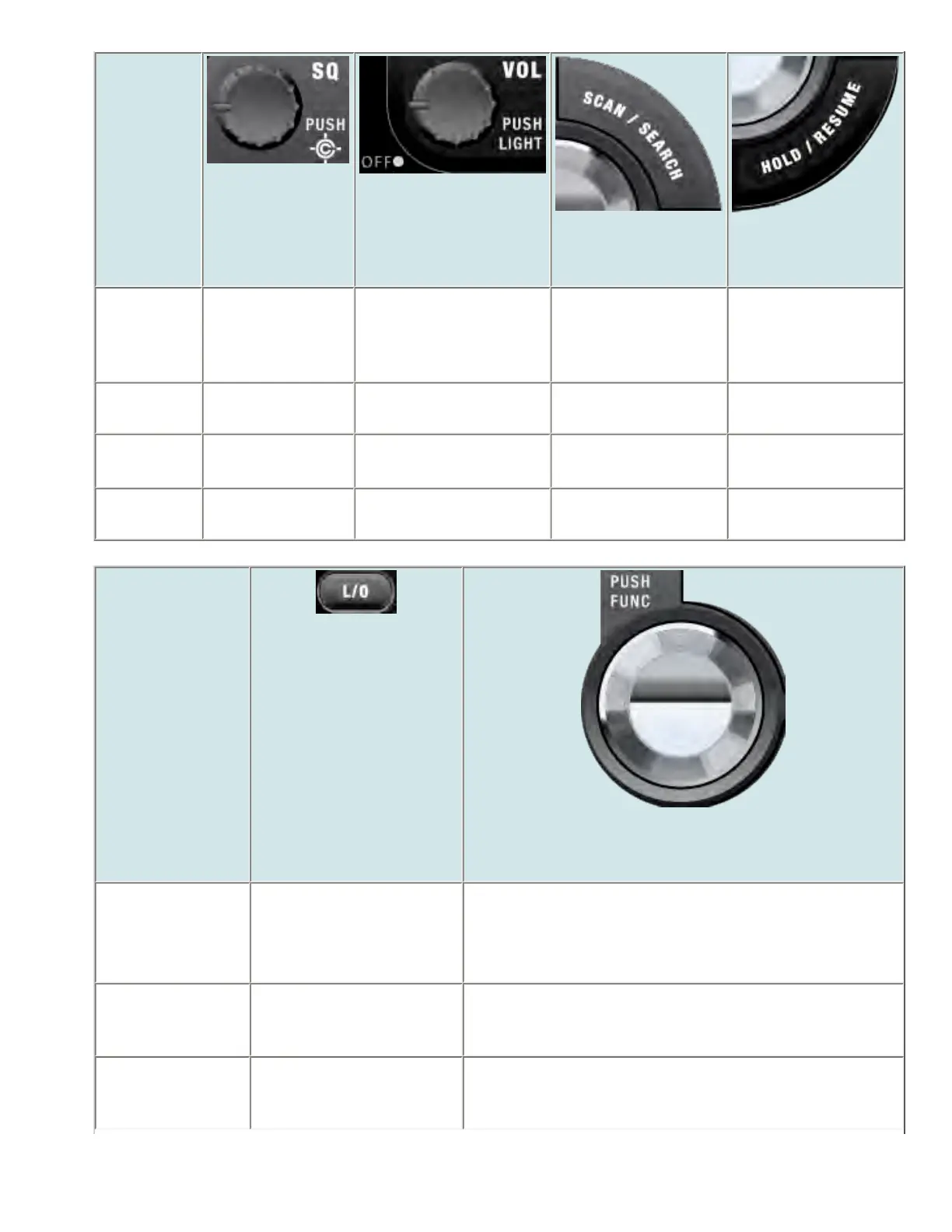
Key Name
(2nd
operation)
Action on:
SQUELCH
VOLUME
SCAN/SEARCH
HOLD/RESUME
Rotate Adjust Squelch. Adjust volume. Turn
fully counterclockwise
past click to turn off
scanner.
NA NA
Tap Toggle Close Call
modes.
Change backlight level. Go to Scan mode. Hold on the current
frequency.
Press &
Hold
Go to Close Call
Only mode.
NA NA NA
FUNCTION
+ Tap
Go to Fire Tone-
Out Mode.
Go to P25 status mode. Resume Searching. Hold on the current
frequency.
Key Name
(2nd operation)
Action on:
LOCKOUT
SCROLL - FUNCTION
Rotate NA Change search direction.
If stopped on a frequency, resume searching.
Tap If stopped on a frequency,
temporarily lockout the
frequency.
Activate the FUNCTION mode for the next keypress.
Double Tap If stopped on a frequency,
permanently lockout the
frequency.
NA
file:///C|/Documents%20and%20Settings/POpitz/My%20...s/temp/CDImage_090515/Manual/BCD996XTScanMode.html (8 of 9)5/26/2009 11:15:46 AM



 To Next Page