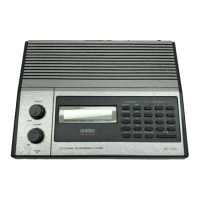
Start a search of one of the 12 preset service bands. Choose from Public Safety, News,
HAM Radio, Marine, Railroad, Air, CB Radio, FRS/GMRS/MURS, Racing, FM
Broadcast, Military Air , or Special .
Edit Service
This menu lets you change the default settings for the 12 preset service bands. Select the
service you want to edit from the list, then set the following options:
Set Delay Time
Set the number of seconds the scanner should wait after a transmission stops before
moving on to the next channel. Select 0, 1, 2 (default), 5, 10, or 30 seconds.
To have scanner leave the channel after a designated number of seconds whether the
transmission stops or not, select one of the negative values. Choose -10 seconds to have
the scanner leave the channel after 10 seconds even if the transmission is still going on;
choose -5 seconds or -2 seconds to have the scanner leave after 5 seconds or 2 seconds,
respectively.
Set Attenuator
Turn on attenuation to reduce the signal strength by 20 dB. All frequencies in the search
range are attenuated during search.
Set Audio AGC (BCD996XT and BCD396XT Only)
Turn on Automatic Gain Control (AGC) for this system. When you activate this feature,
the scanner automatically adjusts the volume for each channel based on the signal
strength. You can turn on the gain control for Analog and Digital signals separately.
To change the settings for the audio AGC, see Adjust Audio AGC
Set Record (BCD996XT and BCT15X Only)
Set the scanner to provide the audio from found transmissions to the RECORD OUT
jack on the back of the scanner.
file:///C|/Documents%20and%20Settings/POpitz/My%20Documents/temp/CDImage_090515/Manual/SearchFor.html (2 of 6)5/26/2009 11:16:00 AM


 To Next Page
 Loading...