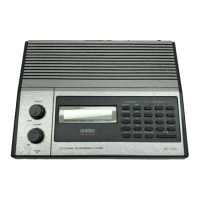
Rotate NA Change search direction.
If stopped on a frequency, resume searching.
Tap If stopped on a frequency,
temporarily lockout the
frequency.
Activate the FUNCTION mode for the next keypress.
Double Tap If stopped on a frequency,
permanently lockout the
frequency.
NA
FUNCTION +
Tap
Review the list of locked
out frequencies.
NA
Press & Hold If stopped on a frequency,
unlock all search
frequencies.
"Latch" the FUNCTION mode. Scanner stays on the
current system and all keypresses use the FUNCTION
mode until you tap the control again.
This page applies to the following scanner(s): BCT15X Users Guide
file:///C|/Documents%20and%20Settings/POpitz/My%20...nts/temp/CDImage_090515/Manual/BCT15XScanMode.html (9 of 9)5/26/2009 11:16:22 AM


 To Next Page
 Loading...