EasyManua.ls Logo

Uniden BCD396XT - Page 997

Uniden BCD396XT
1059 pages
Print Icon
To Next Page IconTo Next Page
To Previous Page IconTo Previous Page
Loading...
BCT15XScanMode < UnidenMan4 < TWiki
FUNCTION
+ Tap
Enter the "Search
for..." Menu.
NA NA If stopped on a
frequency, store the
current frequency.
Key Name
(2nd
operation)
Action on:
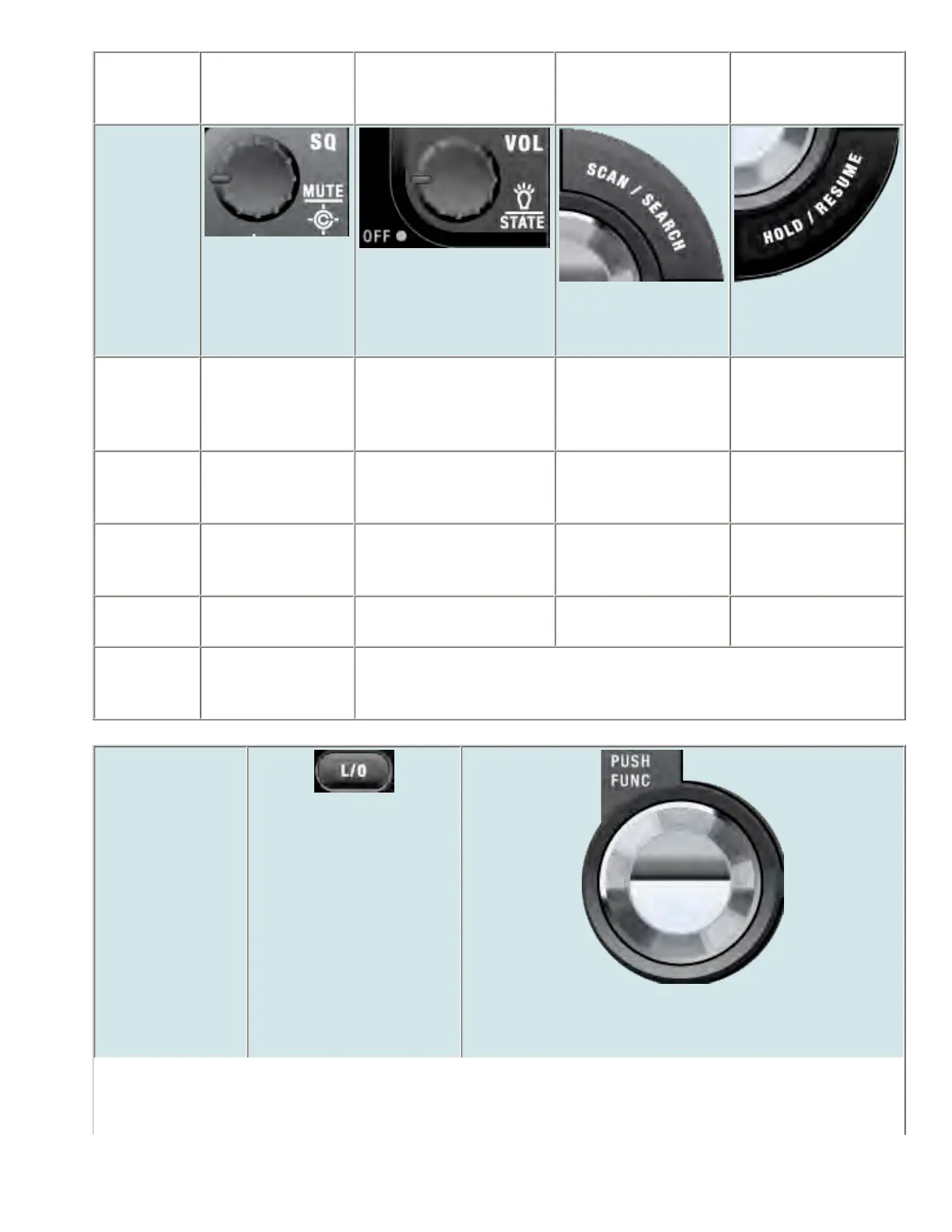
SQUELCH
VOLUME
SCAN/SEARCH
HOLD/RESUME
Rotate Adjust Squelch. Adjust volume. Turn
fully counterclockwise
past click to turn off
scanner.
NA NA
Tap Temporarily mute
alerts. Tap again to
restore.
Change backlight level. Go to Scan mode. Hold on the current
frequency.
Press &
Hold
Permanently mute
alerts. Tap again to
restore.
NA NA NA
FUNCTION
+ Tap
Toggle Close Call
modes.
Change the state for state-
by-state searches.
Resume Searching. Hold on the current
frequency.
FUNDTION
+ Press &
hold
Go to Close Call
Only mode.
NA
Key Name
(2nd operation)
Action on:
LOCKOUT
SCROLL - FUNCTION
file:///C|/Documents%20and%20Settings/POpitz/My%20...nts/temp/CDImage_090515/Manual/BCT15XScanMode.html (8 of 9)5/26/2009 11:16:22 AM

Table of Contents

Other manuals for Uniden BCD396XT

Related product manuals