EasyManua.ls Logo

Uniden BCD396XT - Page 996

Uniden BCD396XT
1059 pages
Print Icon
To Next Page IconTo Next Page
To Previous Page IconTo Previous Page
Loading...
BCT15XScanMode < UnidenMan4 < TWiki
Key Name
(2nd
operation)
Action on:
Highway Patrol /
Alert
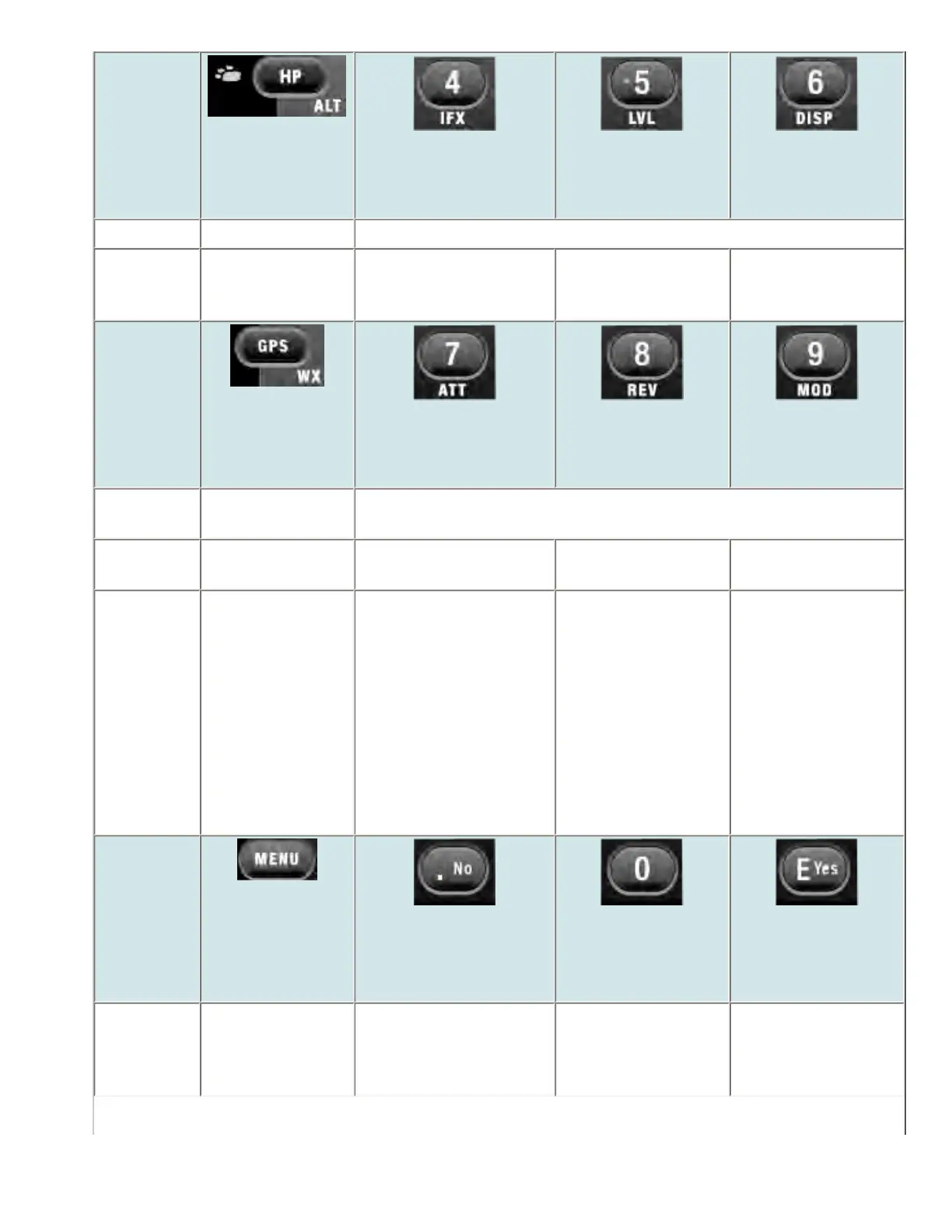
4 (IF exchange)
5 (Level offset)
6 (Display mode)
Tap Go to scan mode. Disable the custom search range assigned to this key. Tap again to enable.
FUNCTION
+ Tap
Go to Alert Plus
scanning.
When monitoring a
frequency, toggle the IF
for that frequency.
NA Switch the display
mode.
Key Name
(2nd
operation)
Action on:
GPS / Weather
7 (Attenuation)
8 (Reverse freq.)
9 (Modulation)
Tap Switch to the GPS
Navigation display.
Disable the custom search range assigned to this key. Tap again to enable.
FUNCTION
+ Tap
Toggle Weather
Prioirty mode.
Toggle the attenuator
state.
NA Change the
modulation.
FUNCTION
+ Press &
hold
Go to Weather
Scan mode.
Toggle the attenuator
state for all signals.
If stopped on a
frequency that has a
valid reverse (input)
frequency, show the
repeater reverse
frequency for the
current frequency (the
scanner returns to the
original frequency
when you release the
key).
NA
Key Name
(2nd
operation)
Action on:
Menu
. / No (Decimal)
0
Yes (Enter)
Tap Enter the Menu
Mode.
NA Disable the search
range assigned to this
key. Tap again to
enable.
If stopped on a
frequency, store the
current frequency.
file:///C|/Documents%20and%20Settings/POpitz/My%20...nts/temp/CDImage_090515/Manual/BCT15XScanMode.html (7 of 9)5/26/2009 11:16:22 AM

Table of Contents

Other manuals for Uniden BCD396XT

Related product manuals