Smart Plus (PHT-35LHS)
Technical Manual
VT-TECH-Smart Plus-001
COPYRIGHT© 2018 VATECH.
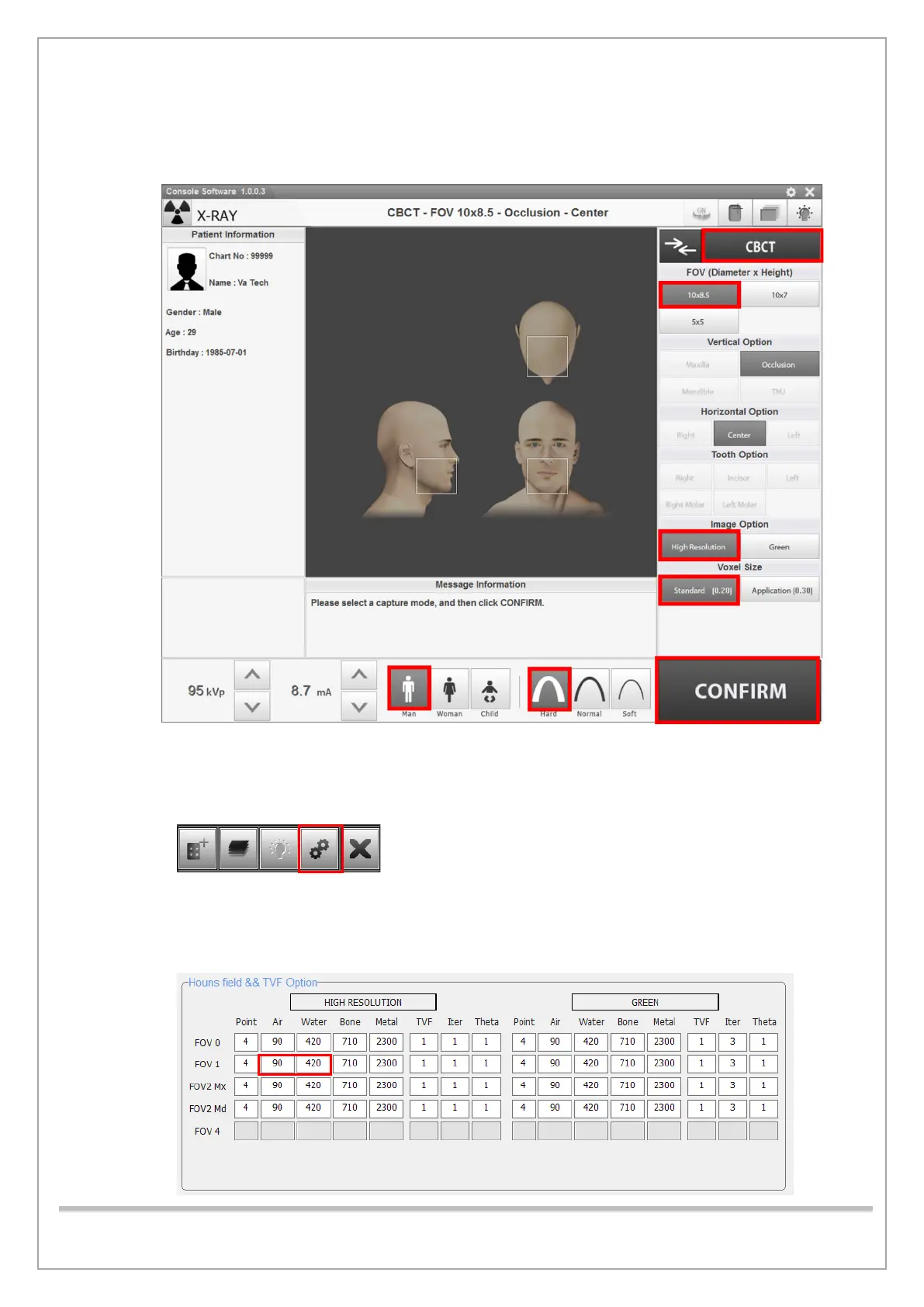
7) Run Console Software and click CBCT to go into CBCT mode.
8) Set the parameters as shown below and click CONFIRM.
9) Click READY when enabled and acquire the image according to the Console Software
guidance and save the image in a 2D Viewer (EzDent-I or EasyDent 4).
10) Click the Settings icon on the capture software.
11) Select Engineer, type vatech for the password, and then click OK.
12) Click Reconstruction tab, record Air, Water CT Number in the FOV.1 box under HIGH
RESOLUTION.














 To Next Page