Vectorworks 2010 Products 101
Vectorworks Spotlight 2010 Getting Started Guide
Solid Addition/Loft Tool
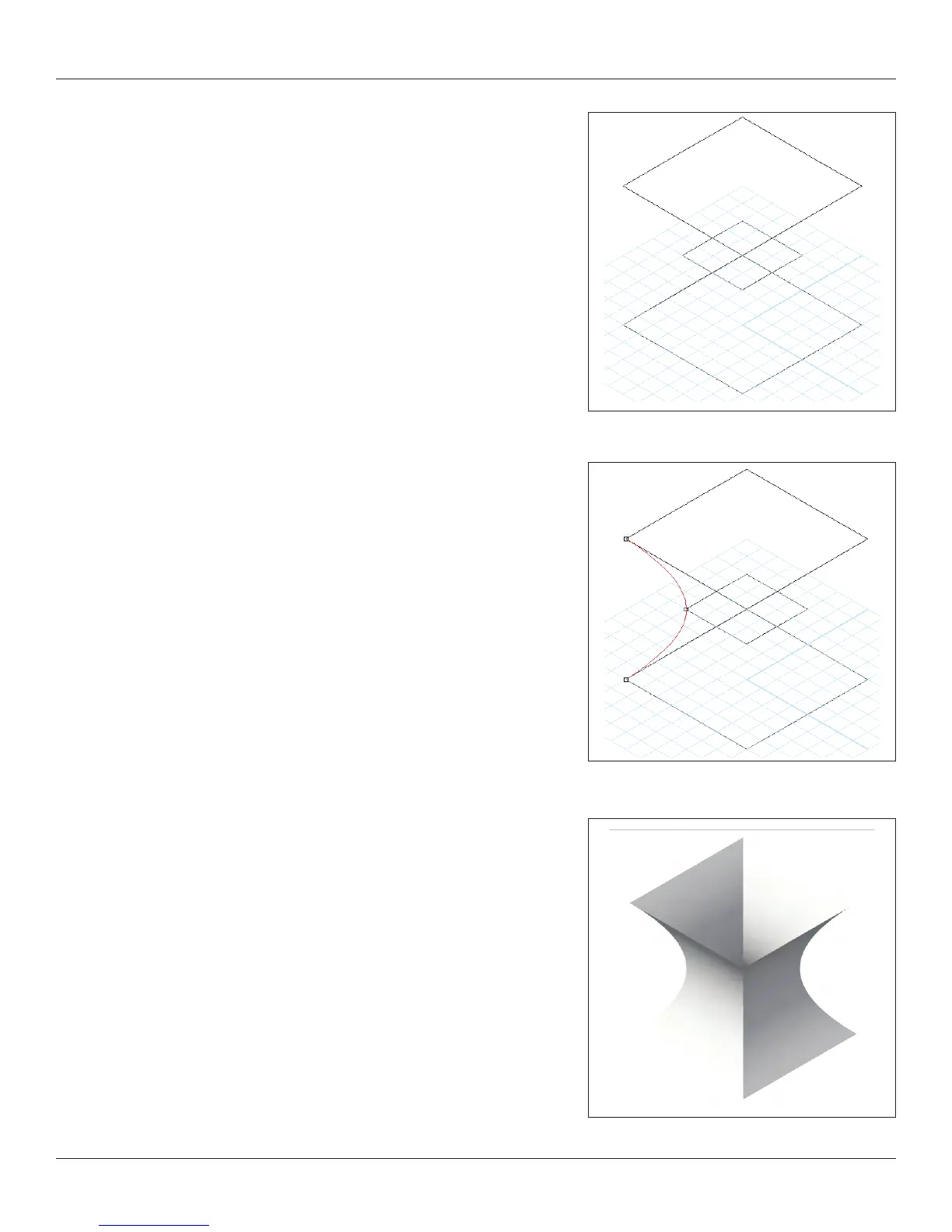
Solid Additions are an extension of the idea behind Multiple Extrude.
Create 3 Rectangles of different sizes. Create a 4” [101.6mm] square at
0-0 in Top/Plan. Modify>Convert>Convert to NURBS. Go to the Front
View. Duplicate one copy 4” [101.6mm] on the Z Axis. Go Back to the Top/
Plan and create a 2” [50.8mm] square at 0-0. Convert to NURBS. Change
the Z elevation to 2” [50.8mm] in the OIP. Go to the right isometric view.
Select the Loft Tool from the 3d Modeling Tool Set. Select the Loft with no
Rail Mode and click on 3 corners (see illustration). Check and review your
options in the dialogue.



 To Next Page