Vectorworks 2010 Products 71
Vectorworks Spotlight 2010 Getting Started Guide
Visualizing your Design
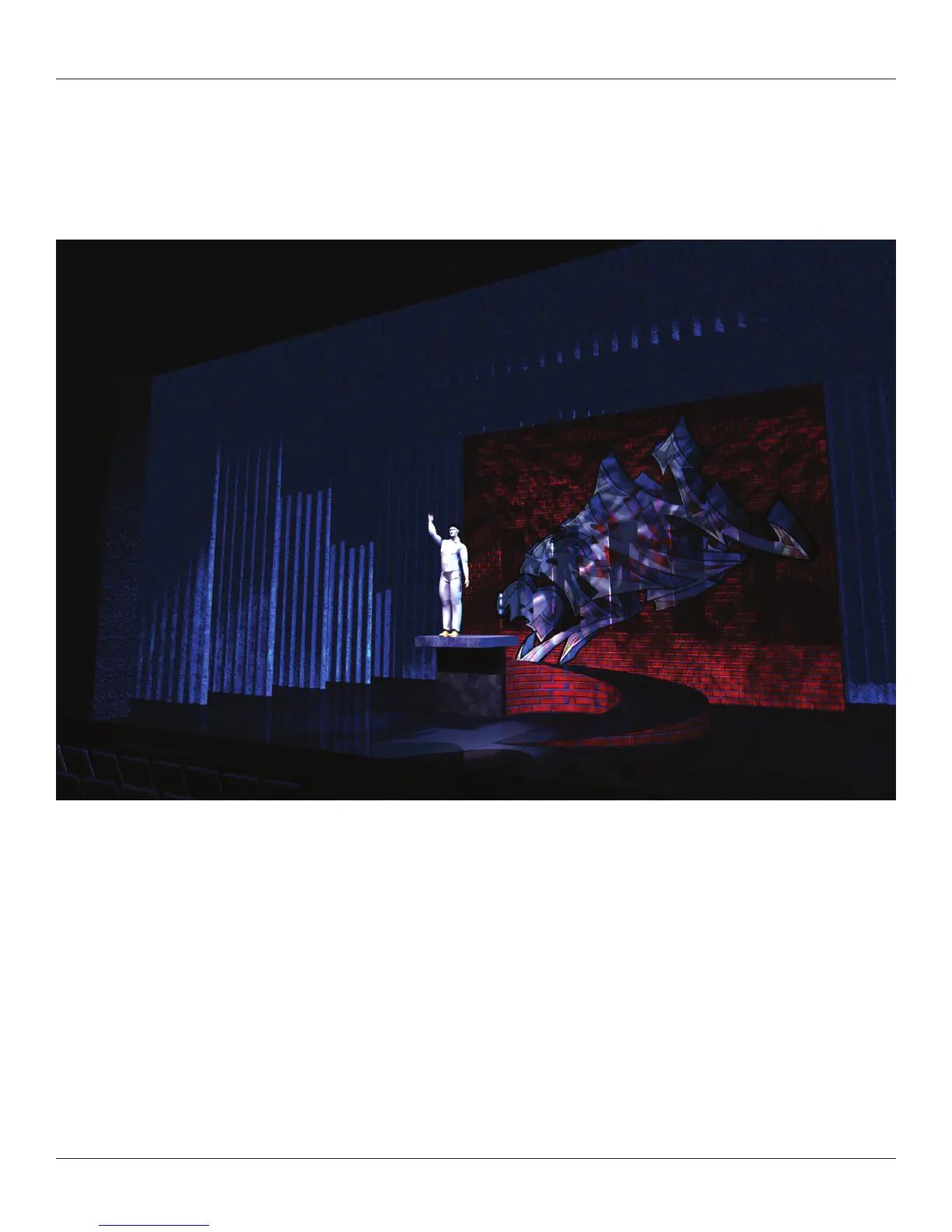
The image below has some classes added, additional lights, and gobos inserted and textures created. This could illustrate one moment
of one cue. Many such views can be created by set designers and lighting designers to convey their ideas to directors, producers,
colleagues and craftspeople.
The rendering and visualization capabilities of Vectorworks Renderworks module are, to me, key to creation of an efcient workow.
For my own work, the ability to update a model and have all of the mechanical drawings and rendering updated is critical to a smooth
operation. Having all of these functions within one suite that communicates internally has proven to be the only path.
Vectorworks and Renderworks provide a number of ways to visualize your drawings. Some of these are pertinent to presenting your
mechanical or designer drawings other are relevant to visualization. Combining these methods also allows designers to include
illustrations within the mechanical drawings.
Renderworks and Spotlight allow lighting designers to visualize moments and cues and present them to directors and colleagues
before working in the theatre. Using the lighting controls and renderings, designers can have cues written well before tech. Time
invested up front can save producers valuable crew time.
For lm or television the camera tool can show specic lens choices and camera placement views of sets. While we will not deal with
the animation tools or third party animation plug-ins, it is possible and easy within Vectorworks to illustrate camera moves or walk
through animations of exhibit spaces or themed environments.



 To Next Page