Vectorworks 2010 Products 93
Vectorworks Spotlight 2010 Getting Started Guide
Drawing Border Tool
Drawing Borders and Title Blocks, like the Sheer Layers are
in 1:1 Scale.
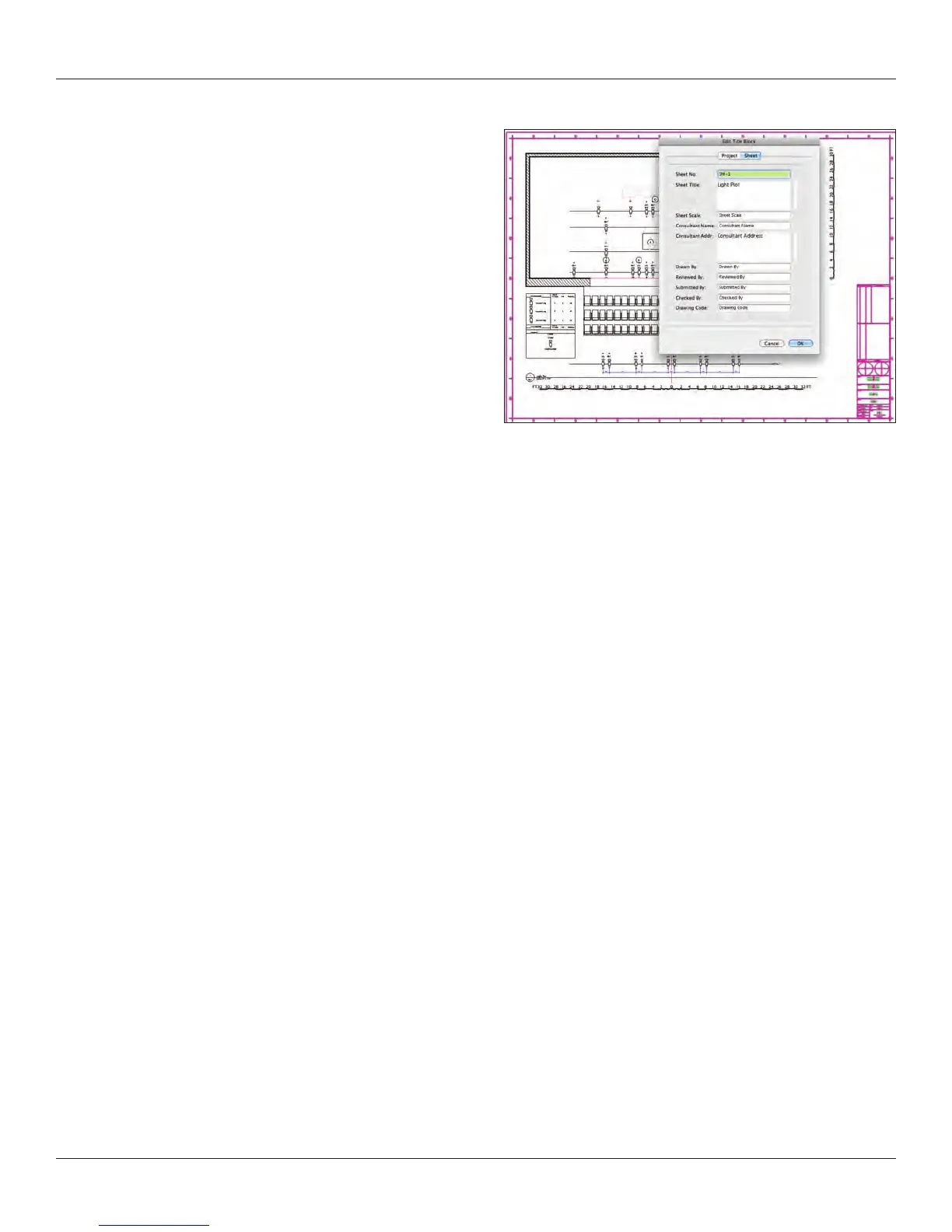
Now we need to add a title block and sheet border to the
drawing. Select the Sheet Border tool from the Dims/Notes
Tool Set and assign one of the default title blocks. Clicking in
the drawing should center the sheet border, but if not, adjust
using the OIP, setting the center to 0-0-0.
You can add a Revision Block, if needed using the OIP.
Double click on the title block to access the Edit Title Block
dialog box. This allows you to customize each sheet and each
set of drawings.
Once you have entered the title block data, duplicate the sheet layer by right clicking on the sheet layer in the Sheet Layer tab of the
Navigation Palette, and select Duplicate from the contextual menu. Edit the name and delete the viewport on the new sheet layer.
Return to the design layer.
Custom Title Blocks
You can create your own custom title blocks. While it is not a complicated process, it is a bit outside of the scope of this book. The
process is well explained in the manuals and the Help les.
A few simple notes. Title blocks are basic geometric 2D drawings, with critical data associations required. We have just seen how the
Drawing Border Tool is linked to the title block and revision blocks.



 To Next Page