58 Vectorworks 2010 Products
Vectorworks Spotlight 2010 Getting Started Guide
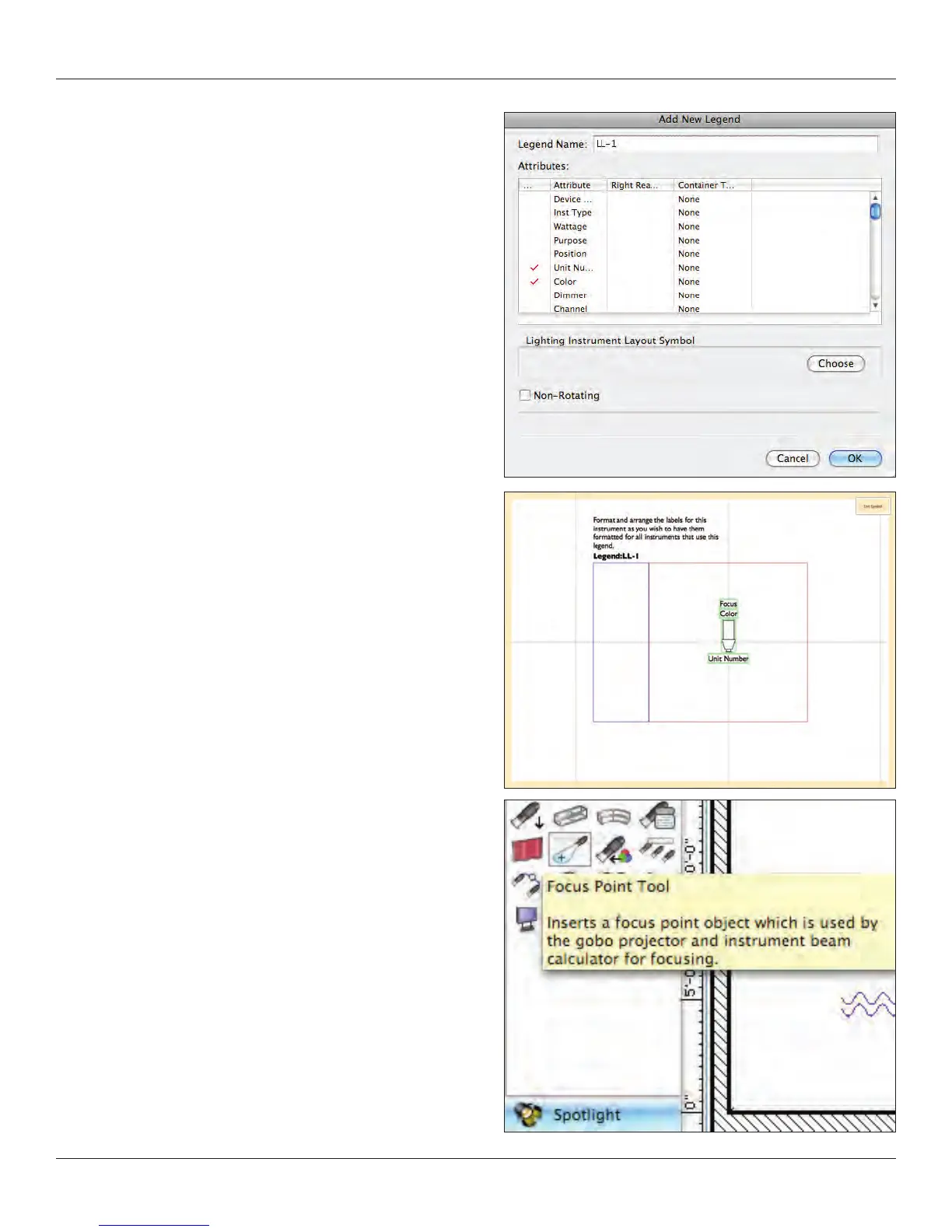
Select Edit Fields. For simplicity I have only selected three
of the many possibilities: Unit Number, Color, and (way down
near the bottom) Focus. To select a data eld, just check in
the left column.
Note: That in the right column you can put the information in a
container.
Containers are symbols, and to change the container,
you must edit the symbol in the Resource Browser. We’ll
cover many of these additional details in the long version
of this guide.
Click OK. Select Edit Layout which will open the Edit Symbol
window, dened by the colored border. From here you can
select and drag the labels from the left column around the
instrument. The Smart Cursor will help you align the data. You
can also use the Align command. Text can be formatted from
the Text Menu. Click Exit Symbol when nished.
Focus Point Objects
Now we’ll need some focus points. Go to the Spotlight Tool Set
and select the Focus Point Tool. I’ve set up a simple downstage
wash, an area at the top of the platform, and two areas to the light
the rear wall. Use the midpoint of the stage and the Smart Cursor
to set your rst area. Duplicate in an array as needed.



 To Next Page