Vectorworks 2010 Products 61
Vectorworks Spotlight 2010 Getting Started Guide
Coloring your Lights
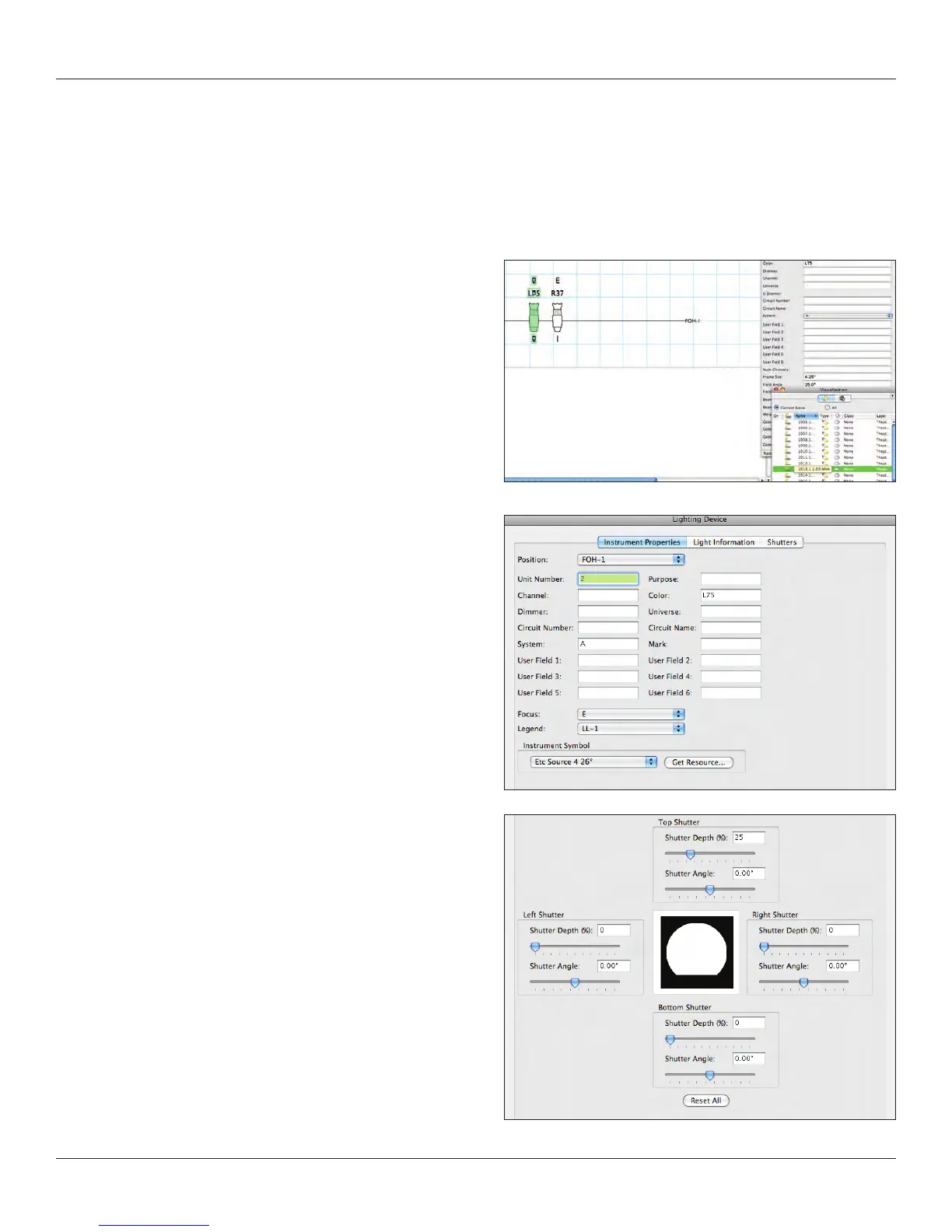
From either the Lighting Device dialog box or the OIP, you can assign Rosco, Lee, or GAM color in the color eld. A Rosco color is
noted as R36 and a Lee as L36. Hexidecimal or RGB values can also be entered.
Additional information can be added and transferred to your schedule. When you add color and focus in the OIP, that information will
appear in the LL-1 label legend in Top/Plan view on the plot.
Also note that the instrument added now appears in the
Visualization Palette. Double clicking on the instrument in
the Visualization Palette selects that unit on the plot.
Editing Lights
Lights can be edited and focused in a variety of ways. We’ve
already looked at the all powerful OIP and have seen how that
design control point interfaces between your lights, focus objects,
positions and label legends. Let’s look at other options.
Note: Now that the instrument added now appears in the
Visualization Palette. Double clicking on the instrument in the
VP selects that unit on the plot.
Right clicking on the instrument in the Visualization Palette allows
editing of the lighting properties.
Double clicking on the instrument in the plot allows editing of
various properties including shutter cuts for visualization.



 To Next Page