86 Vectorworks 2010 Products
Vectorworks Spotlight 2010 Getting Started Guide
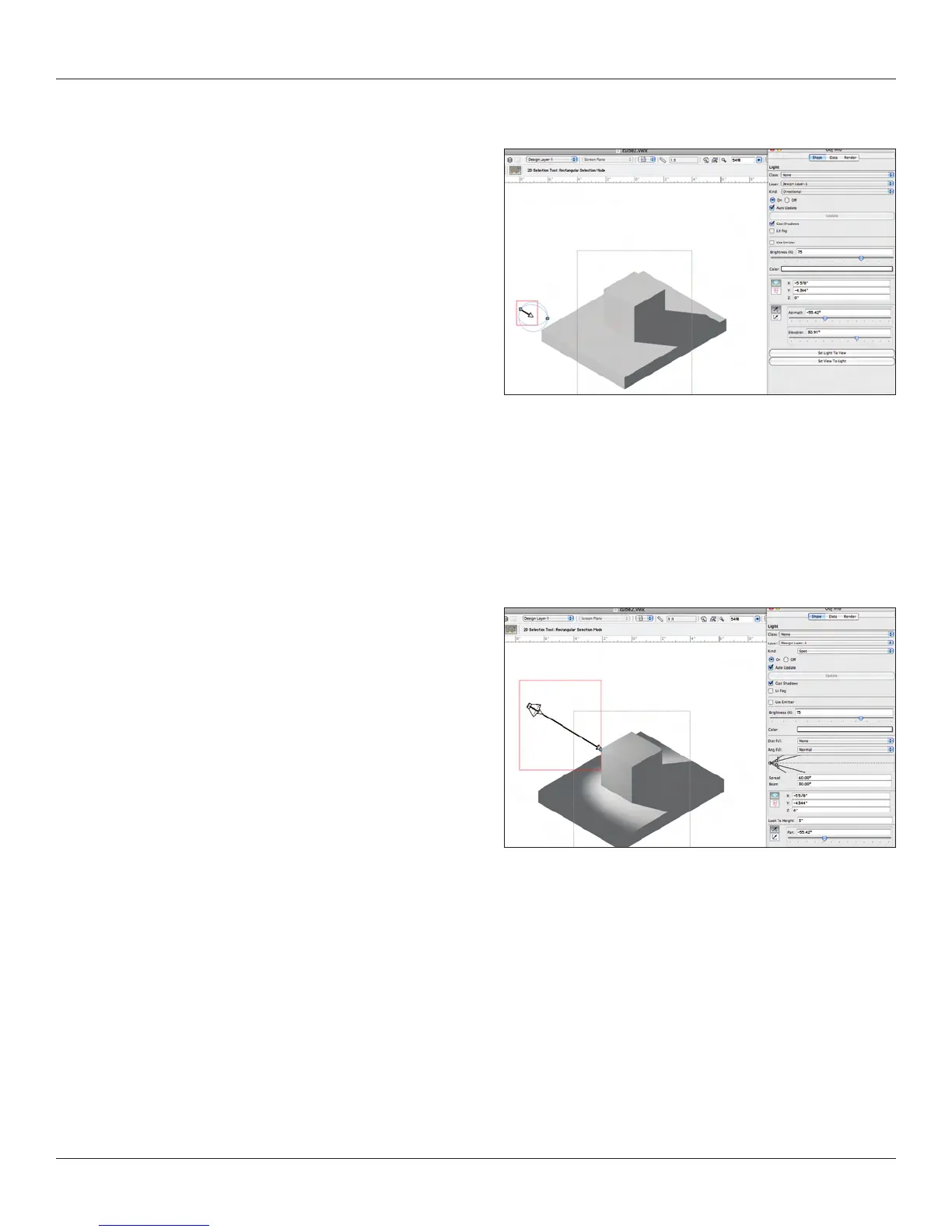
Directional Light Mode
The Directional Light Source is a general light coming from one
direction and is represented by a large globe. The placement of
these lights and the light they provide is very general. The source
moves interactively with the 2D Selection Tool and can be con-
trolled numerically from the OIP. While you can change the Z
Height of the object, that does not matter with these lights.
Also in the OIP you can change color and intensity. Read below
about Lit Fog before you jump into a long rendering. Remember
you can always cancel or Esc from a rendering if you feel you are
waiting too long or can tell early on that you are not yet happy with
your results.
Use Emitter allows accuracy and species the light’s actual
brightness and color temperature; leave deselected to use the light
as a simple light source. Set Light to View sets the orientation of the light to the current view. Set View to Light sets the orientation of
the current view to the light.
You’ll note that I have turned on “Display Light Objects in all views using the Display Tab of the Application Preferences.
Spot Light
Spot Lights are a work horse. You will nd spot lights imbedded
within the Entertainment Lighting Fixture Symbols. In the OIP, you
can interactively set the Spread and Beam (numerically also). Spot
lights need to be carefully focused and set to a proper Z Height,
with an associated Z Look-to Height. You can move and rotate the
units with the Move Command and the Rotate Tool. Once Focused,
you can readily Duplicate as needed.
Light can be added to symbols, so if you have a lot of columns and
want them up lit, you can add to the symbol, Adjust one unit; have
all your columns lit the same.
In the OIP, you can use absolute Positioning to have your lights
exactly where you need them.
Try adjusting the focus and placing the light exactly where you like with the 3D Reshape Tool.
Distance Falloff is the change of intensity moving along the beam away from the light source. Angle Falloff species the intensity
change between the beam and the spread.



 To Next Page