42 Vectorworks 2010 Products
Vectorworks Spotlight 2010 Getting Started Guide
Extrude Along Path
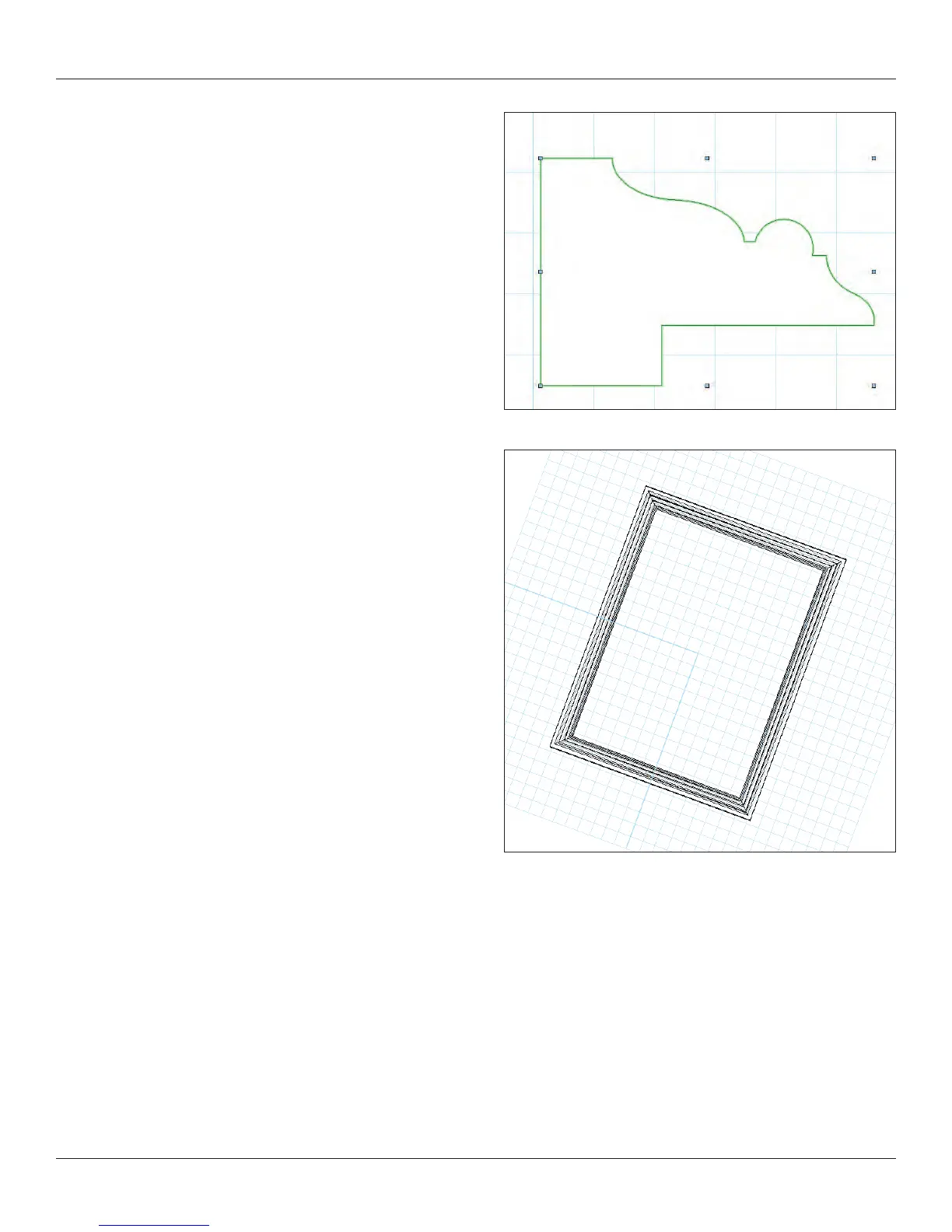
I use extrude along path for many objects such as picture frames or
an ornate proscenium. Draw a rectangle, select a solid crown
moulding prole and Model>Extrude Along Path.
Extrude Along Path extrudes around the center of the prole
objects. This small bit of information is important in determining the
size of your path. If you want the outer perimeter a certain size,
your path needs to subtract the width of your prole.
I have taken a standard moulding prole. In this case I previously
traced the catalog from one of my local lumber yards. Vectorworks
ships with a library of US nationally available proles as symbols.
You can insert one of these symbols and convert to group. I added
a small piece of wood to hide the edge of the artwork, placed a
rectangle, selected the two objects and the Model>Extrude Along
Path Command.
Note: Double clicking on the nished piece allows you to edit
(or ip) the prole or the path.
Chain Extrude
The Chain Extrude tool is located in the Building Shell Tool Set.
You can create a cornice with Extrude Along Path. You can create a
cornice with repeating corbels using Chain Extrude.
Create the proles as you would normally. If you want a continuous
object and a repeating object, create the continuous object rst.
Select the object(s), select the Chain Extrude Tool, follow the
prompts and draw the line required in the plan view.



 To Next Page