18 Vectorworks 2010 Products
Vectorworks Spotlight 2010 Getting Started Guide
Classes can be used for objects on different layers; like layers,
they can be used to control what is visible. Vectorworks starts by
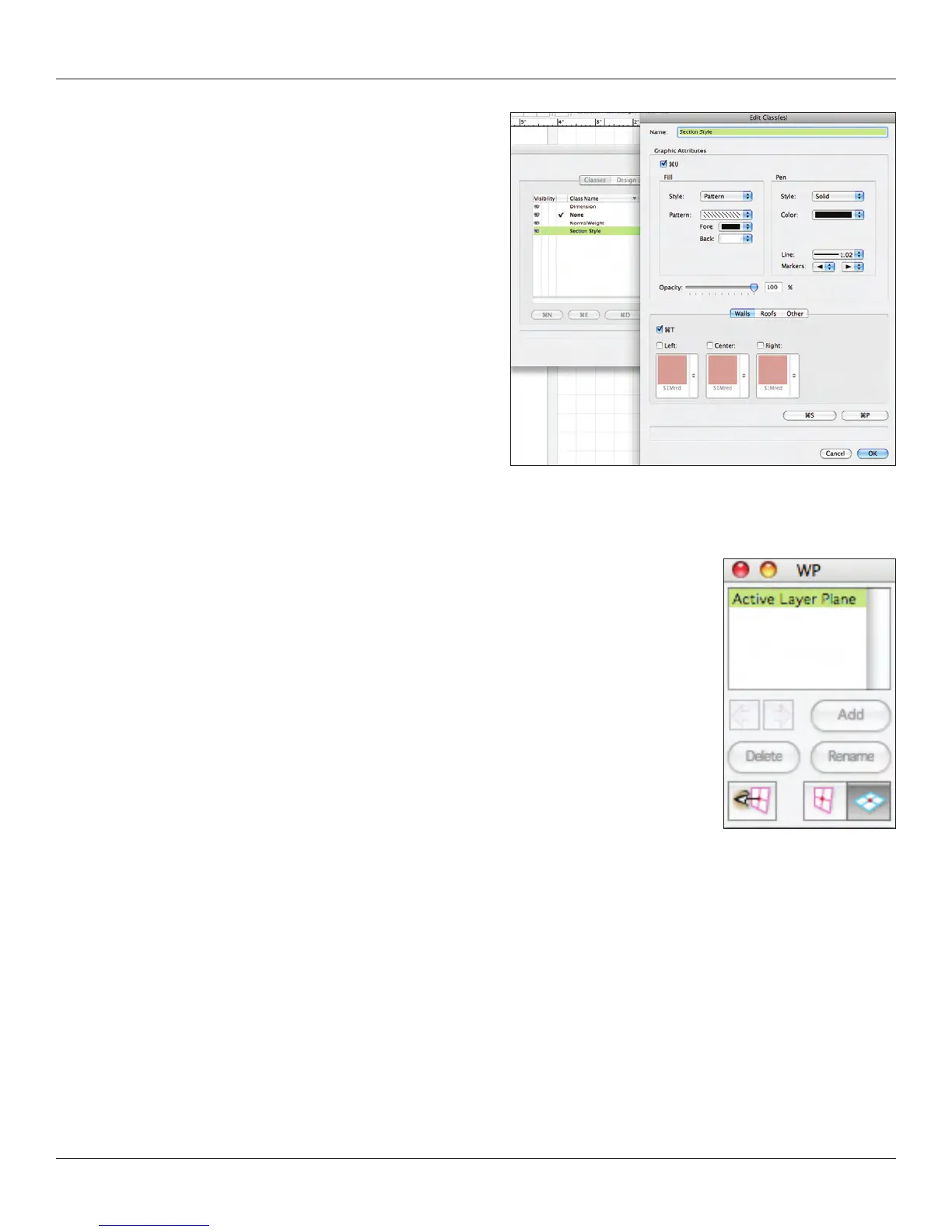
giving you two Classes: Dimension and None. Begin by editing the
Dimension class. Check Use at Creation and set the ll color to
none so that your Dimension text does not conceal another detail.
Create the Normal Weight and Section Style classes as illustrated
and re-save your Default.sta document.
Classes truly allow full use of Vectorworks and as a best practice no
object should be drawn without having a class assigned.
Going further, consider that your theatre walls may have one color
and your set wall to have another color. By using classes to assign
these attributes, when the color of the set changes, you can change
all of the walls at once. Similarly, you would want different classes to
distinguish the Grand Drape from the masking.
Saved Views (in the View Bar) allow you to revert to saved views quickly at any time. There may be an area of detail that you
continually need to return to in plan; a Saved View will allow that. Views can have different layers and classes visible. Saved Views are
also very useful for looking at scenes rendered with lights focused, lighting levels set, and gobos.
I have included a document that has my own class structure; examine it and consider how it might
apply to your workow. Do not yet expect for everything to make sense.
We’ll discuss Viewports and Sheet Layers for presentations in Presenting your Drawings on page 89.



 To Next Page