22 Vectorworks 2010 Products
Vectorworks Spotlight 2010 Getting Started Guide
Note: To insert the light click once and you are then free to rotate the
light. Click a second time to lock down the rotation. Double click on
insertion if you do not want to rotate at this time.
Practice.
Note: That symbols and plug in objects can typically only be inserted
in the Top/Plan View.
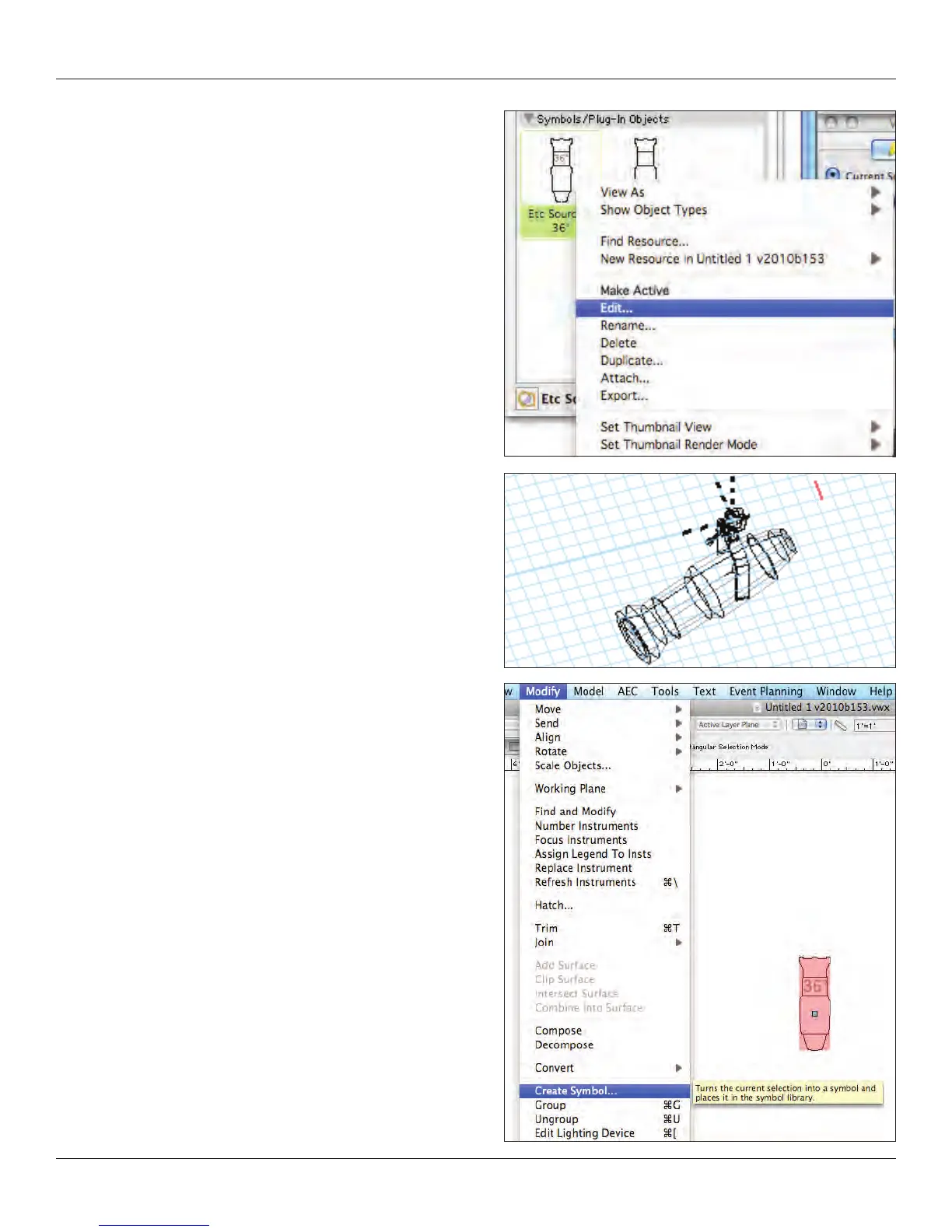
Right click on the symbol in the RB with your test le active, click
Edit. You will then have the option of editing the 2D, 3D, 3D wall hole
or insertion Options. Look at the 2D and the 3D. Rotate the 3D with
the Flyover Tool from the Basic Tool palette. Note that the 2D object
sits exactly over the 3D object.
To create a Hybrid symbol, create a 3D object, select it and
go to Modify>Create Symbol. Edit the symbol to add the
2D representation.



 To Next Page