General Operation
96 TVM Series Installation and Operation Handbook
Copyright © 2008, Harris Corporation
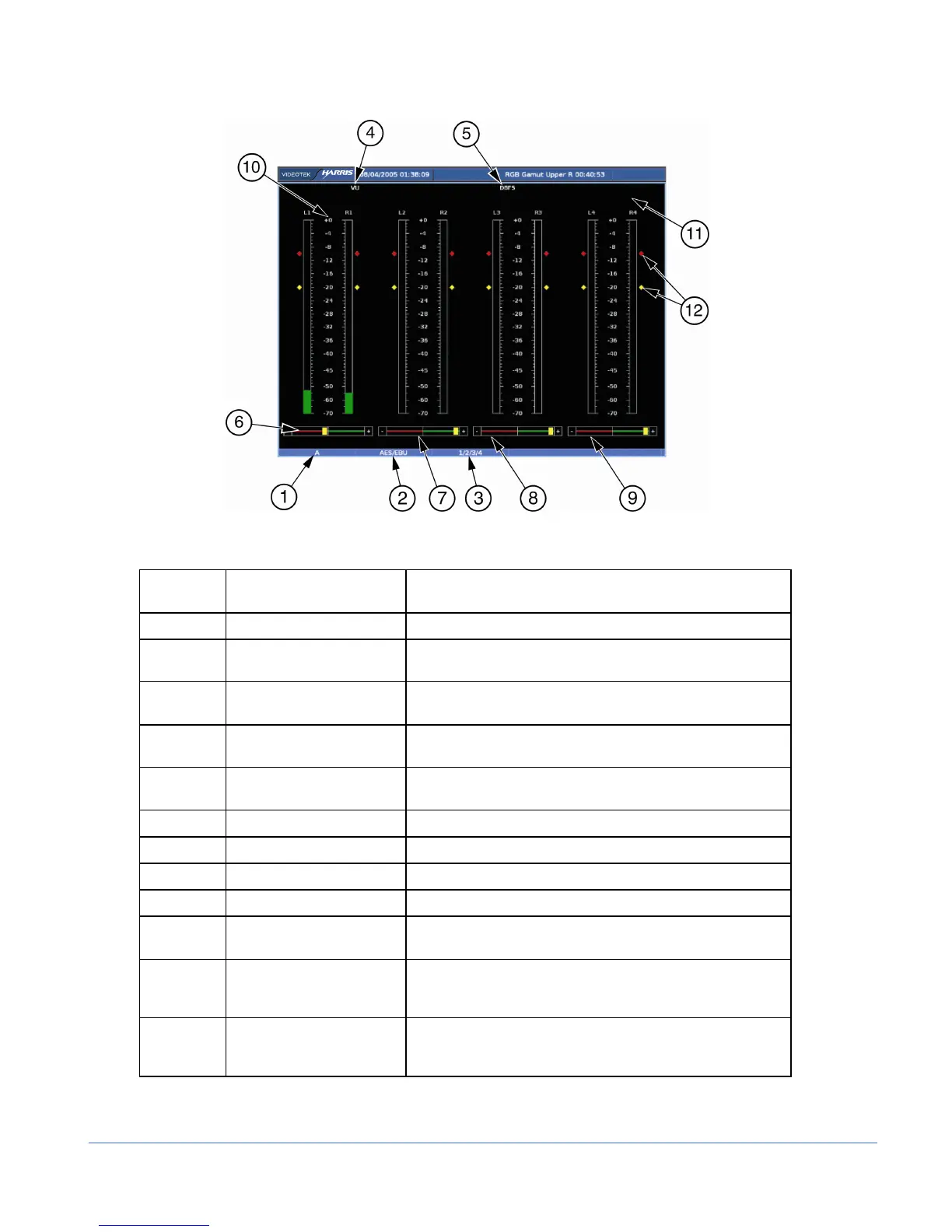
Figure 3-53. Eight Bar Graph Display Diagram
Table 3-43. Description of Eight Bar Graph Display Diagram
Field
Identifier
Field Information Nomenclature
1 Input Displays user-configurable source IDs for input and routers
2 Audio Type Displayed as Analog, AES, Embedded, Dolby AES, Dolby
Embedded
3 Audio Input Displayed information is option dependent; shown as 1-16
(analog is 1-8, AES is 1-16 or 1-8, and Embedded is 1-16)
4 Meter Response Displays selected meter response: VU, Peak, True Peak,
VU + Peak, VU + True Peak, Loudness, Custom
5 Scale Selection Displays the selected meter scale: Type I, Type IIa, Type
IIb, Type I + 8, Nordic, DIN 45406, dBFS, Zero REF dBFS
6 Phase Bar (1) Phase Meter of bar graph 1
7 Phase Bar (2) Phase Meter of bar graph 2
8 Phase Bar (3) Phase Meter of bar graph 3
9 Phase Bar (4) Phase Meter of bar graph 4
10 Audio Graticule (with
meter labels)
Shown as L1, R1, L2, R2, L3, R3, L4, and R4 (or Custom
label).
11 Zoom
• Zoom (when enabled)
• Blank when disabled
• Press the ZOOM button to cycle through Zoom modes
12 Level Meters Shows peak and reference levels for the signal. This can
be adjusted in the AUDIO SETUP > METER SETUP >
REF DIGITAL (or ANALOG) menu.



 To Next Page