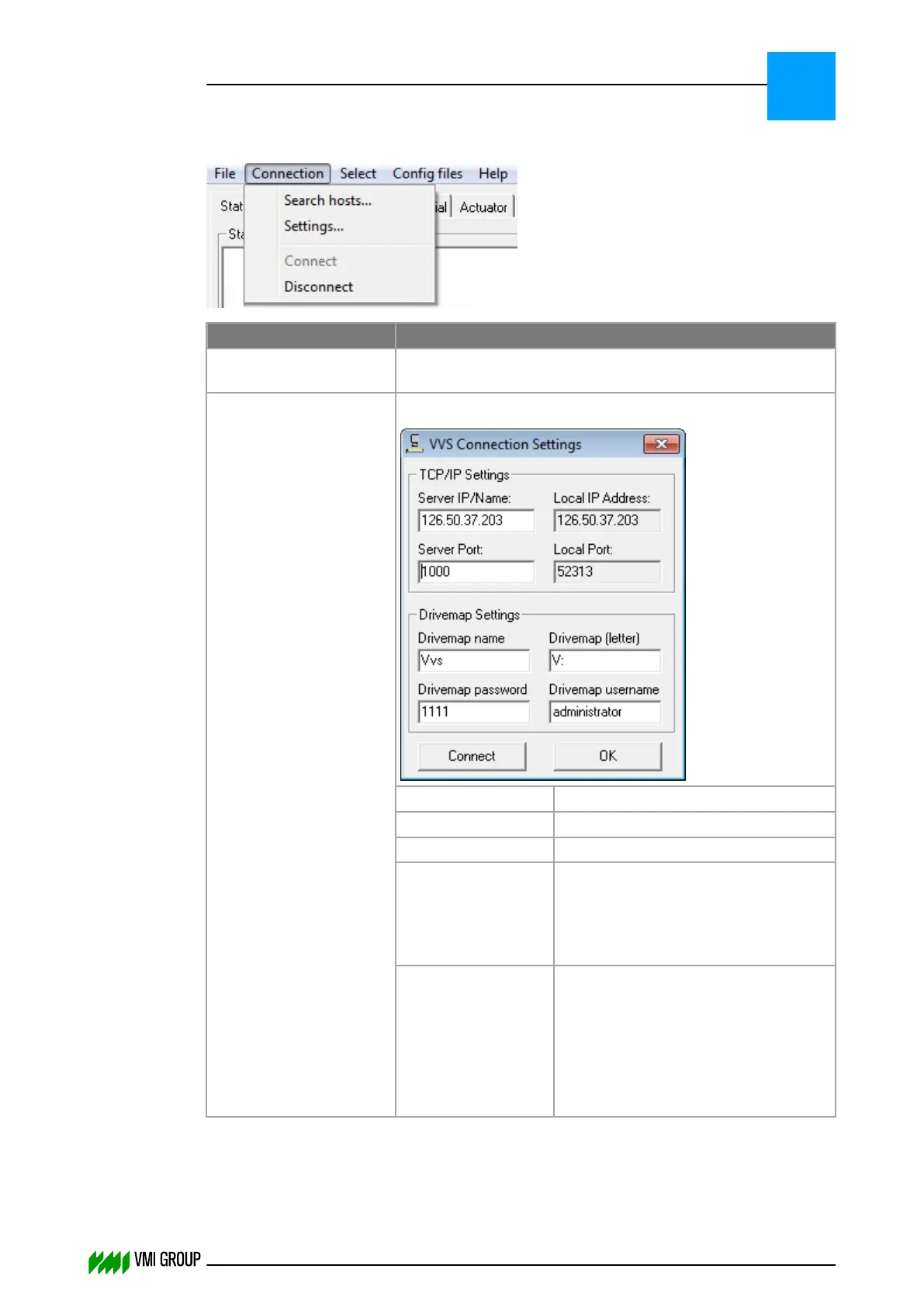
Connection menu
Legend Description
Search hosts Searches the network for VVSX servers and enters the VVS
Client request screen.
Settings Opens a window for Setting up a manual connection to VVSX.
Server IP/Name Address of the VVSX Server.
Server Port Standard setting, do not change.
Drivemap Name Standard setting, do not change.
Drivemap (letter) Standard setting. This is the mapped
drive that will be created when
connecting to the VVSX Server. In
case of conflict, this drive designation
can be altered.
Drivemap
username
The user name on the VVSX Server
with administrator rights.
Default user names are:
● vmi (for WES7 VVS IPCs)
● administrator (for WES2009/XPE
VVS PCs)
VVSU OPERATION
Screen layout (generic)
7
THINKING FORWARD
VMI Vision System VVS (OL82) VVSX 13.0.12.0, VVSU 3.0.6 / 4 / 2016-07-11 / pd#175592
7-7



 To Next Page