4.
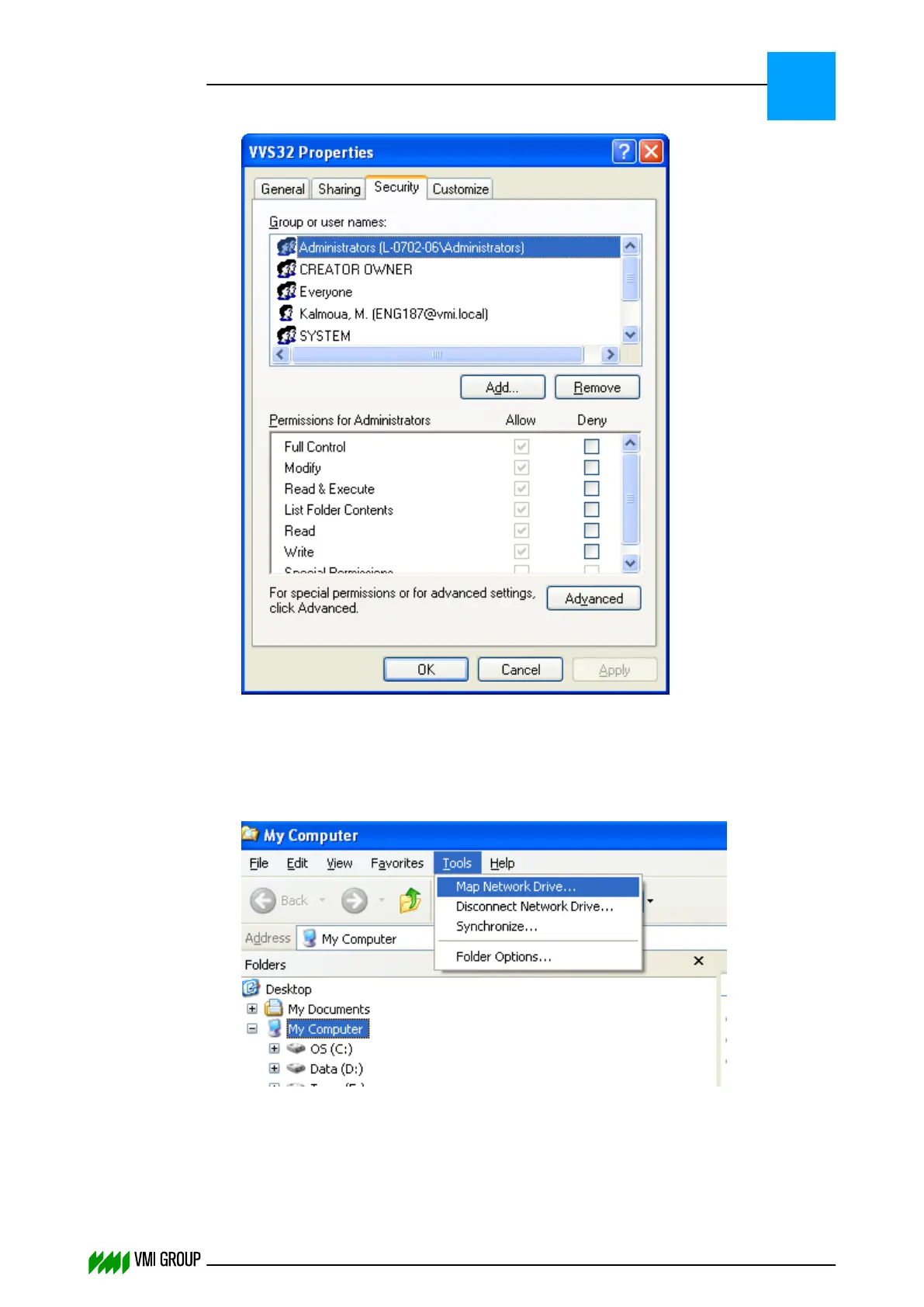
Select the SECURITY tab and the account which is used by the VVSU client.
5. Make sure FULL CONTROL is checked.
Next you can check if the account used by VVSU has the right permissions.
6. Go to the computer on which VVSU is installed.
7. Start the WINDOWS EXPLORER.
8.
Select the TOOLS tab and the function MAP NETWORK DRIVE.
TROUBLESHOOTING
Communication
8
THINKING FORWARD
VMI Vision System VVS (OL82) VVSX 13.0.12.0, VVSU 3.0.6 / 4 / 2016-07-11 / pd#175592
8-8



 To Next Page