5.4.3 Calibrate the camera
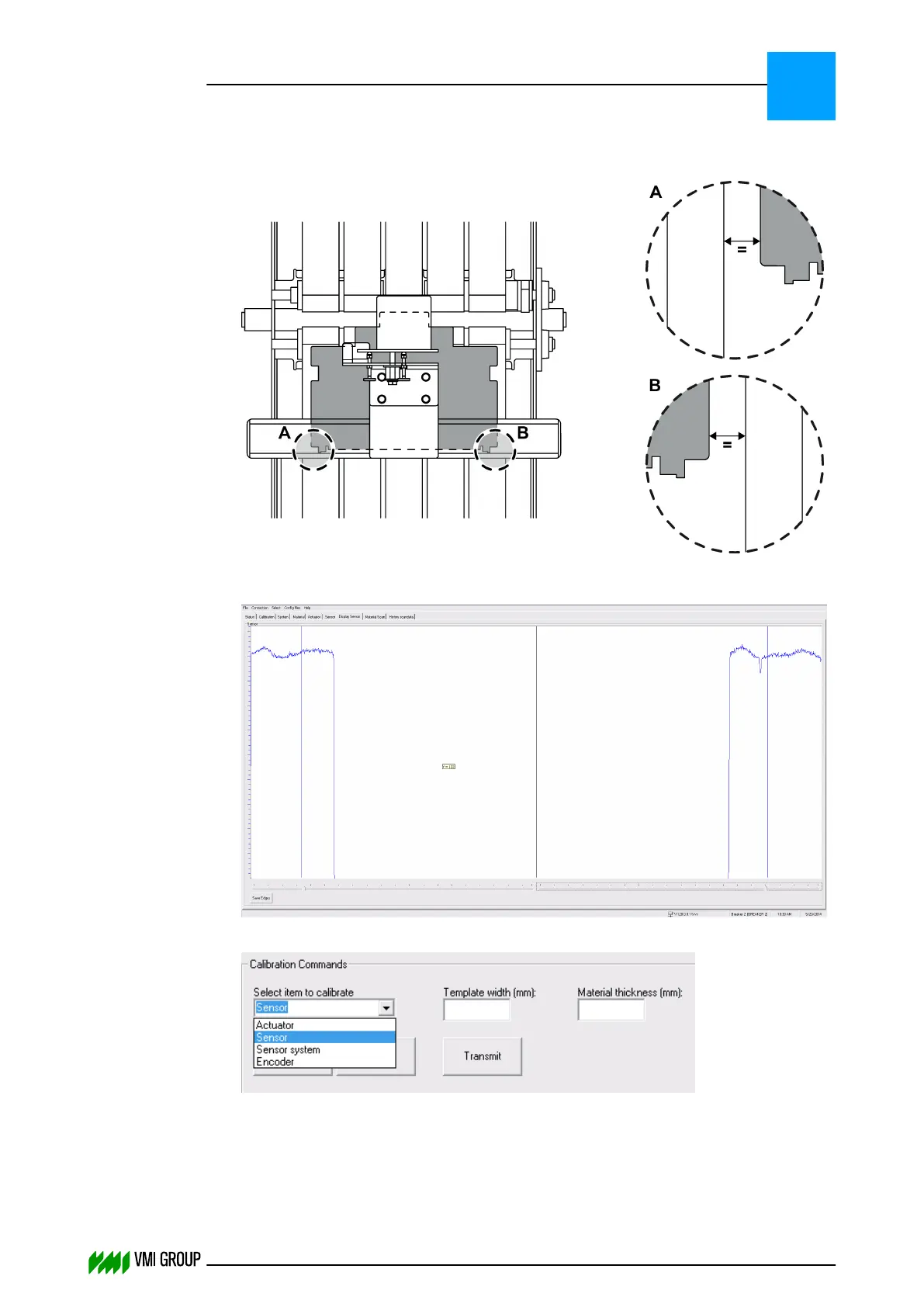
1. Place the calibration template on the conveyor belt as follows:
Make sure that the calibration template is centered [A=B].
Example image:
2. In VVSU, go to tab CALIBRATION.
3.
Select SENSOR in the SELECT ITEM TO CALIBRATE drop‑down box.
4. Enter the template width in the TEMPLATE WIDTH (MM) field.
5. Enter thickness 0 in the MATERIAL THICKNESS (MM) field.
6. Click TRANSMIT to send the values to VVSX.
ALIGNMENTS, ADJUSTMENTS AND CALIBRATIONS
VVS Tread
5
THINKING FORWARD
VMI Vision System VVS (OL82) VVSX 13.0.12.0, VVSU 3.0.6 / 4 / 2016-07-11 / pd#175592
5-30



 To Next Page