Setting Up the 600E Pump 159
2. If you are at the Gradient Controller Pump Configuration screen (see Figure 8-7)
and do not need to save changes, press the Cancel screen key to return to the
Gradient Controller Pump Setup screen (Figure 8-9).
3. If you are at the Gradient Controller Pump Configuration screen (see Figure 8-7)
and do need to save changes:
• Press the Configure screen key to save your changes. The controller reboots and
returns to the Gradient Controller Powerup screen.
• Press the Set Up function key. The Gradient Controller Pump Setup screen
appears (Figure 8-9).
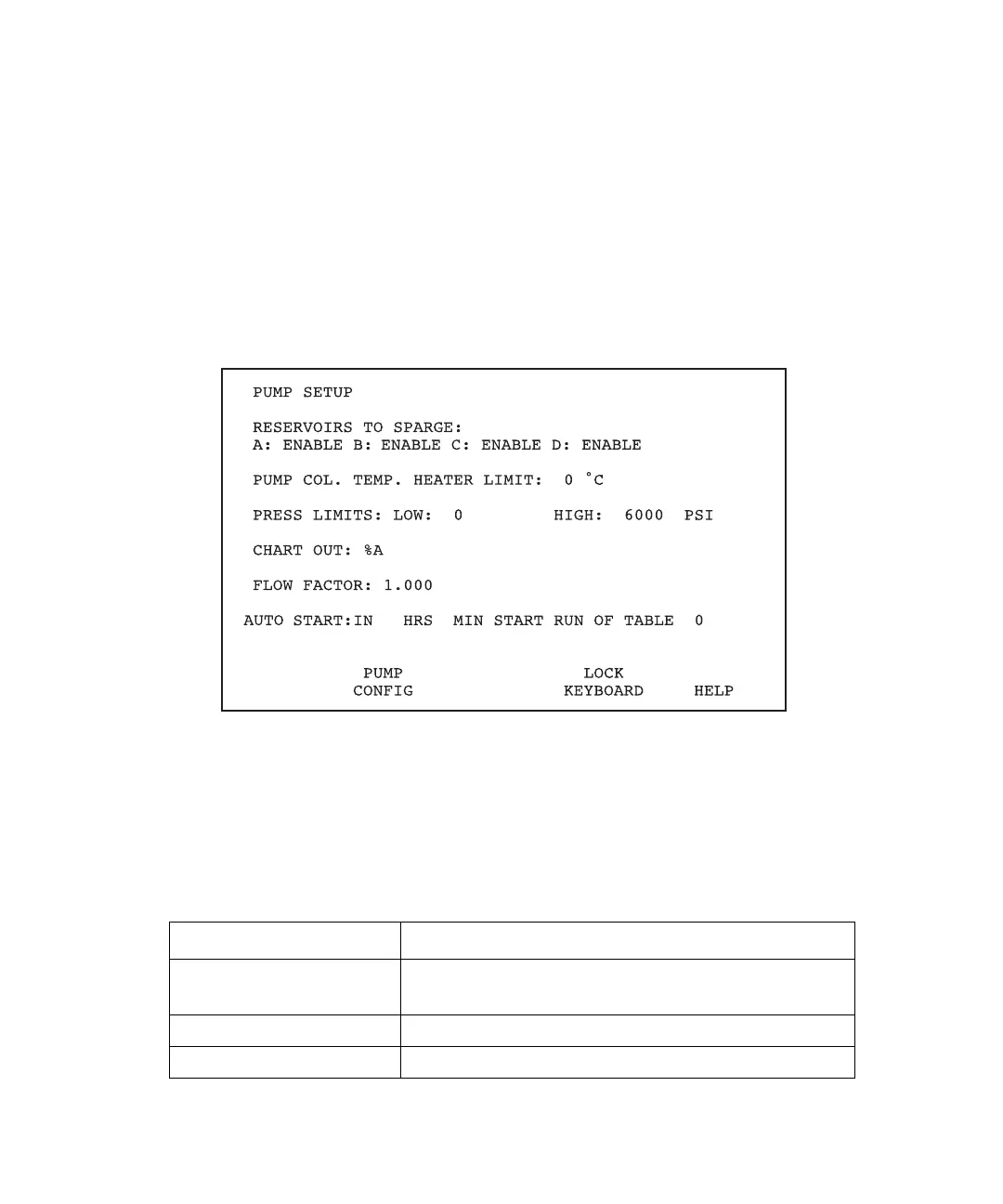
Figure 8-9 Gradient Controller Pump Setup Screen
Pump Setup Screen Keys
In addition to the parameters shown on the screen, the Gradient Controller Pump Setup
screen also displays the screen keys described in Table 8-1.
Table 8-1 Pump Setup Screen Keys
Key Function
Pump Config Displays additional configuration parameters related
to the pump and controller.
Lock Keyboard Locks or unlocks the keyboard.
Help Displays the Help screen for the Pump Setup screen.



 To Next Page