SuperRack SoundGrid / User Guide
CPU Meters
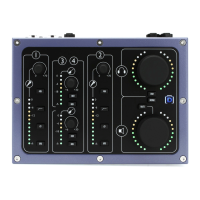
The meter bars on a server icon indicate CPU usage of each of the server’s cores. There is one meter per core.
The solid bar areas display average DSP use per core. A yellow line shows peak DSP use per core.
Both indicators are color-coded.
Green Less than 75% DSP load
Yellow 75%–85% DSP load
Red Over 85% DSP load
A very high average indicates that the server is near its processing capacity. If this persists, use the
Processing Server drop-down menu to select another server for that Rack, or remove certain plugins.
Some plugins can exhibit a high average/peak DSP ratio. This may cause overloads (momentary or constant)
that result in audio drops. When adding many of these CPU-hungry plugins, the peak and average indicators
will drift apart. Assign the rack’s processing to another server that has more available CPU. If this doesn’t
help, you may need to disable or remove certain plugins.


 To Next Page