SuperRack SoundGrid / User Guide
Latency Compensation
Latency compensation assures that signals are time-aligned, regardless of how they are processed or routed.
Depending on settings, SuperRack can compensate for latency differences in three different ways:
• Align the plugins within a rack
• Align the racks in a latency group
• Align every rack and plugin to one delay group
ALIGNING PLUGINS IN A RACK
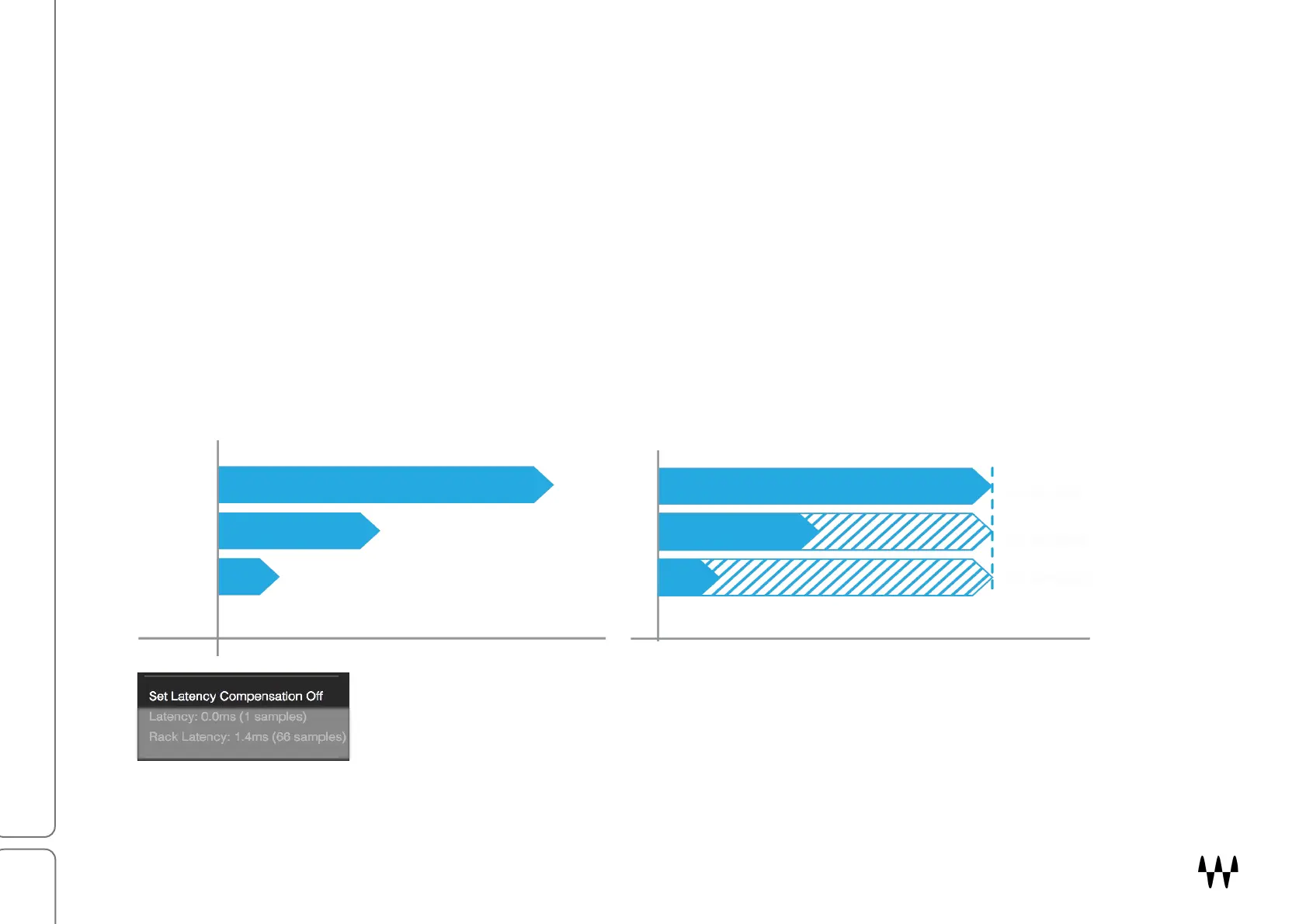
The diagram below illustrates one rack with three plugins. Each plugin has a different latency, so the plugins are not
time-aligned in the rack. Latency compensation delays the plugins with the least latencies (in this case, plugin #2
and plugin #3) to match the plugin with the greatest latency (plugin #1). In this example, plugin #2 was delayed by
an additional 55 samples and plugin #2 an additional 97 samples. The three plugins in the rack are now aligned with
each other. The rack reports a latency of 100 samples.
You can remove individual plugins from the rack’s latency compensation calculations.
This is done in the plugin’s drop-down menu. Turning off a plugin’s latency
compensation does not affect its actual latency: it merely takes it out of latency
calculations. If, in the example above, plugin #1 is removed from latency compensation,
the rack will report a latency of only 45 samples. Plugin #1 will still have a latency of 100
samples, but it will not affect the latencies of the other plugins in the rack.
100 samples
Plugin #1
Plugin #2
Plugin #3 3 samples



 To Next Page