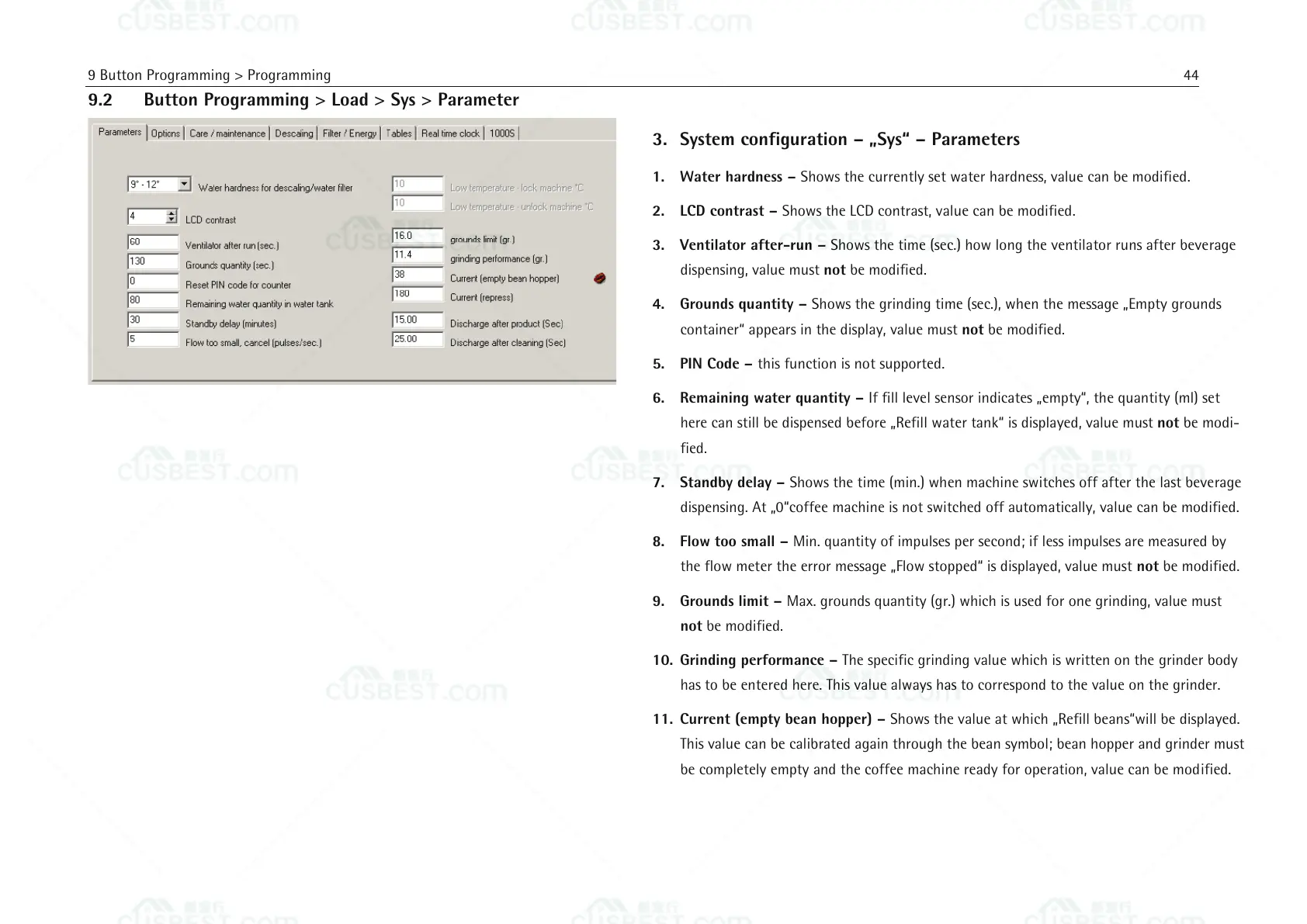
3. System configuration – „Sys“ – Parameters
1. Water hardness – Shows the currently set water hardness, value can be modified.
2. LCD contrast – Shows the LCD contrast, value can be modified.
3. Ventilator after-run – Shows the time (sec.) how long the ventilator runs after beverage
dispensing, value must not be modified.
4. Grounds quantity – Shows the grinding time (sec.), when the message „Empty grounds
container“ appears in the display, value must not be modified.
5. PIN Code – this function is not supported.
6. Remaining water quantity – If fill level sensor indicates „empty“, the quantity (ml) set
here can still be dispensed before „Refill water tank“ is displayed, value must not be modi-
fied.
7. Standby delay – Shows the time (min.) when machine switches off after the last beverage
dispensing. At „0“coffee machine is not switched off automatically, value can be modified.
8. Flow too small – Min. quantity of impulses per second; if less impulses are measured by
the flow meter the error message „Flow stopped“ is displayed, value must not be modified.
9. Grounds limit – Max. grounds quantity (gr.) which is used for one grinding, value must
not be modified.
10. Grinding performance – The specific grinding value which is written on the grinder body
has to be entered here. This value always has to correspond to the value on the grinder.
11. Current (empty bean hopper) – Shows the value at which „Refill beans“will be displayed.
This value can be calibrated again through the bean symbol; bean hopper and grinder must
be completely empty and the coffee machine ready for operation, value can be modified.















 To Next Page