4 Software update 19
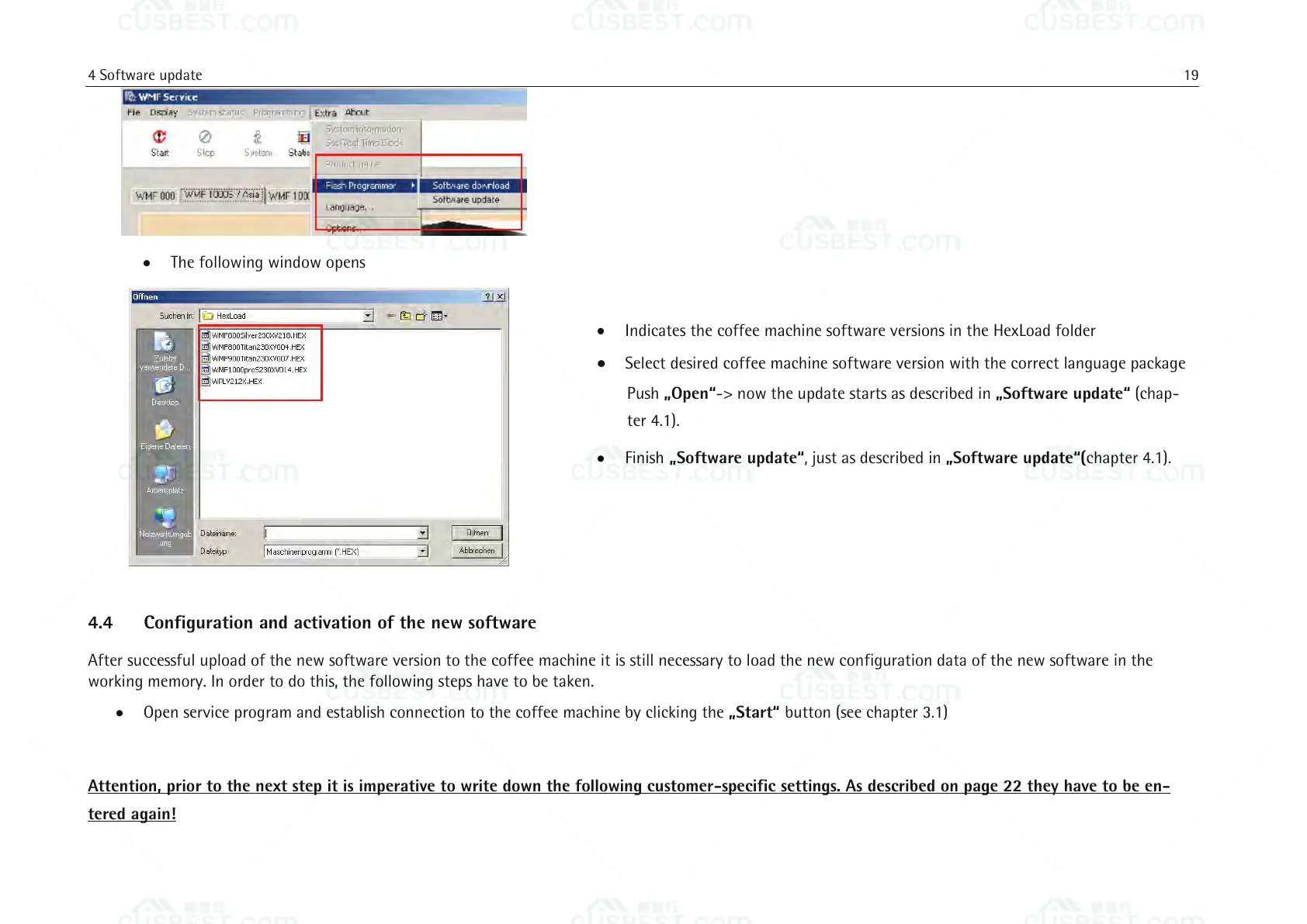
The following window opens
Indicates the coffee machine software versions in the HexLoad folder
Select desired coffee machine software version with the correct language package
Push „Open“-> now the update starts as described in „Software update“ (chap-
ter 4.1).
Finish „Software update“, just as described in „Software update“(chapter 4.1).
4.4 Configuration and activation of the new software
After successful upload of the new software version to the coffee machine it is still necessary to load the new configuration data of the new software in the
working memory. In order to do this, the following steps have to be taken.
Open service program and establish connection to the coffee machine by clicking the „Start“ button (see chapter 3.1)
Attention, prior to the next step it is imperative to write down the following customer-specific settings. As described on page 22 they have to be en-
tered again!















 To Next Page