11 WMF Service Program – Source of Supply, Installation and Troubleshooting 70
11.2 Installation FTDI driver
In order to enable the laptop to communicate with the coffee machine, it is necessary to install a corresponding USB driver (FTDI driver). Please find this driver
here: www.servicecenter.wmf.de -> software for technicians - > WMF 800/900S. After having assigned this driver in Windows to the corresponding coffee ma-
chine type, this coffee machine has to be assigned to a fixed com port below com6 in the device manager.
Download FTDI driver (CDM 20600.exe) and save in a folder.
Start the downloaded file – „CDM 20600.exe“ – by a double clock, the FTDI driver installs itself now
Connect coffee machine and laptop by means of a USB cable and switch on coffee machine now.
11.3 Assign Com Port
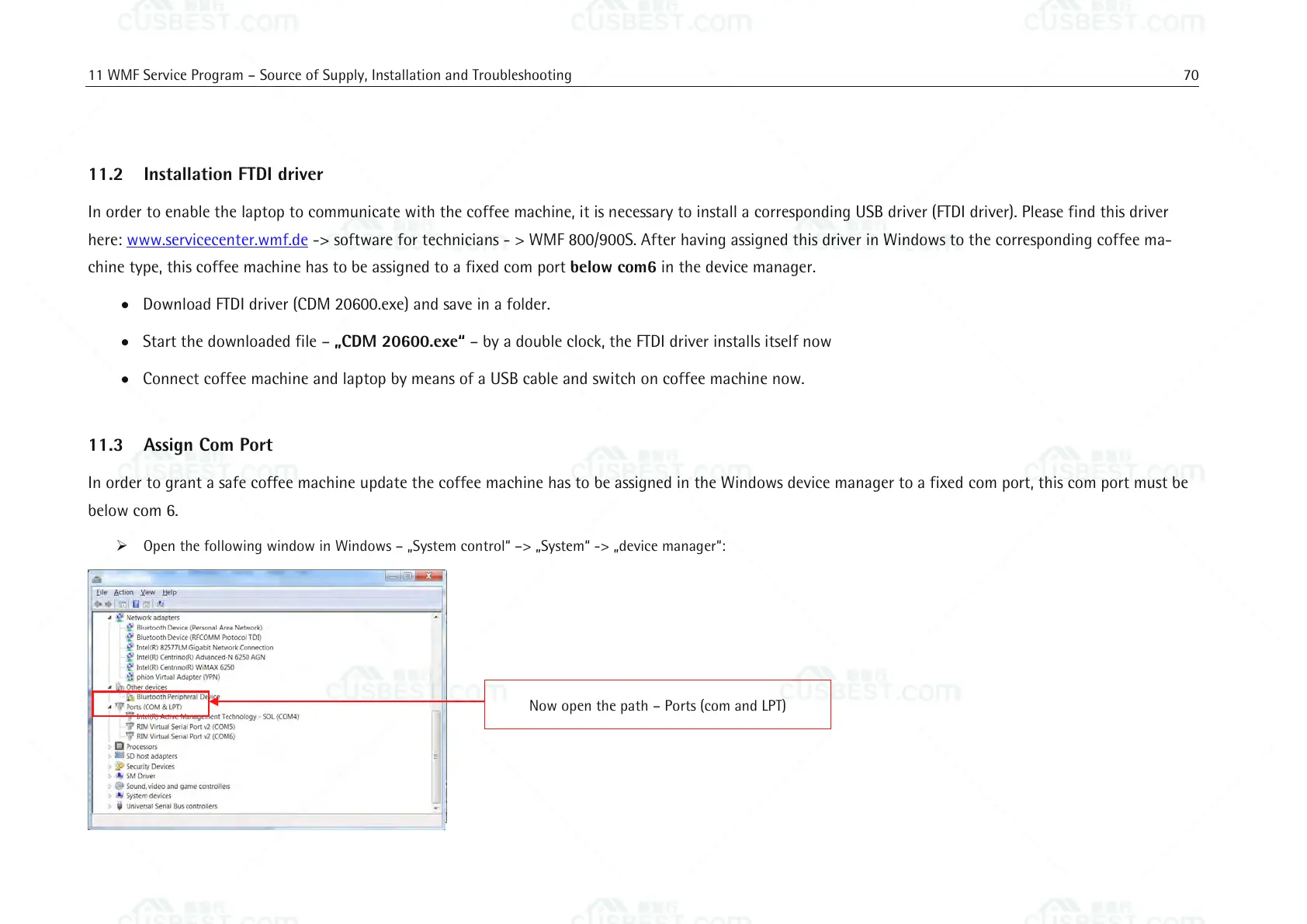
In order to grant a safe coffee machine update the coffee machine has to be assigned in the Windows device manager to a fixed com port, this com port must be
below com 6.
Open the following window in Windows – „System control“ –> „System“ -> „device manager“:
Now open the path – Ports (com and LPT)















 To Next Page