12 Troubleshooting 76
12.2 Machine update (HexLoad) does not start by itself
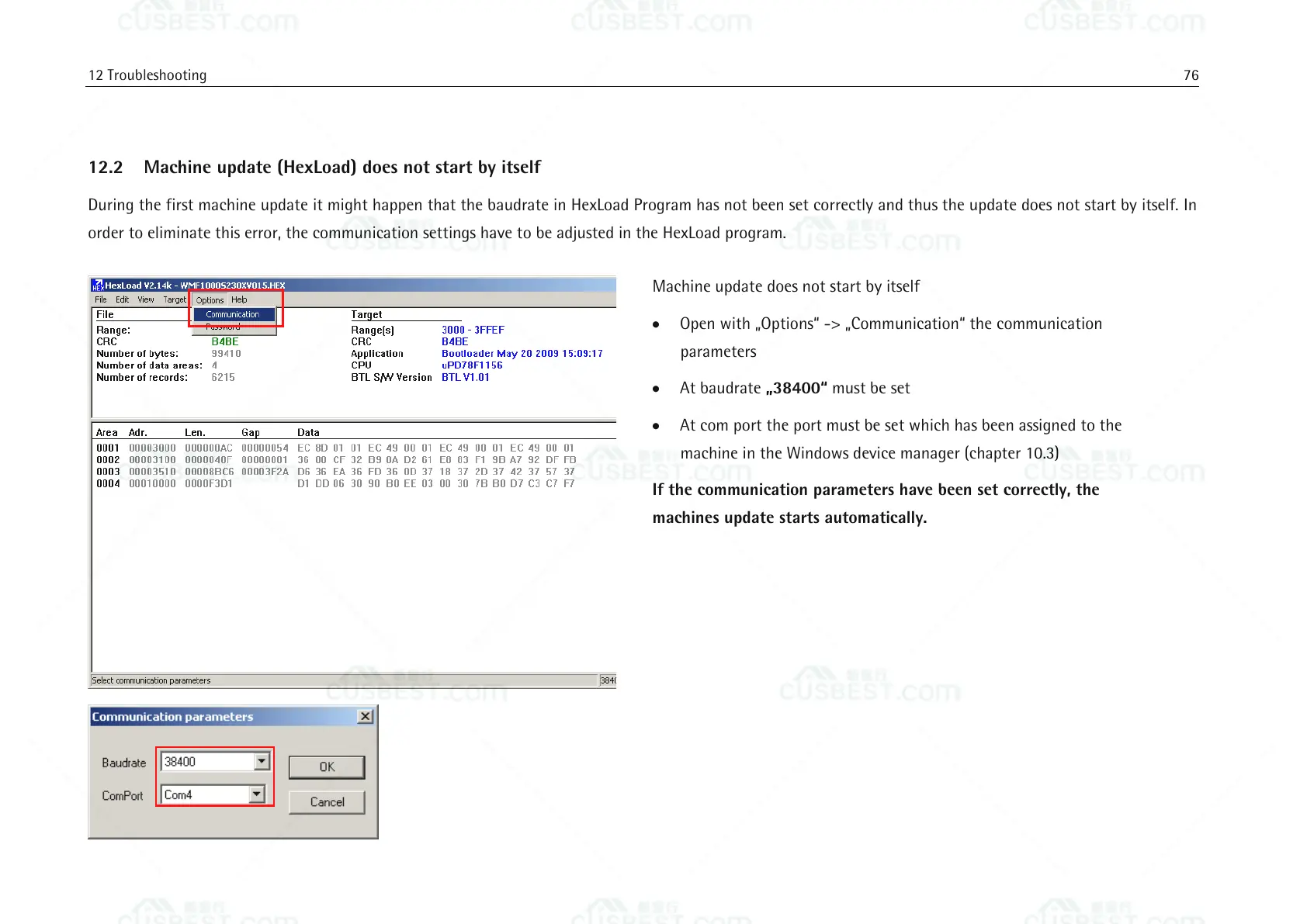
During the first machine update it might happen that the baudrate in HexLoad Program has not been set correctly and thus the update does not start by itself. In
order to eliminate this error, the communication settings have to be adjusted in the HexLoad program.
Machine update does not start by itself
Open with „Options“ -> „Communication“ the communication
parameters
At baudrate „38400“ must be set
At com port the port must be set which has been assigned to the
machine in the Windows device manager (chapter 10.3)
If the communication parameters have been set correctly, the
machines update starts automatically.















 To Next Page