5 Programming - System Configuration 30
5.2.3 Undo customer-specific beverage names
Here, it is described how the modified beverage name can be reset to the default setting in the easiest way.
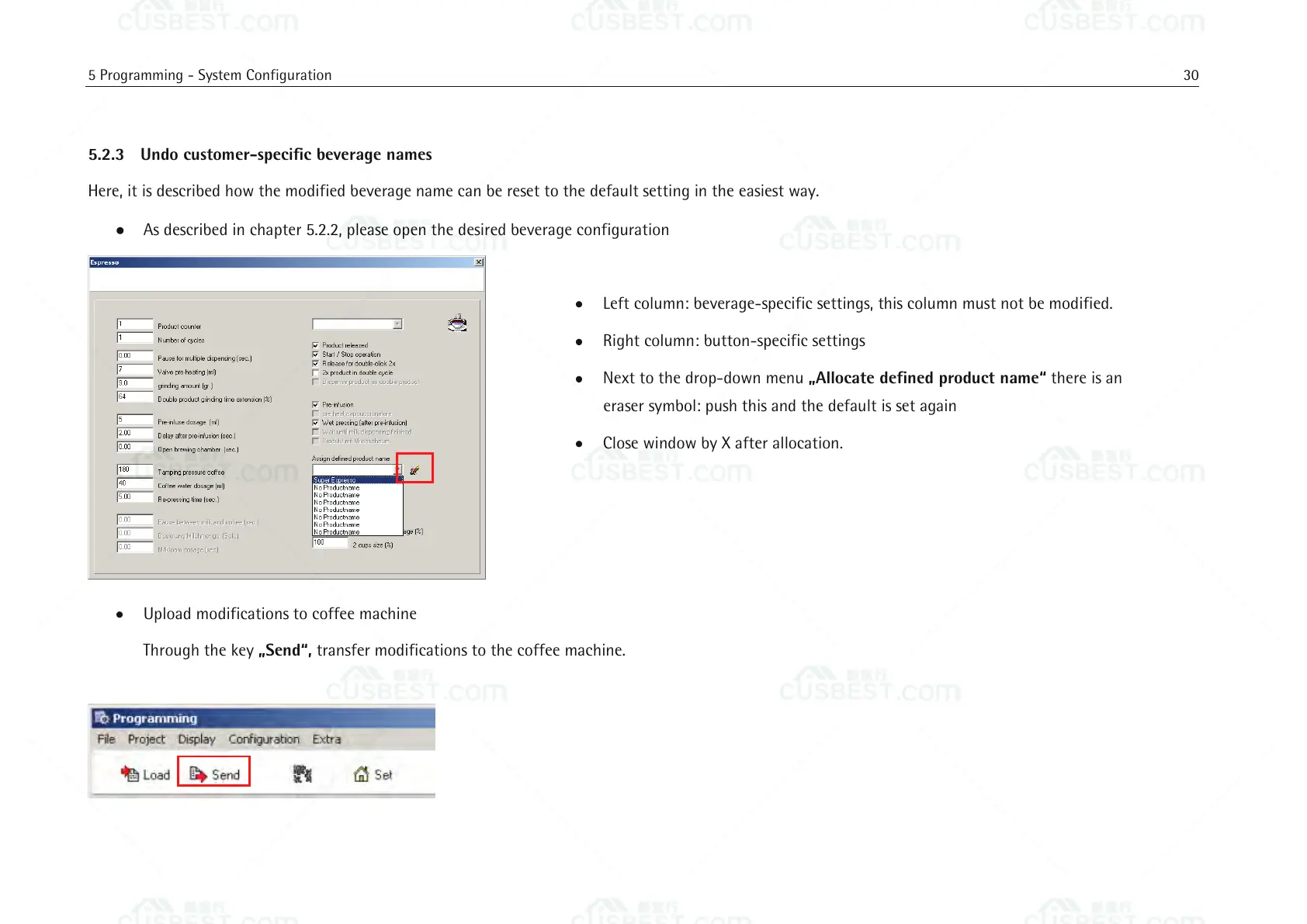
As described in chapter 5.2.2, please open the desired beverage configuration
Left column: beverage-specific settings, this column must not be modified.
Right column: button-specific settings
Next to the drop-down menu „Allocate defined product name“ there is an
eraser symbol: push this and the default is set again
Close window by X after allocation.
Upload modifications to coffee machine
Through the key „Send“, transfer modifications to the coffee machine.















 To Next Page