5 Programming - System Configuration 29
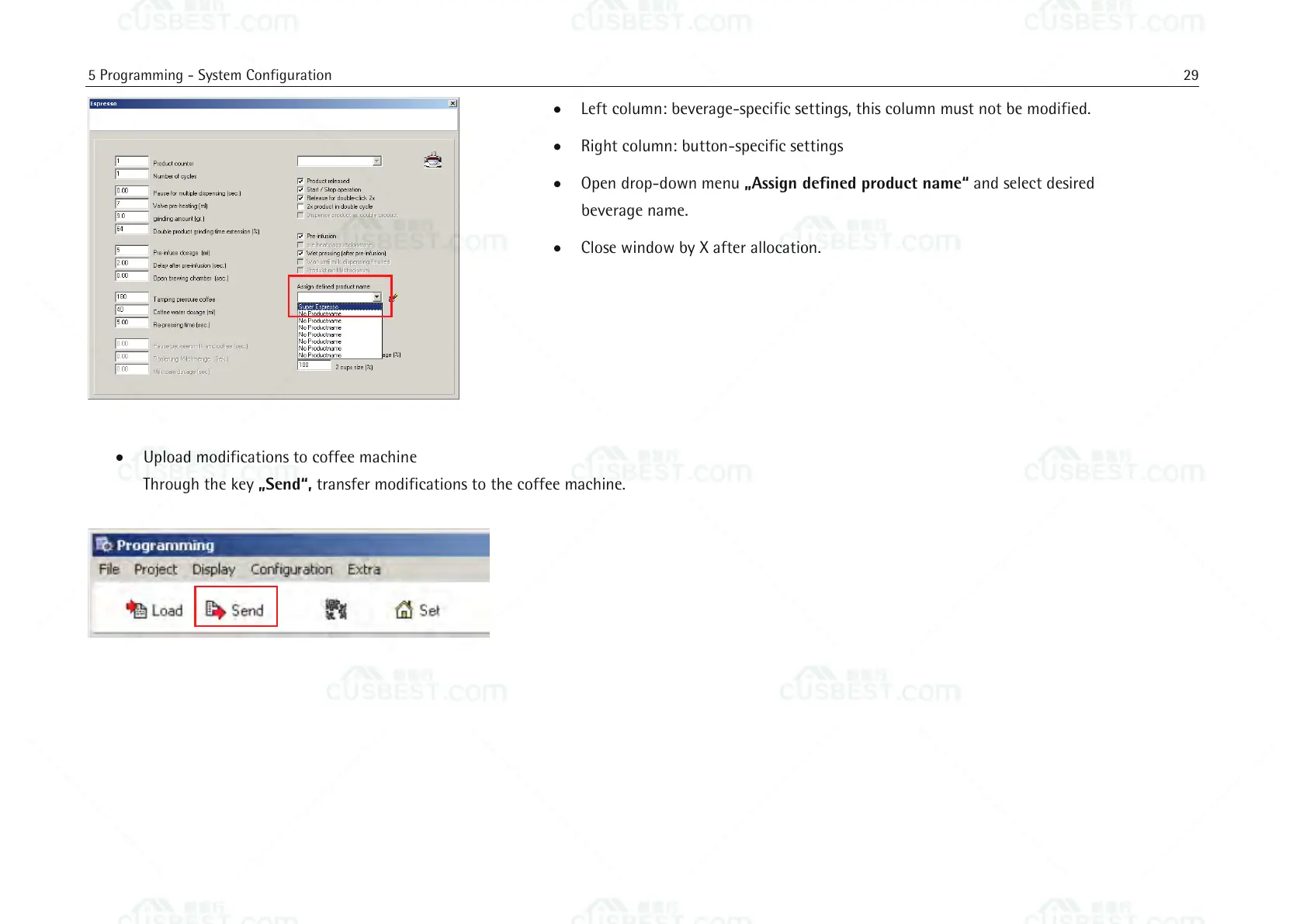
Left column: beverage-specific settings, this column must not be modified.
Right column: button-specific settings
Open drop-down menu „Assign defined product name“ and select desired
beverage name.
Close window by X after allocation.
Upload modifications to coffee machine
Through the key „Send“, transfer modifications to the coffee machine.















 To Next Page