spout, value must not be modified.
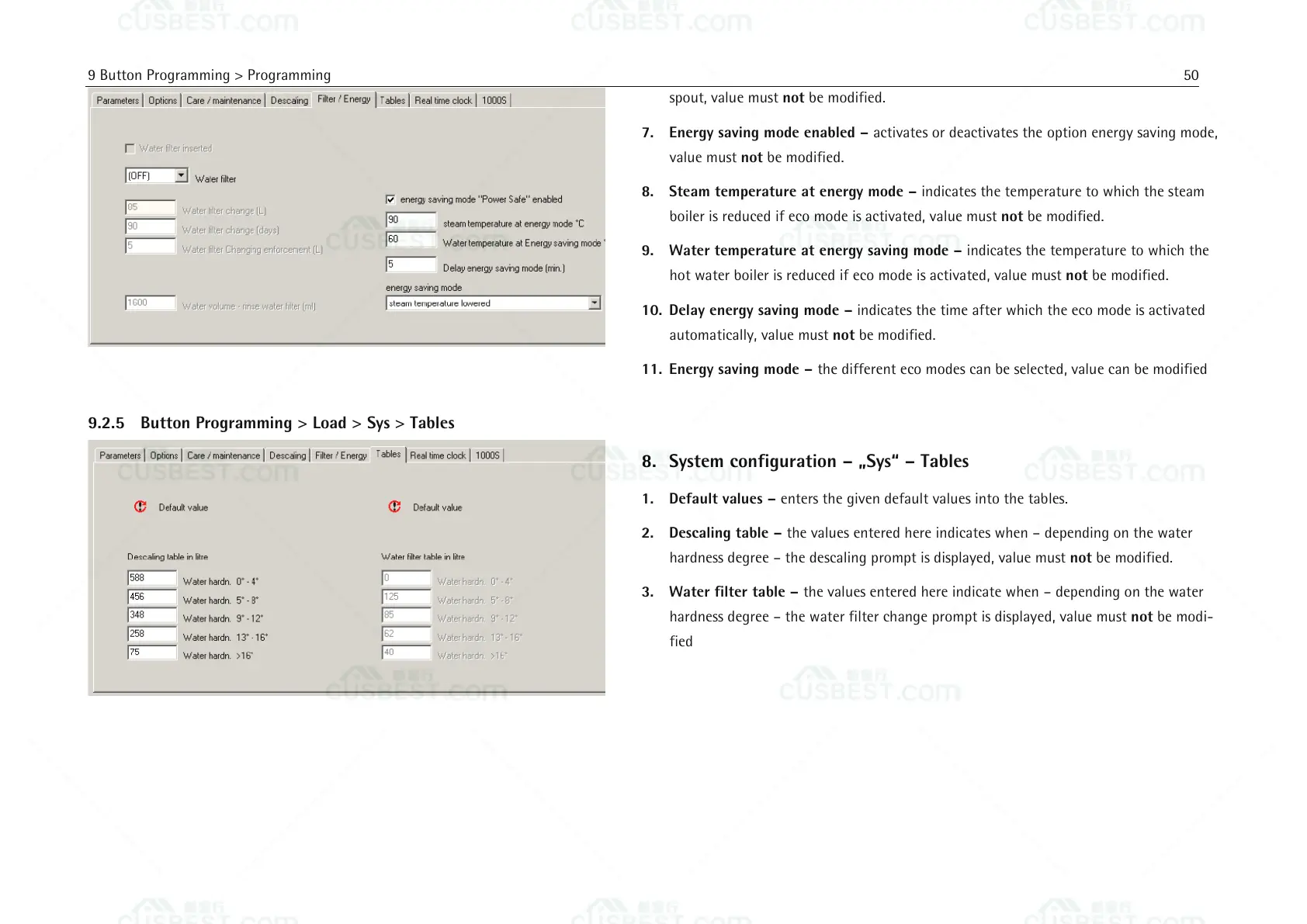
7. Energy saving mode enabled – activates or deactivates the option energy saving mode,
value must not be modified.
8. Steam temperature at energy mode – indicates the temperature to which the steam
boiler is reduced if eco mode is activated, value must not be modified.
9. Water temperature at energy saving mode – indicates the temperature to which the
hot water boiler is reduced if eco mode is activated, value must not be modified.
10. Delay energy saving mode – indicates the time after which the eco mode is activated
automatically, value must not be modified.
11. Energy saving mode – the different eco modes can be selected, value can be modified
8. System configuration – „Sys“ – Tables
1. Default values – enters the given default values into the tables.
2. Descaling table – the values entered here indicates when – depending on the water
hardness degree – the descaling prompt is displayed, value must not be modified.
3. Water filter table – the values entered here indicate when – depending on the water
hardness degree – the water filter change prompt is displayed, value must not be modi-
fied















 To Next Page