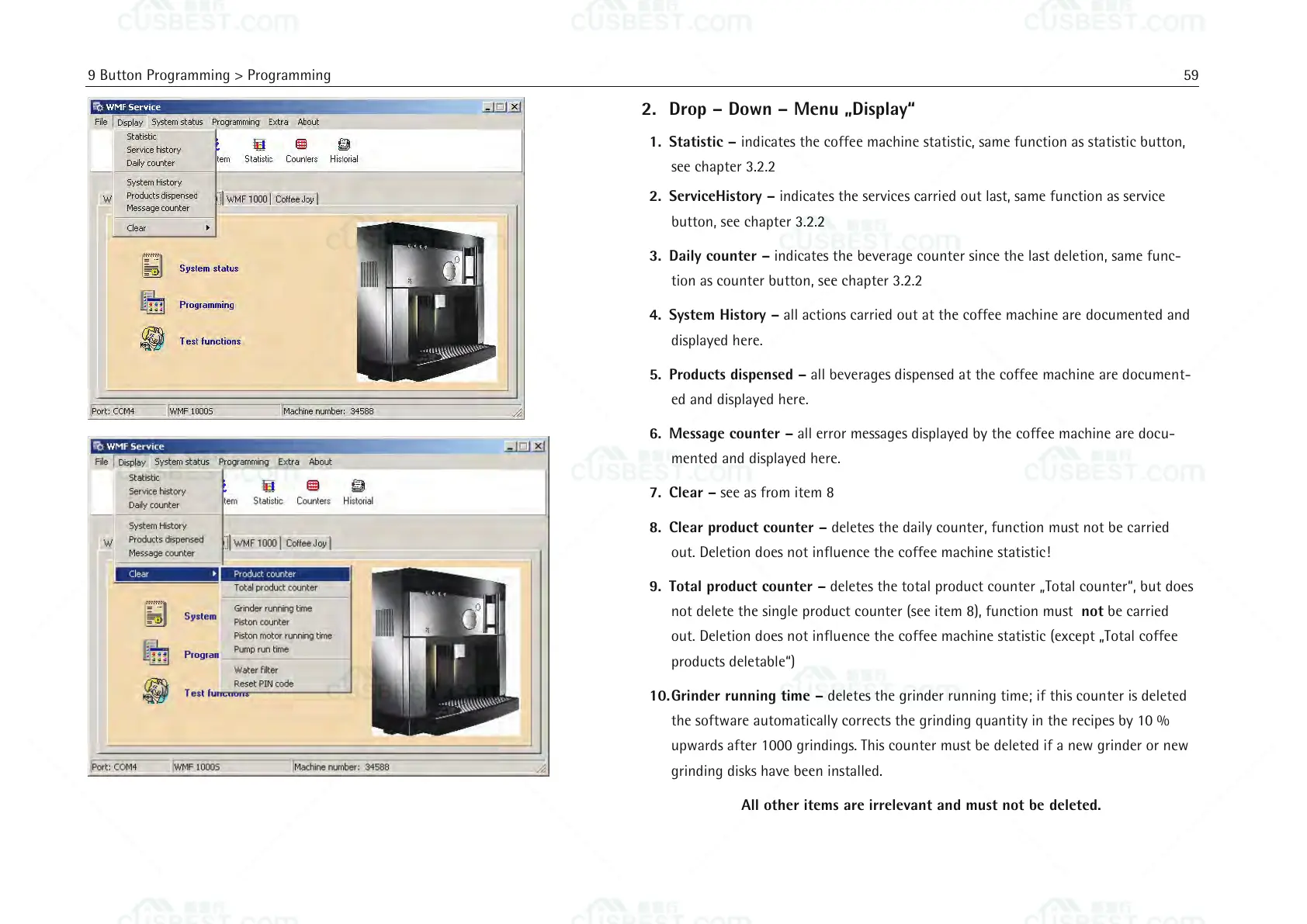
2. Drop – Down – Menu „Display“
1. Statistic – indicates the coffee machine statistic, same function as statistic button,
see chapter 3.2.2
2. ServiceHistory – indicates the services carried out last, same function as service
button, see chapter 3.2.2
3. Daily counter – indicates the beverage counter since the last deletion, same func-
tion as counter button, see chapter 3.2.2
4. System History – all actions carried out at the coffee machine are documented and
displayed here.
5. Products dispensed – all beverages dispensed at the coffee machine are document-
ed and displayed here.
6. Message counter – all error messages displayed by the coffee machine are docu-
mented and displayed here.
7. Clear – see as from item 8
8. Clear product counter – deletes the daily counter, function must not be carried
out. Deletion does not influence the coffee machine statistic!
9. Total product counter – deletes the total product counter „Total counter“, but does
not delete the single product counter (see item 8), function must not be carried
out. Deletion does not influence the coffee machine statistic (except „Total coffee
products deletable“)
10. Grinder running time – deletes the grinder running time; if this counter is deleted
the software automatically corrects the grinding quantity in the recipes by 10 %
upwards after 1000 grindings. This counter must be deleted if a new grinder or new
grinding disks have been installed.
All other items are irrelevant and must not be deleted.















 To Next Page