4 Software update 21
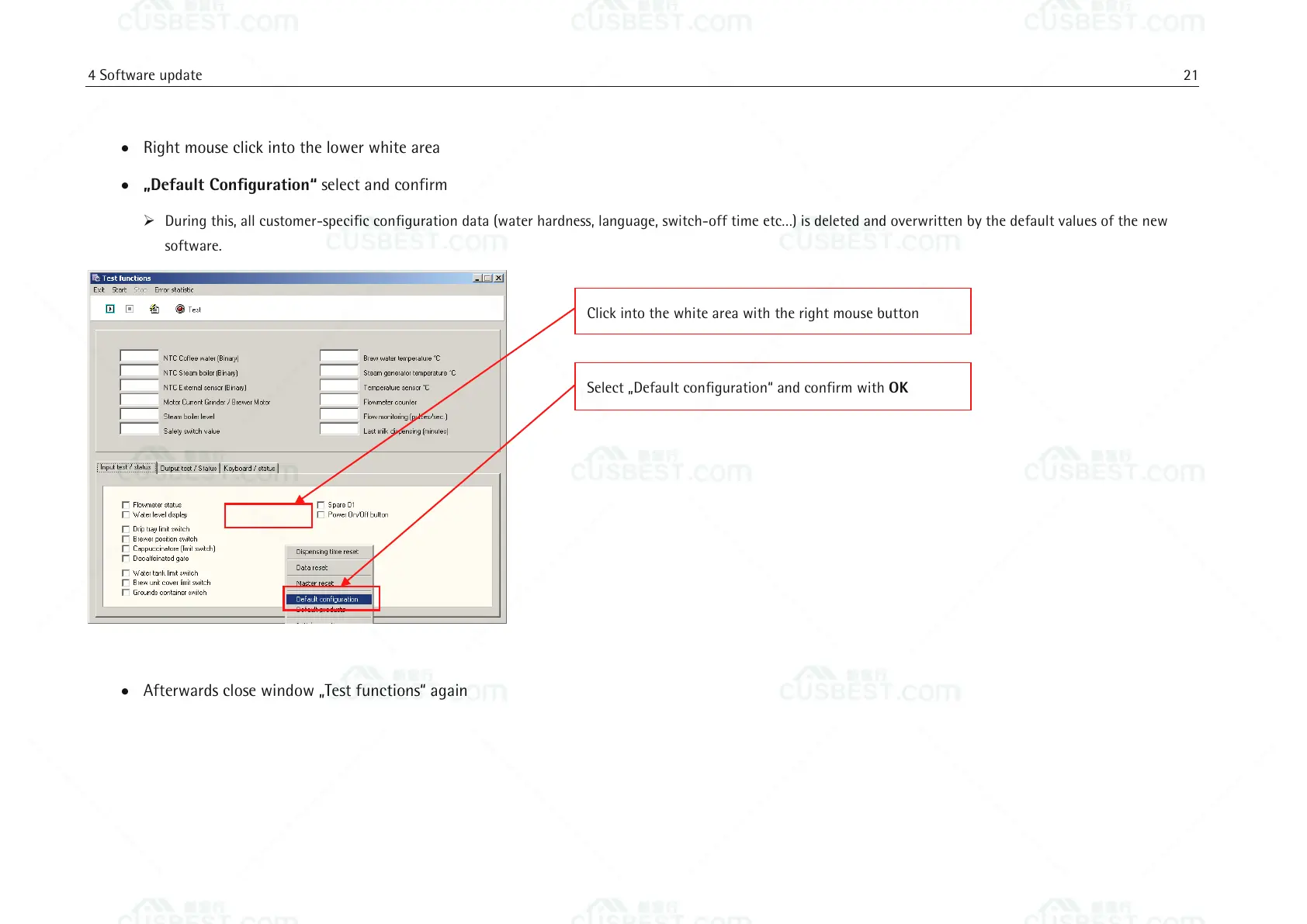
Right mouse click into the lower white area
„Default Configuration“ select and confirm
During this, all customer-specific configuration data (water hardness, language, switch-off time etc…) is deleted and overwritten by the default values of the new
software.
Afterwards close window „Test functions“ again
Select „Default configuration“ and confirm with OK
Click into the white area with the right mouse button















 To Next Page