4 Software update 24
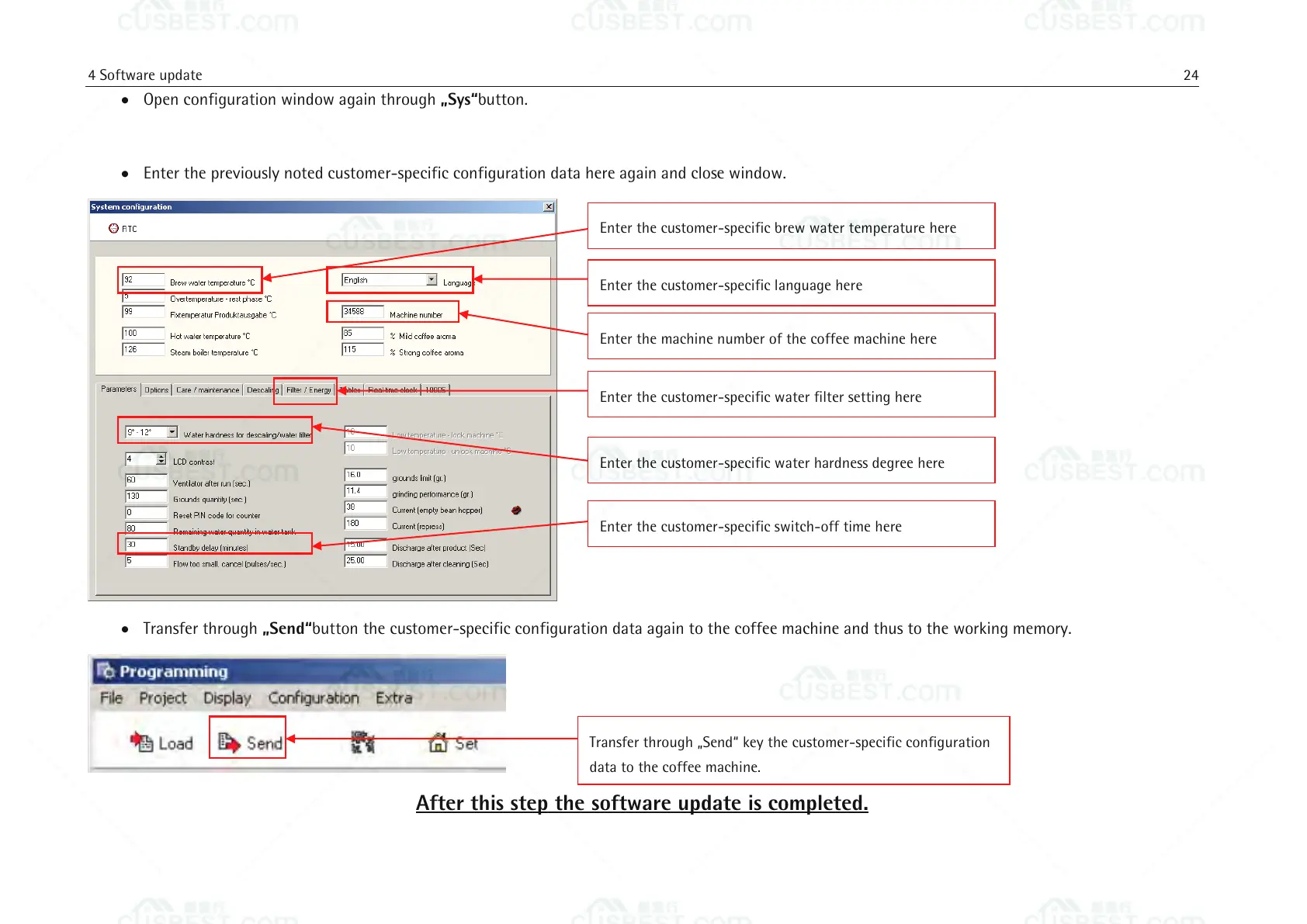
Open configuration window again through „Sys“button.
Enter the previously noted customer-specific configuration data here again and close window.
Transfer through „Send“button the customer-specific configuration data again to the coffee machine and thus to the working memory.
After this step the software update is completed.
Transfer through „Send“ key the customer-specific configuration
data to the coffee machine.
Enter the customer-specific brew water temperature here
Enter the customer-specific language here
Enter the customer-specific water filter setting here
Enter the customer-specific water hardness degree here
Enter the customer-specific switch-off time here
Enter the machine number of the coffee machine here















 To Next Page