Administrator’s Guide for SIP-T2 Series/T19(P) E2/T4 Series/CP860 IP Phones
774
Ensure that the 180 ring workaround feature is disabled. For more information, refer to
180 Ring Workaround on page 290.
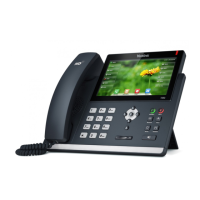
Ensure the SIP-T48G IP phone and your gateway/ router are within the working range
and there is no obvious interference (walls, doors, etc) between them.
’
Do one of the following:
Ensure that the target firmware is not the same as the current firmware.
Ensure that the target firmware is applicable to the IP phone model.
Ensure that the current or the target firmware is not protected.
Ensure that the power is on and the network is available in the process of
upgrading.
Ensure that the web browser is not closed or refreshed when upgrading firmware
via web user interface.
Press the OK/√ key when the IP phone is idle to check the firmware version. For example:
44.80.0.60.


 To Next Page
 Loading...