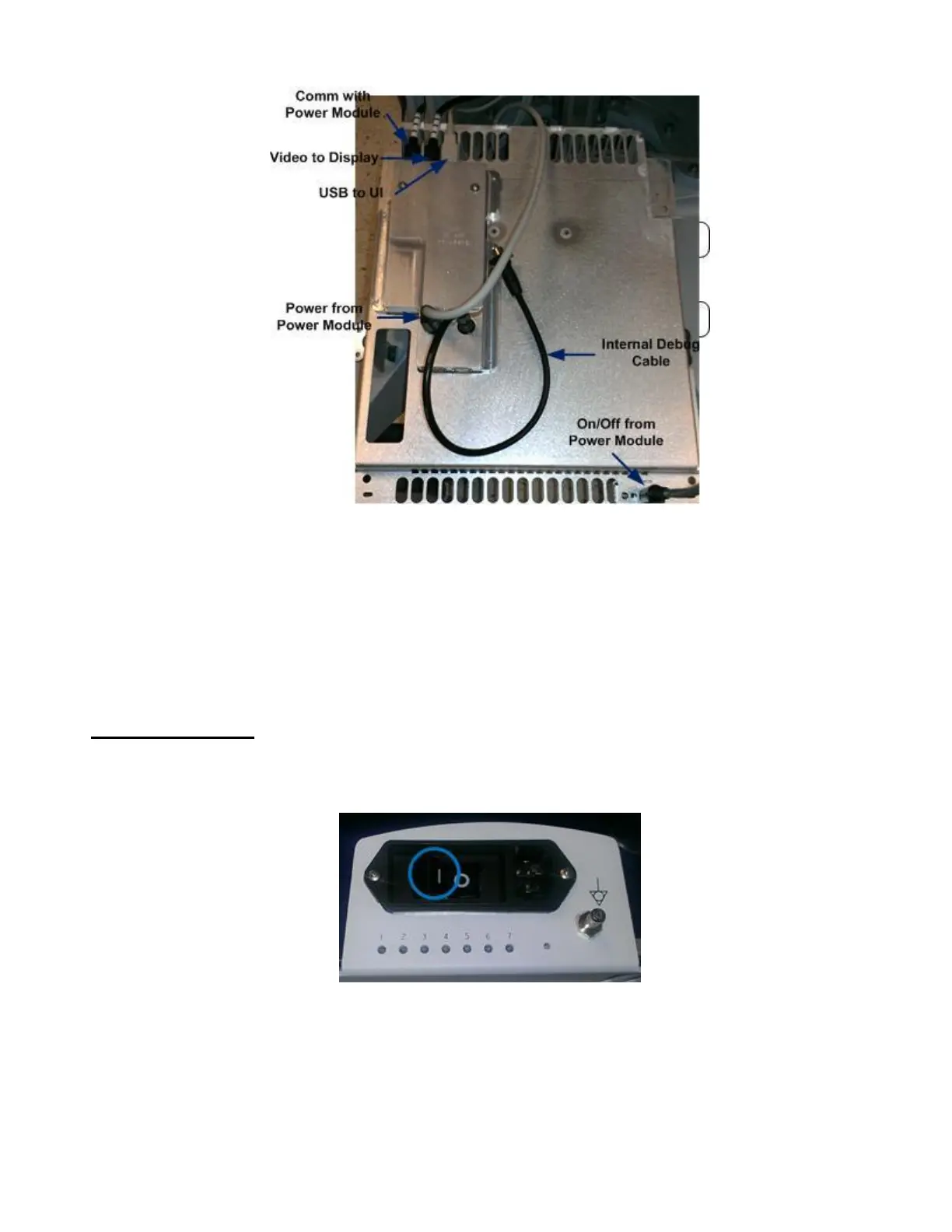
9. The Dock Board may now be removed completely from the cart
10. Repeat all steps in reverse order to reassemble Dock Board. Reconnect all five wires as they were (See
figure above). Replace z.one
pro
Module and plastic covering.
System Verification:
1. Reconnect the main AC power cord from the rear of the system or plug into the wall source.
2. Place AC circuit breaker, located at the rear of the system, in the “1” (ON) position.
3. Ensure the module is docked and the cosmetic cover is on. LED #1 will blink quickly and LED
#5 will remain on.
4. Energize the system



 To Next Page