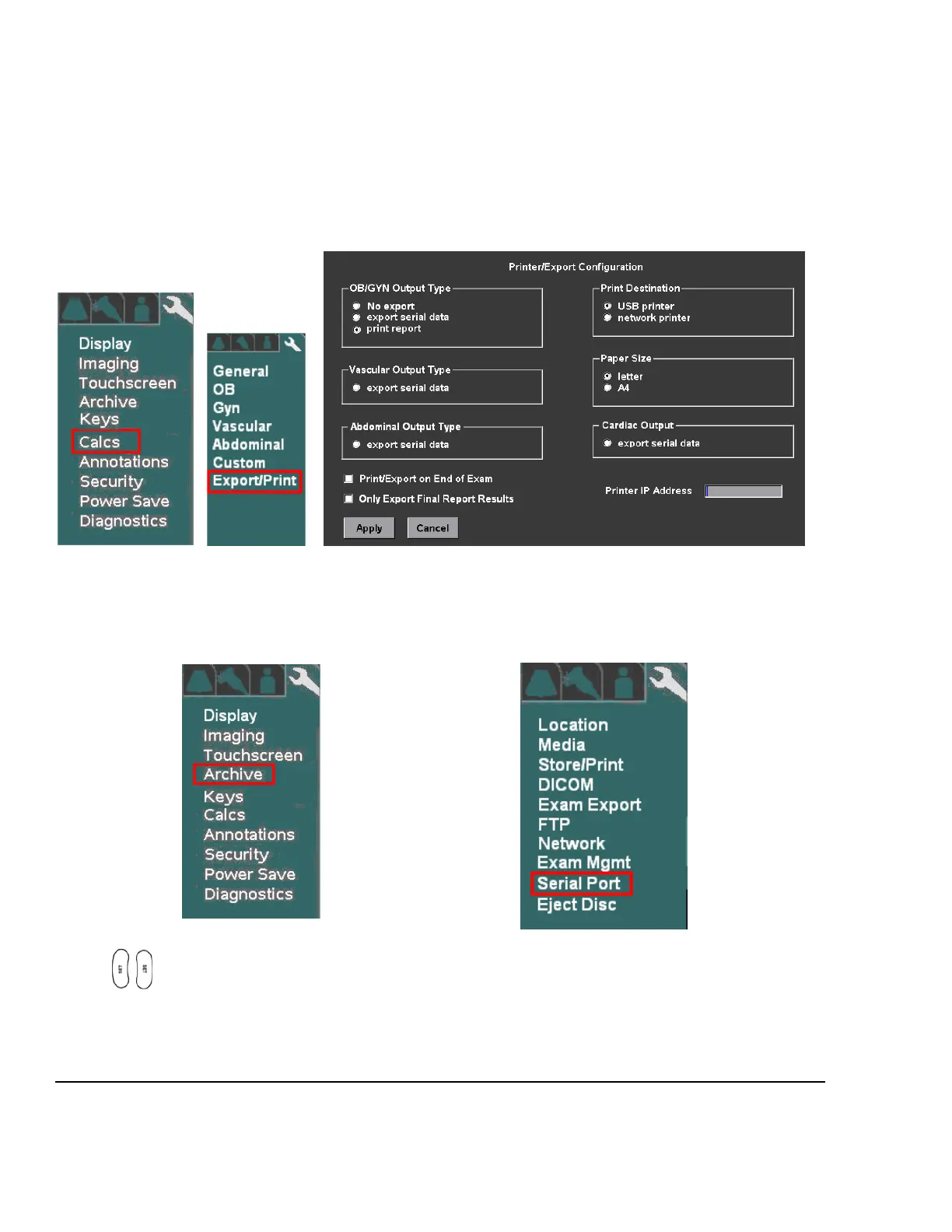
The three (3) types of Calc report data that can be exported, via the USB ports, are as listed below. Configuring
which report type(s) will be exported is performed on the SYSTEM SETUP ->CALCS -> EXPORT/PRINT
menu.
OB/GYN Calc Output
VASCULAR Calc Output
CARDIAC Calc Data
System Setup -> Calc -> Export/Print
1. Use the Setup button and trackball to advance menu screen to select TOOLS menu; then select
SYSTEM SETUP, then select ARCHIVE.
SYSTEM SETUP Menu ARCHIVE Menu
2. Using the trackball scroll down to backlight SERIAL PORT selection, and press one of the SET keys
to bring up this menu.



 To Next Page