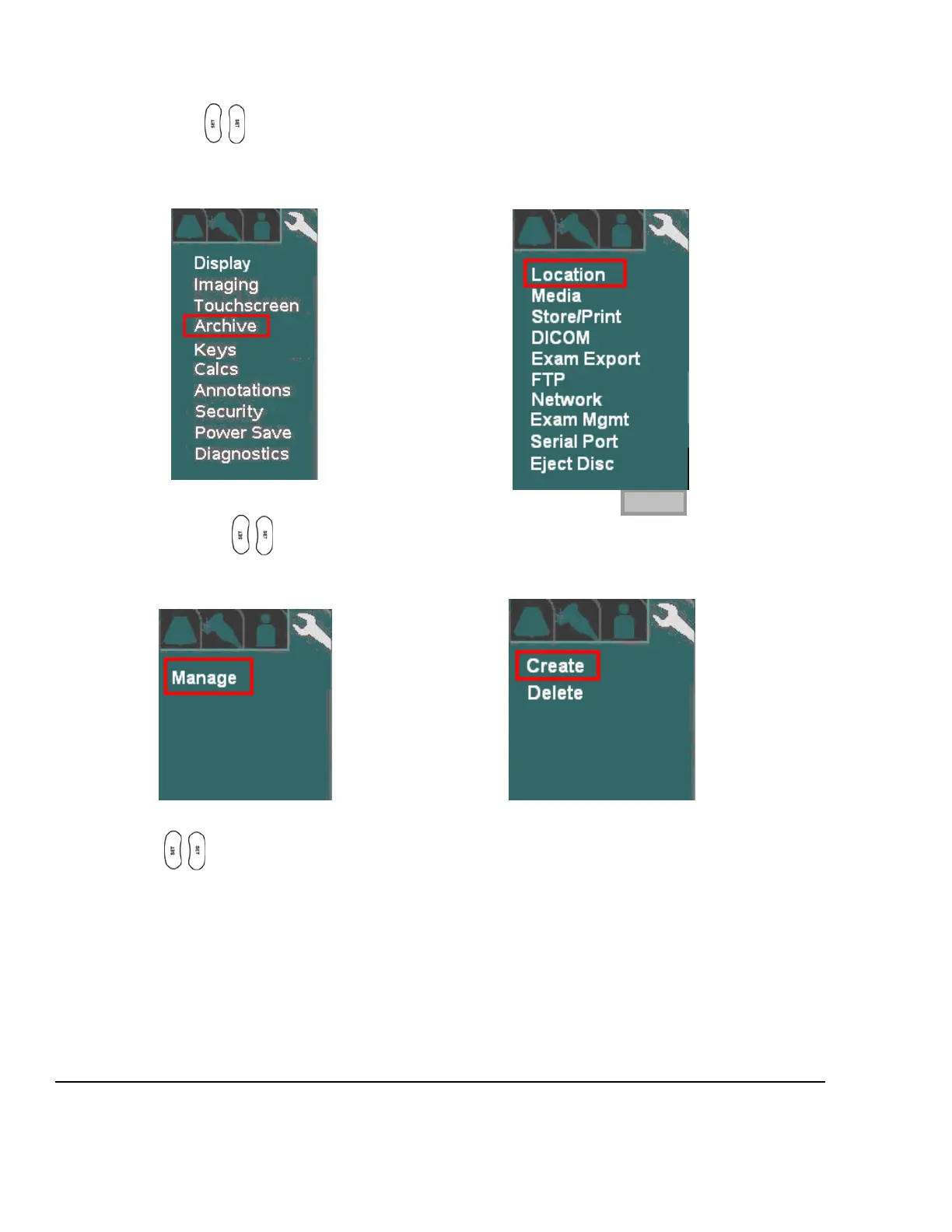
4. Using the trackball and scroll down to backlight SYSTEM SETUP selection, and press one of the
SET keys to bring up the main menu, then select the ARCHIVE option, followed by the
LOCATION option.
SYSTEM SETUP Sub-Menu ARCHIVE Sub-Menu
5. Within the Location selection, use the Menu Control to backlight Manage selection, and press one of
the SET keys to bring up this menu.
LOCATION Sub-Menu MANAGE Sub-Menu
6. Using the Menu Control, arrow down to backlight CREATE selection, and press one of the SET
keys to bring up the location creation page.
CREATE Sub-Menu



 To Next Page