5-30
CELL-DYN
®
3200 System Operator’s Manual
9140181H—October 2001
Operating Instructions
Set Up Instructions
Section 5
To Enter Lot Number Data
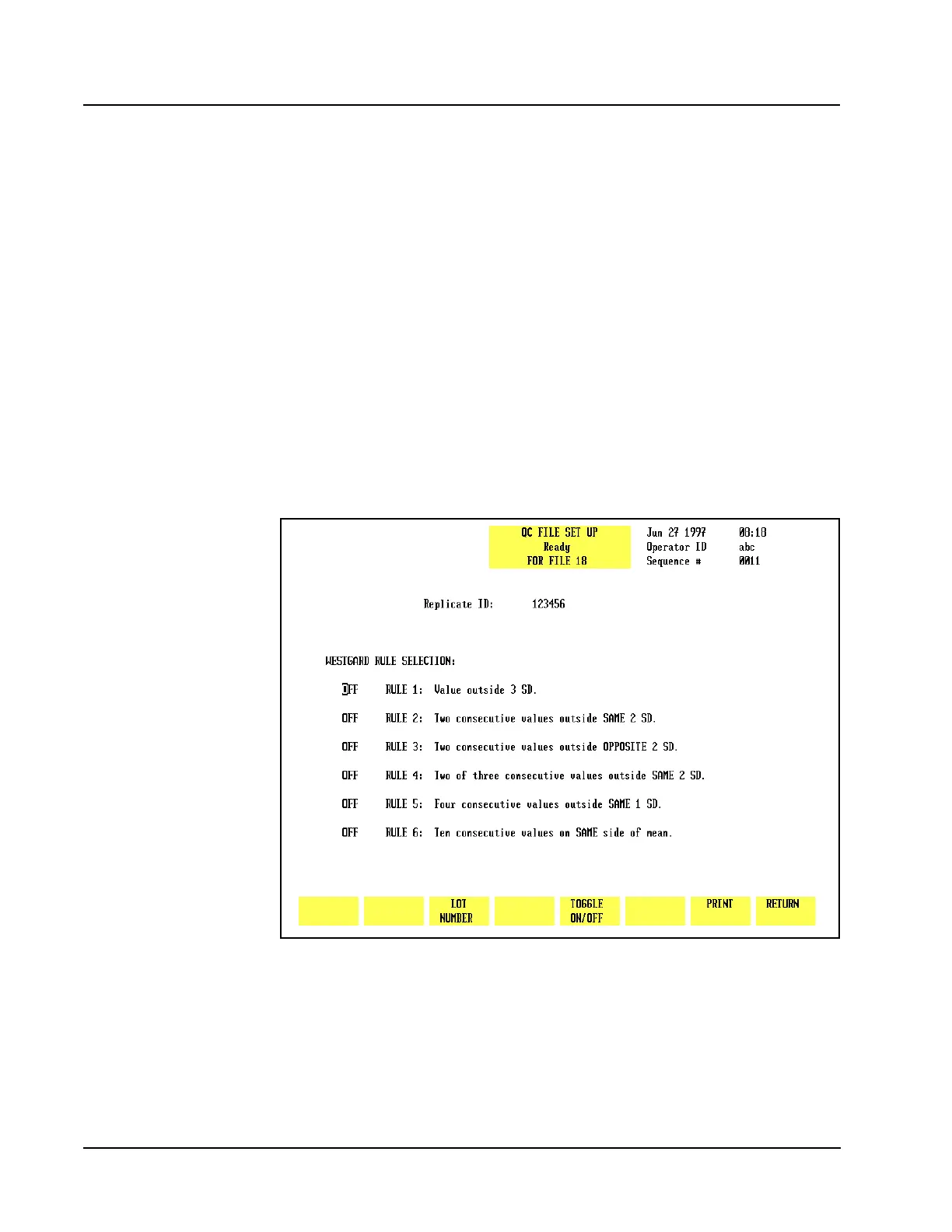
1. If necessary, from the QC FILE SET UP screen, press [LOT NUMBER] to display
the <Lot Number> and <Expiration Date> entry fields.
2. The cursor is in the <Lot Number> entry field. Type the lot number and press
the Enter key on the keyboard to save the entry and advance the cursor to the
<Expiration Date> entry field.
3. Type the expiration date in the format indicated using one or two digits. This
is the same format selected on the DATE/TIME SET UP screen. Separate the
digits with a slash (/) or a period (.).
4. Press the Enter key on the keyboard to save the entry and advance the cursor
to the <Westgard Rule Selection> entry fields.
5. Use the arrow keys on the keyboard to position the cursor at the desired
Westgard
®
Rule.
6. Press[TOGGLE ON/OFF] to enable the rule and advance the cursor.
7. Repeat steps 5 and 6 until all desired rule selections have been made.
8. If desired, press [PRINT] to obtain a printout of the entries.
9. Press [RETURN] to return to the QC FILE SET UP screen.
Figure 5.12 Replicate ID Entry Screen



 To Next Page