CELL-DYN
®
3200 System Operator’s Manual
5-35
9140181H—October 2001
Section 5 Operating Instructions
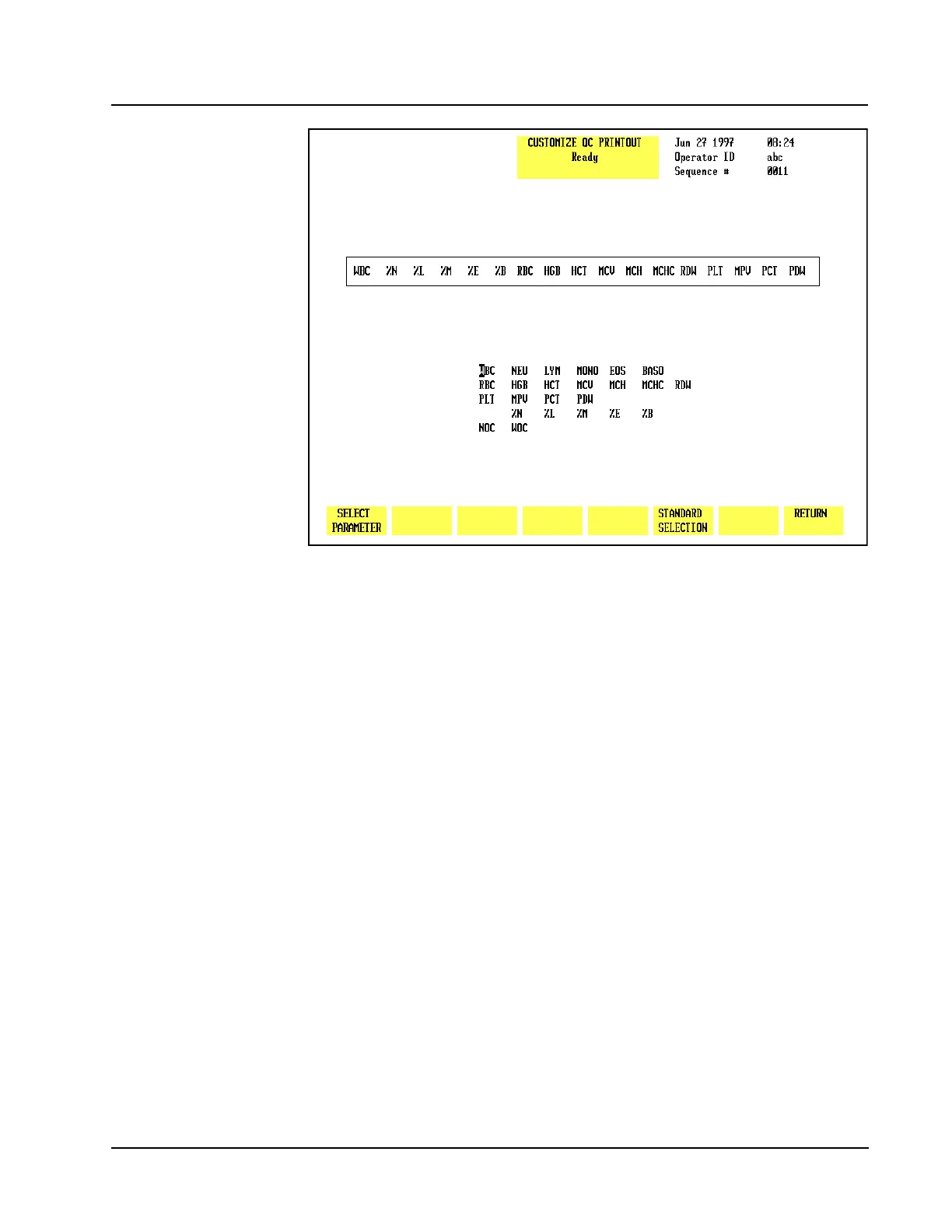
Figure 5.15 Customize QC Printout Screen
Customize Printout
The [CUSTOMIZE PRINTOUT] key in the QC SET UP menu is used to customize the
printout format for the QC logs. (See Figure 5.15.) The following soft key labels
are displayed when the [CUSTOMIZE PRINTOUT]key is pressed:
SELECT PARAMETER (Toggles to PLACE PARAMETER when pressed)
STANDARD SELECTION
RETURN
The CUSTOMIZE QC PRINTOUT screen displays the group of parameters that is
currently selected. A list of all available parameters is displayed under the group.
Standard Selection
The[STANDARD SELECTION] key is used to automatically arrange the parameters
in predetermined print groups (see Figure 5.14).
Select Parameter
The[SELECT PARAMETER/PLACE PARAMETER] key is used to customize the QC
Log printout.
1. Select a file from the QC SET UP menu screen by moving the cursor to the
desired file.
2. Press [CUSTOMIZE PRINTOUT] to display the CUSTOMIZE QC PRINTOUT
screen for the selected file.
3. Use the Arrow keys on the keyboard to move the cursor to the desired
parameter in the list under the printout group.



 To Next Page