5-54
CELL-DYN
®
3200 System Operator’s Manual
9140181H—October 2001
Operating Instructions
Set Up Instructions
Section 5
NOTE: The number of lines of data in the header box cannot exceed the
number of lines entered in step 8 above. For example, if 1 were
input, then a maximum of 1 line will be accepted in the header box.
The operator may type in 2 lines of data, but only the first line will
be saved when the operator exists this screen.
NOTE: The numbers displayed above the header box on the screen indicate
the position of the header on the printed page. Each line can be
positioned independently. Use the Space Bar on the keyboard to
position the cursor for typing.
9. If desired, press the Print Screen key on the keyboard to obtain a printout of
the selections.
10. Press [SET UP] to return to the SET UP MENU screen.
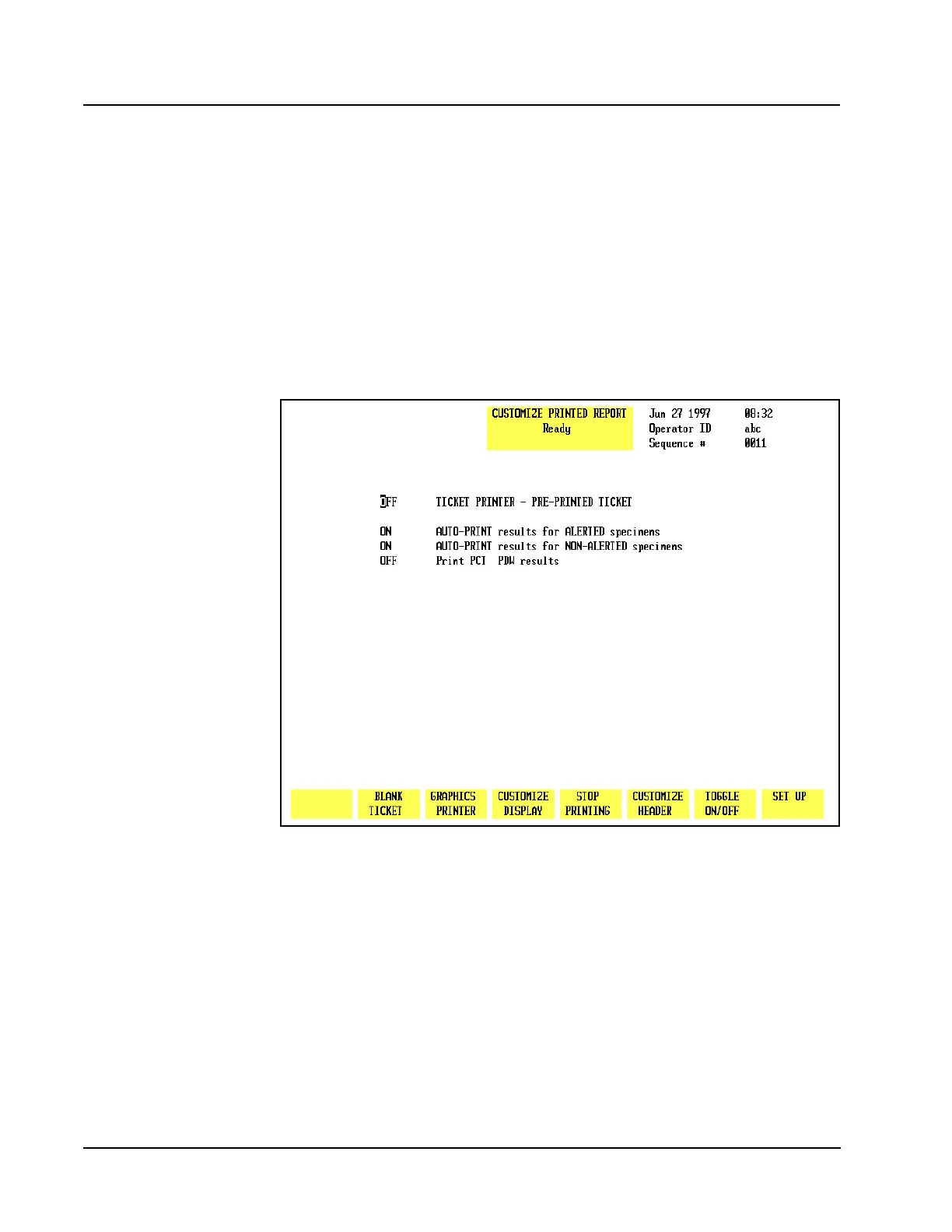
Figure 5.25 Customize Printed Report Screen for Pre-Printed Tickets
Pre-Printed Tickets
When the [PRE-PRNTD TICKET] key is pressed, the CUSTOMIZE PRINTED REPORT
screen is displayed. The numbers on the screen shown in Figure 5.25 correspond
to the following numbered options:
1. TICKET PRINTER — PRE-PRINTED TICKET
When this option is enabled, the ticket printer is configured for a pre-printed
ticket. (The blank ticket option is automatically turned OFF.)



 To Next Page