CELL-DYN
®
3200 System Operator’s Manual
6-23
9140181H—October 2001
Section 6 Calibration Procedures
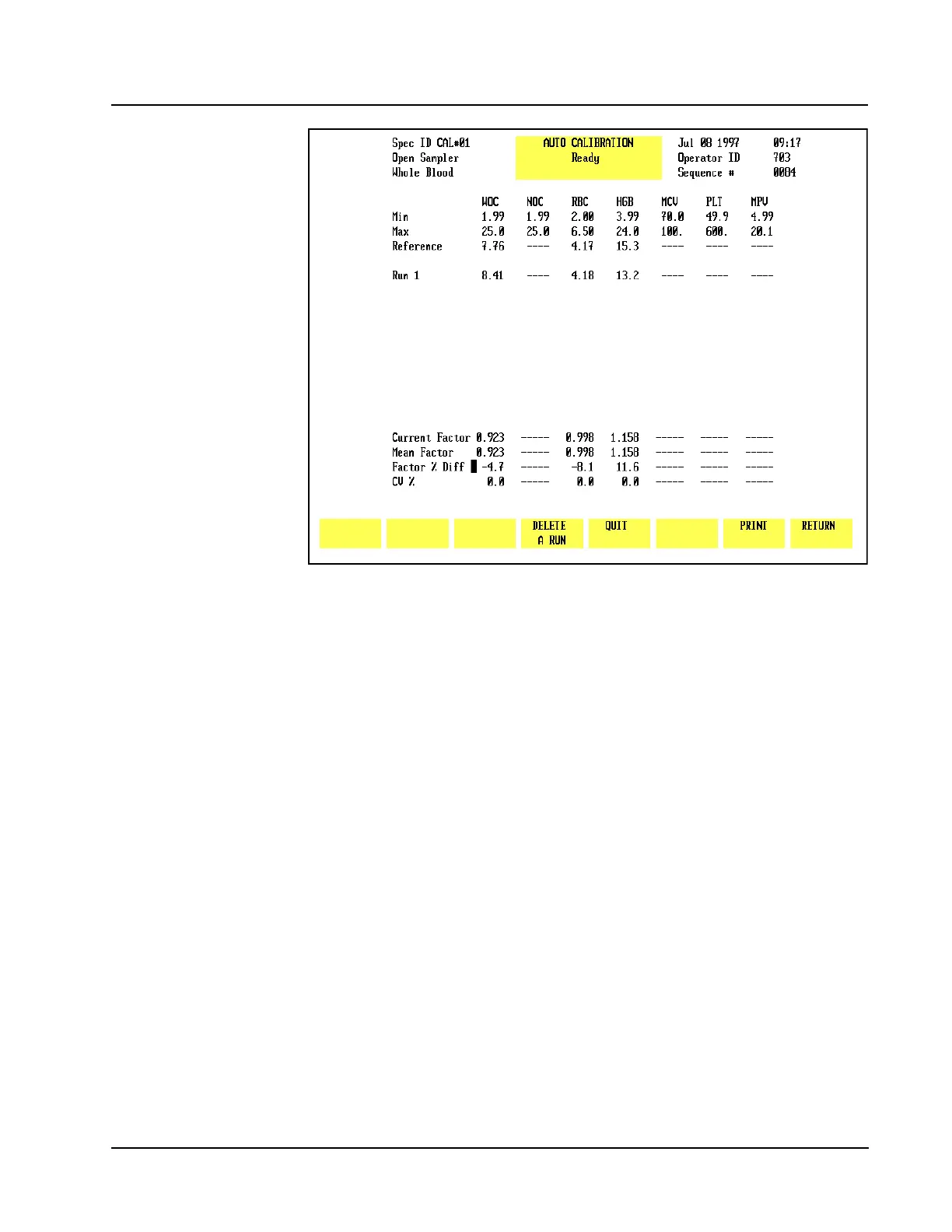
Figure 6.8 Results Display Screen
As the first sample is processed, the [START AUTO-CAL] key disappears and the
[DELETE A RUN] key appears. The [ACCEPT] key appears after the results of the fifth
run are displayed.
The following information is displayed in the lower portion of the screen:
• Current Factor
• Mean Factor (new Calibration Factor)
• Factor % Diff
•CV %
The Current Factor is calculated for each run. The Mean Factor is an average based
on all runs. The Factor % Diff shows the difference between the Mean Factor and
the existing Calibration Factor for that parameter. The CV (Coefficient of Variation
expressed as a percent) measures the degree of variation between runs.
NOTE: The Mean Factor is the new Calibration Factor.
If a result is highlighted in Green on the Run line, it indicates that parameter has
failed a reference or precision check. That result will not be included in the Mean
Factor and Factor % Diff calculations for that parameter.
Consequently, the Mean Factor for some parameters may be based on fewer runs
than other parameters and may even be based on fewer than 5 runs.



 To Next Page