CELL-DYN
®
3200 System Operator’s Manual
11-9
9140181H—October 2001
Section 11 Quality Control
Purge QC Log
The [PURGE QC LOG] key is used to delete the contents of the QC Log. When the
[PURGE QC LOG] key is pressed, the following soft key labels are displayed:
&ONFIRM PURGE
CANCEL PURGE
These keys are used to [CONFIRM] or [CANCEL] the Purge QC Log command.
Levey-Jennings
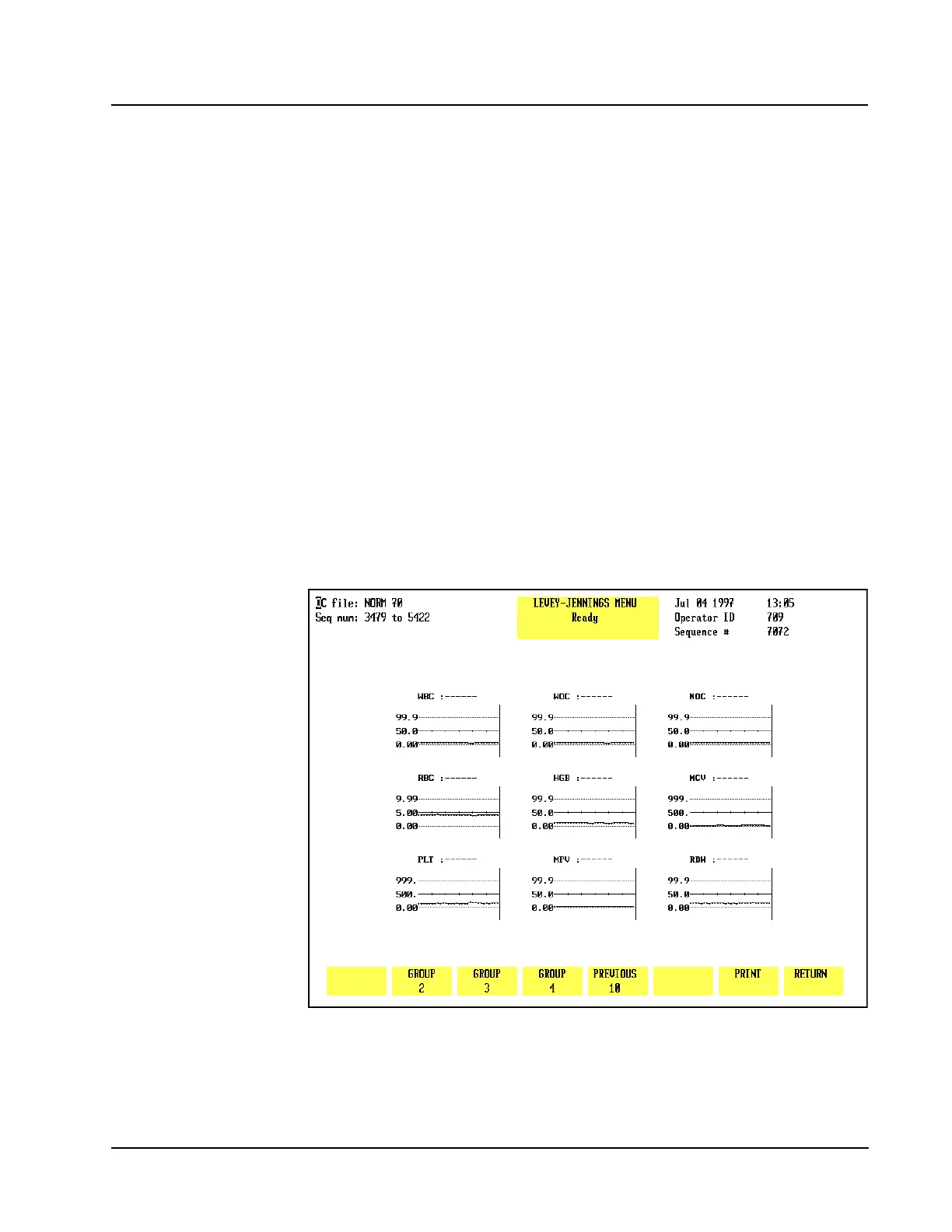
The [LEVEY-JENNINGS] key is used to display the Levey-Jennings graphs of the
data in the QC file. (Refer to Figure 11.6.) The following soft key labels are
displayed when the [LEVEY-JENNINGS] key is pressed. The soft key for the group
being displayed will not be shown.
GROUP 1
GROUP 2
GROUP 3
GROUP 4
PREVIOUS 10
NEXT 10
PRINT
RETURN
Figure 11.6 The Levey-Jennings Menu Screen
If there are sufficient specimens in the QC file, when the [PREVIOUS 10] key is
pressed, the [NEXT 10] key appears, allowing the operator to scroll both forward and
background through the file. (Refer to Figure 11.7.)



 To Next Page