Appendix C: OPC-UA Features and Configuration
58
OsmoTECH PRO Multi-Sample Micro-Osmometer Service Guide
C.2 OPC-UA implementation
The OPC-UA feature on OsmoTECH PRO osmometers
connects the instrument to an OPC-UA client.
The instrument can send the following types of data to
an OPC-UA client or any data management middleware
that understands OPC.
• Test results
• Sample ID and user ID (test results)
• Test details (test results)
• System test count (total number of tests performed)
• Error code (for instrument)
• Serial number
• Software revision and firmware revision
• Date of last calibration
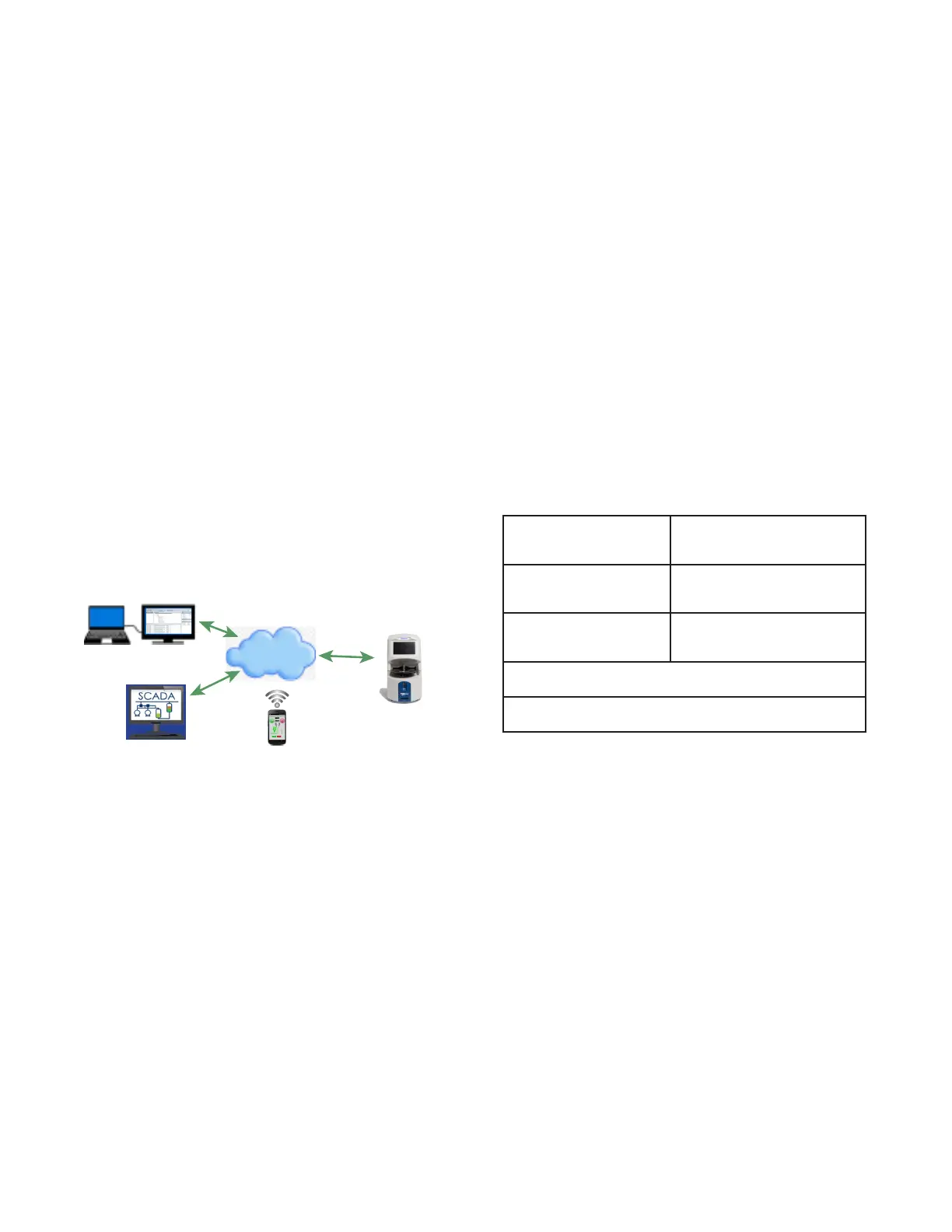
Advanced Instruments OPC-UA Solution
OPC client
dataFEED OPC client
OsmoTECH PRO
, a
HTTP
Send Asynch
Internet
SCADA
*
software/app
OPC-UA Server
OsmoTECH PRO
osmometer
* Supervisory Control and Data Acquisition, a computer systemfor gathering and analyzing real-time data
C.3 Example of OPC remote use/workflow.
Requirements
• OPC-UA Client software, such as Softing dataFEED
OPC UA Client or similar.
• OsmoTECH PRO multi-sample osmometer running
with OPC enabled in settings (requires device restart).
Supported OPC Features
OPC remote control allows for o-site sample testing on
the OsmoTECH PRO.
The following remote-enabled operations can be
performed on a remote instrument using commands and
user input:
LOCK/UNLOCK Lock/unlock remote instrument
requiring notification and
acceptance by local user.
IDs ‘;’ delimited values Send sample IDs to remote
instrument as part of running a
series of tests.
START/CANCEL Start/cancel of tests with
continuous live monitoring of
test progress
Import test result values from remote osmometer database
based on date/time input.
Import event values from remote osmometer database based
on date/time input.














 To Next Page