22
OsmoTECH PRO Multi-Sample Micro-Osmometer Service Guide
Chapter 3
Chapter 3: Calibration
3.1 When to calibrate the instrument
NOTICE: Calibrate the OsmoTECH PRO only
with Advanced Instruments Calibration
Standards (see Supplies, Standards, and
Controls).
Using calibration standards that are not
manufactured by Advanced Instruments may
yield inaccurate results and is not
recommended.
Read and follow the calibration instructions
carefully. Testing calibration standards out of
order results in a calibration failure.
IMPORTANT: Calibrate your instrument only with
Advanced Instruments Calibration Standards.
Using other standards may yield inaccurate results and is
not recommended.
Your Instrument was factory-calibrated with 0, 50, 850,
and 2000mOsm/kg H
2
O calibration standards. Test
appropriate reference solutions daily to verify calibration.
Advanced Instruments recommends that you recalibrate
the OsmoTECH PRO in any of the following cases:
• The reference solution test results are out of
specification (Advanced Instruments recommends that
you test appropriate reference solutions daily to verify
the calibration)
• The instrument is serviced or its hardware replaced
• The ambient temperature changed more than 5°C
since last calibration
• Calibration is required based on laboratory regulations
3.2 Calibrating the instrument
NOTICE: Read and follow these calibration
instructions carefully. Testing calibration
standards out of order results in a calibration
failure.
NOTE: Access to CALIBRATION functions depends on the
Calibrate checkbox setting on the SUPERVISOR
ACCESS and OPERATOR ACCESS tabs (see
Assigning user restrictions).
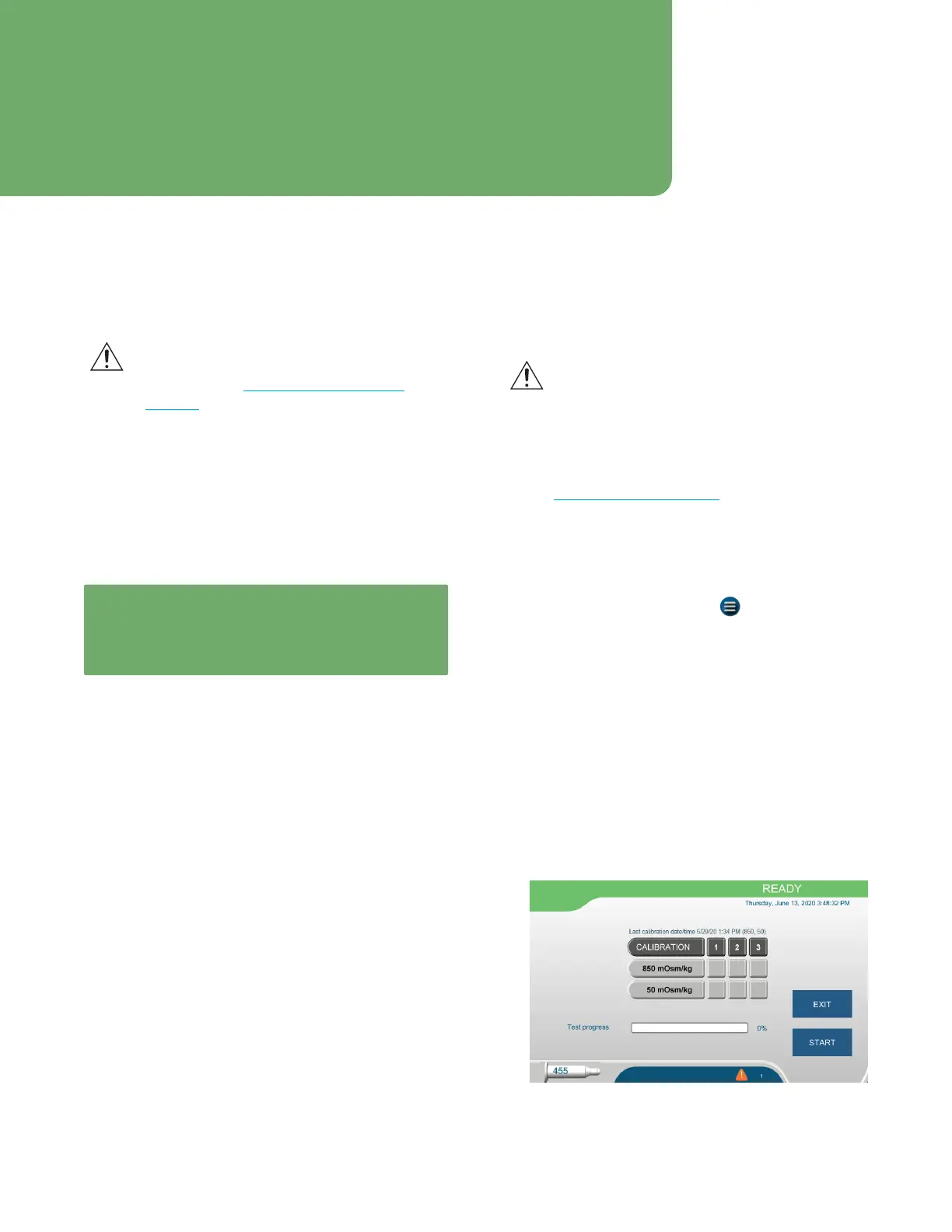
The system guides you through calibration using
50and850mOsm/kg H
2
O calibration standards. You
also have the option of additional calibration using
0and/or2000mOsm/kg H
2
O calibration standards.
1. From the Home screen, press > CALIBRATION.
2. Log into your account.
3. Follow the instructions on the screen:
a. Remove the turntable and any installed tubes
b. Install a new wiper ring.
c. Load three replicates of:
• 850mOsm in positions 1, 2, and 3.
• 50mOsm in positions 4, 5, and 6
d. Reinstall the turntable.
4. Press NEXT to open the CALIBRATION screen
5. Press START.














 To Next Page