MM-400A
8. Operation Screens
8-110
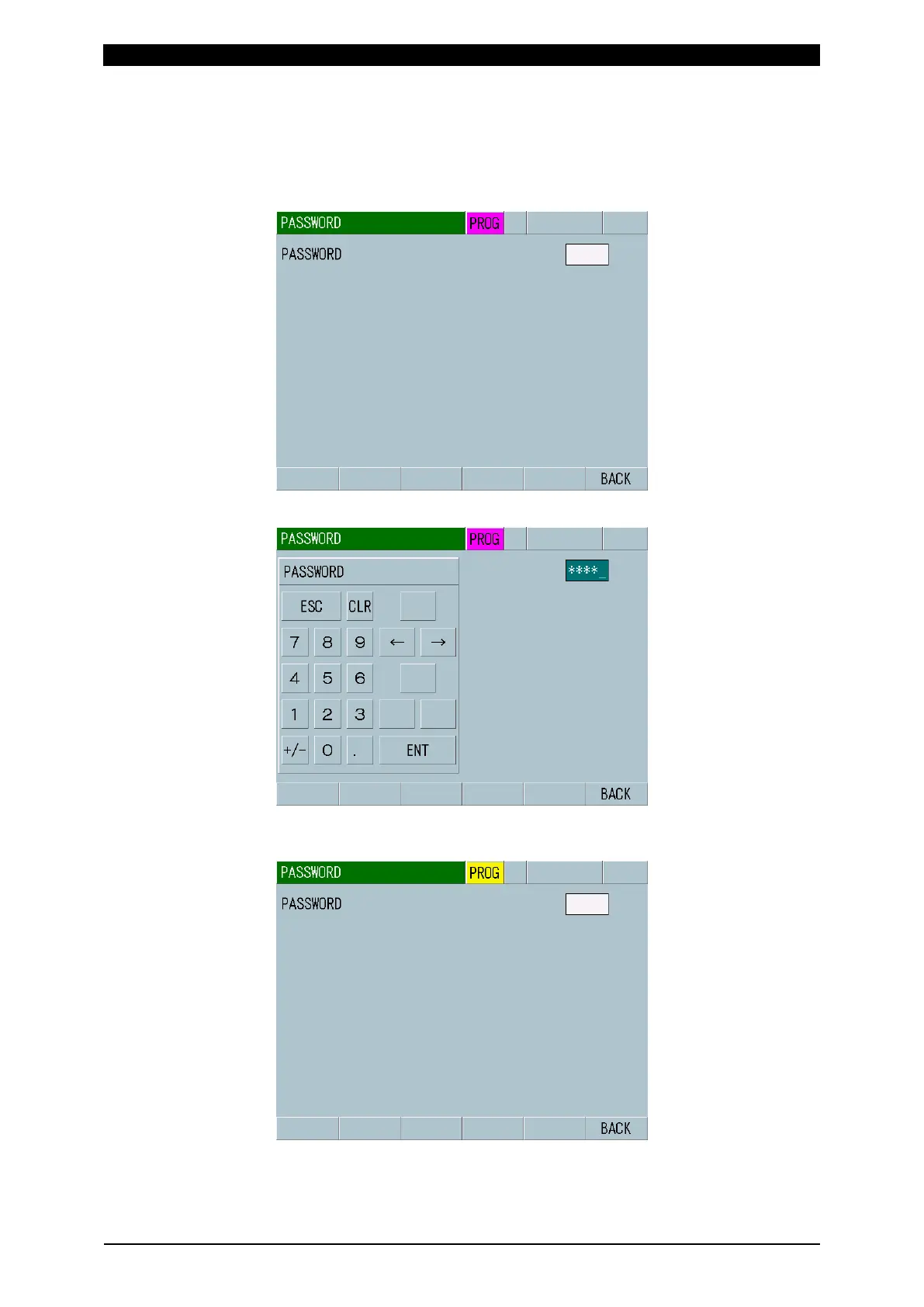
[How to change the mode]
As an example, how to change the mode from the operator mode to the supervisor
mode with the password 1111 is explained below.
1) Move to the PASSWORD screen.
2) Touch the white frame and input a password 1111.
3) Touching ENT switches the mode to the supervisor mode. However, the
password is wrong, the screen display does not change.



 To Next Page