MM-400A
8. Operation Screens
8-109
Operation contents
Supervisor
mode
Operator mode
Schedule setting in each screen Can change Cannot change
COPY in the BASIC SETUP (1) screen Can operate Cannot operate
CT RESET and INIT in the SYSTEM
SETUP (1) screen
DIST 0 and FORCE 0 in the SYSTEM
SETUP (2) screen
Can operate Cannot operate
COUNT RESET, DIST 0 RESET and
FORCE 0 RESET in the external inputs
Can input Can input
ALL DEL in the HISTORY screen
READ and ALL DEL in the READ
FLASH MEMORY screen
Can operate Cannot operate
Schedule number in the PROG mode
*1
Can change Can change
Schedule number in the MEAS mode
*1
Can change Cannot change
SCH1 to 64 in the external inputs Can input Can input
*1: When you change the schedule number from 3 to 5 in the supervisor mode and
switch the mode to MEAS, the schedule number changes to 5. When you
change the schedule number from 3 to 5 in the operator mode and switch the
mode to MEAS, the schedule number returns to 3. (You cannot change the
schedule number for measurement in the operator mode.)
(2) Function keys
BACK: Touching this displays the SYSTEM SETUP (1) screen.
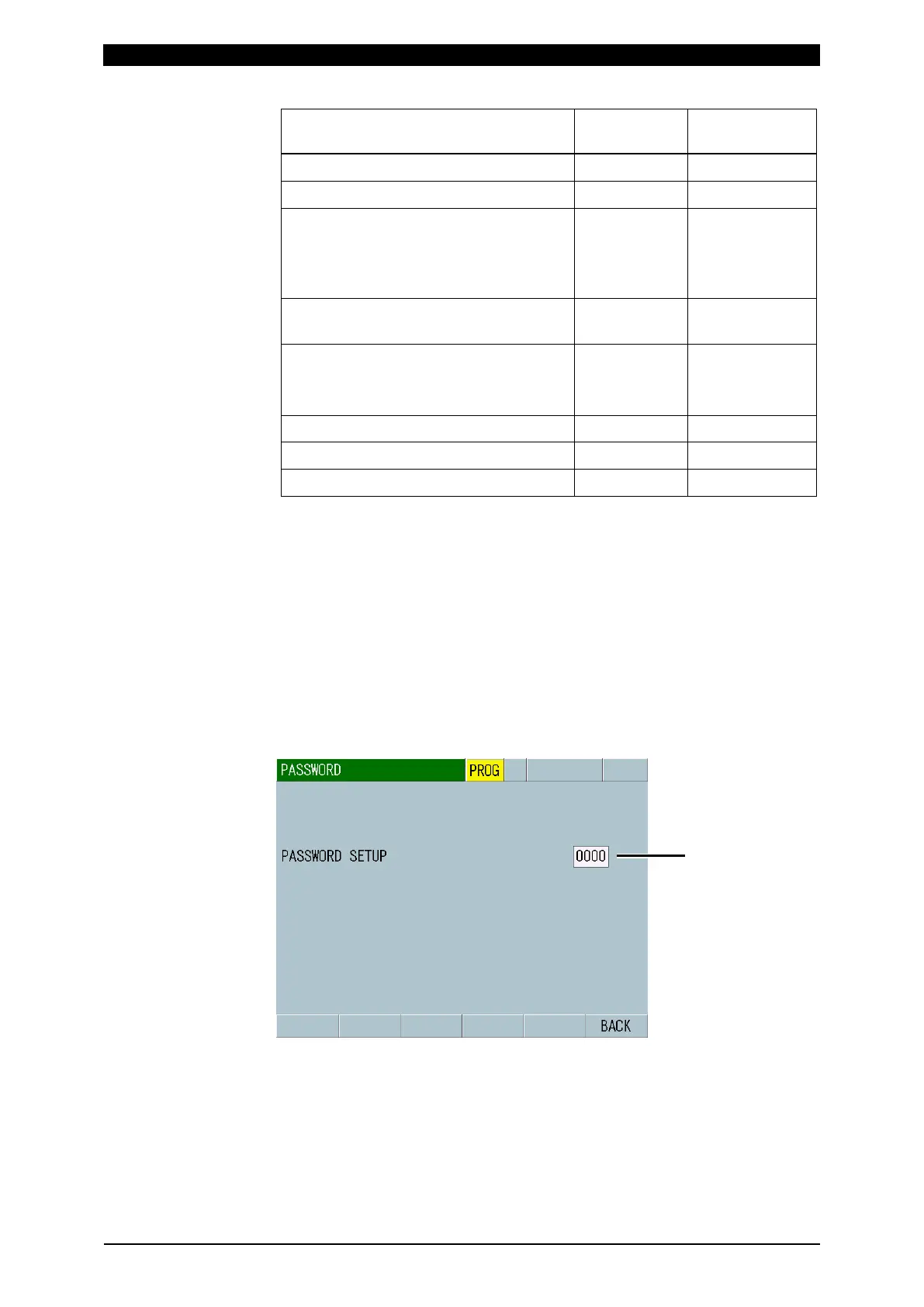
(3) PASSWORD SETUP
Changes a password (0000 to 9999) in the supervisor mode. Input a four-digit
number.
For details, refer to [How to change the mode].



 To Next Page