MM-400A
8. Operation Screens
8-7
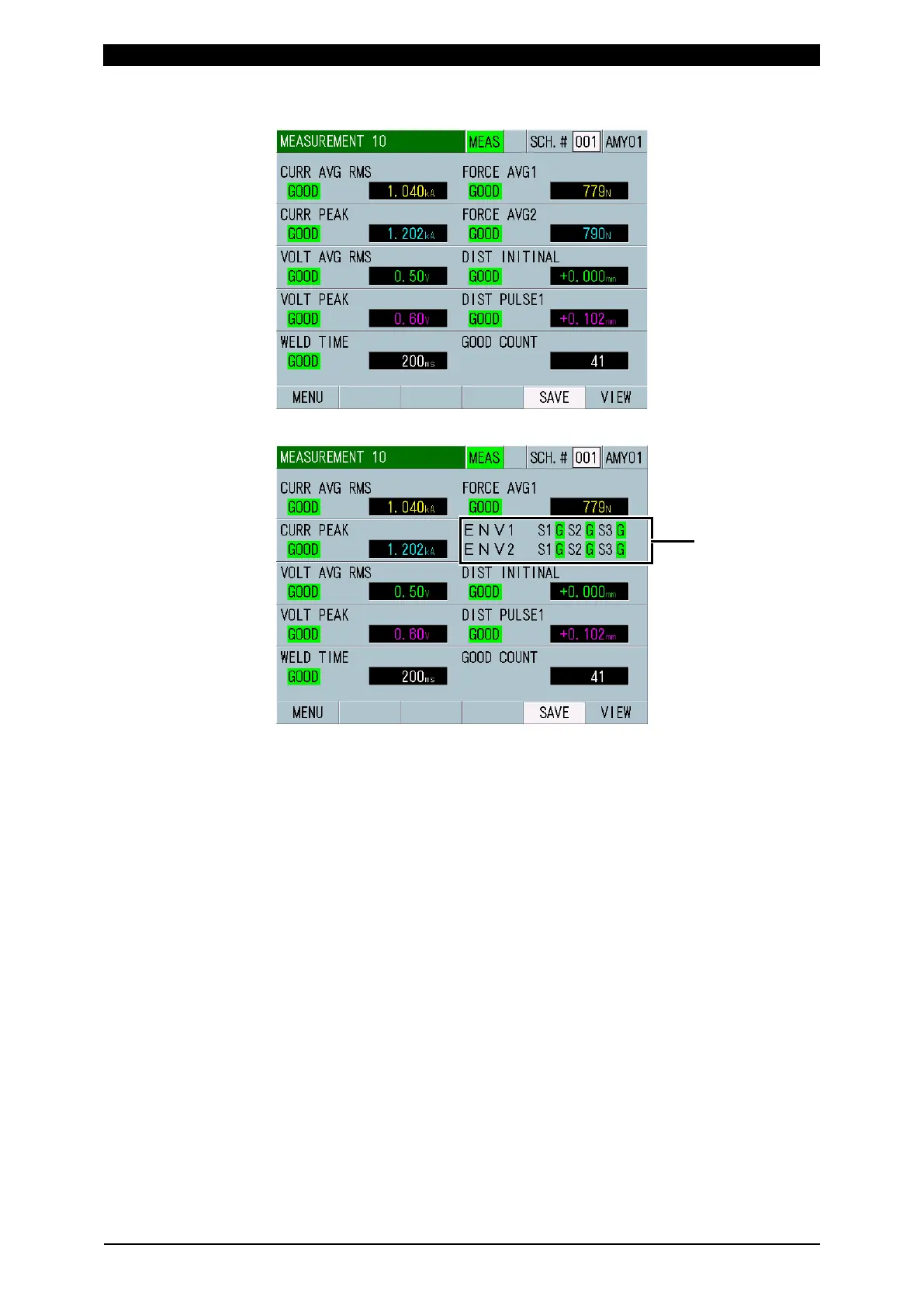
b-3. MEASUREMENT 10 Screen
When ENVELOPE is selected
(1) SCH.#
Shows the measurement schedule number used (1 to 127). On the other hand,
you can change schedules by selecting this field and inputting a value.
(2) Schedule name
Shows the name of SCH.#. This can be set in the BASIC SETUP (1) screen.
(3) MEAS (MEASUREMENT) / PROG (PROGRAM)
Switches the measurement mode (MEAS) and the program mode (PROG).
When the power is turned on, the measurement mode is selected.
MEAS: Measurement enabled and screen operation disabled
PROG: Measurement disabled and screen operation enabled
(4) Measurement item
Shows items selected in the VIEW screen. Shows the measurement range for
each measurement item in brackets in the 5-item display screens
(MEASUREMENT 5(1) and MEASUREMENT 5(2)).
Also shows the result by GOOD, NG UPPER or NG LOWER when making a
judgment. For details, refer to Judgment display in Chapter 13, (1)
“Troubleshooting.”
(5) Measured values
Shows the measured value of the each item.



 To Next Page