MM-400A
8. Operation Screens
8-22
(4) Function keys
MENU: Touching this displays the MENU screen.
FIT: Touching this redisplays the waveforms by automatically resizing them to
fit into the screen.
X/Y AXIS: Touching this displays the cursor command at the function key.
NEXT: Touching this displays the ENVELOPE (3) screen.
EDIT: Touching this displays the ENVELOPE (2) screen.
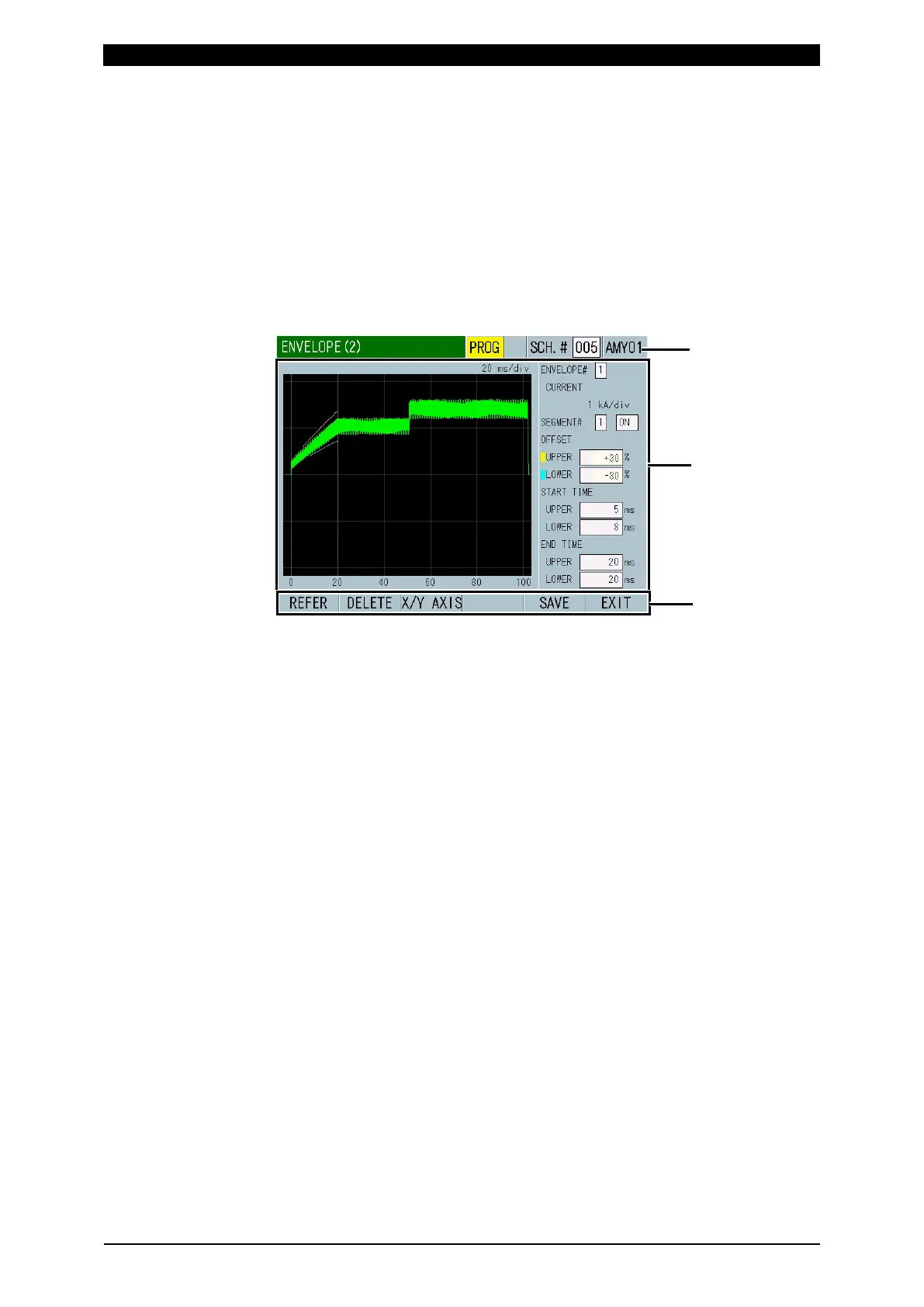
f-2. ENVELOPE (2) screen
(1) SCH.#
Shows the measurement schedule number used (1 to 20). (The maximum
number of schedules is 127 in other screens, but 20 in the ENVELOPE
screen.) On the other hand, you can change schedules by selecting this field
and inputting a value.
(2) Schedule name
Shows the name of SCH.#. This can be set in the BASIC SETUP (1) screen.
(3) Envelope judgment section and threshold setting
ENVELOPE#: Specify the waveform to set the threshold in. The name of the
specified waveform and the unit of the vertical axis are displayed.
SEGMENT#: Set the judgment level in three range sections (SEGMENT#1 to
#3) for each waveform. You can set ON/OFF to display/hide.
OFFSET: Set threshold for the reference waveform by upper limit and lower
limit. Setting threshold in value or percentage can be set in the ENVELOPE (3)
screen.
UPPER: Set the upper limit.
LOWER: Set the lower limit.
START TIME: Set the start of the time range to judge by threshold.
UPPER: Set the time to start the judgment of upper limit.
LOWER: Set the time to start the judgment of lower limit.
END TIME: Set the end of the time range to judge by threshold.
UPPER: Set the time to end the judgment of upper limit.
LOWER: Set the time to end the judgment of lower limit.



 To Next Page