MM-400A
8. Operation Screens
8-26
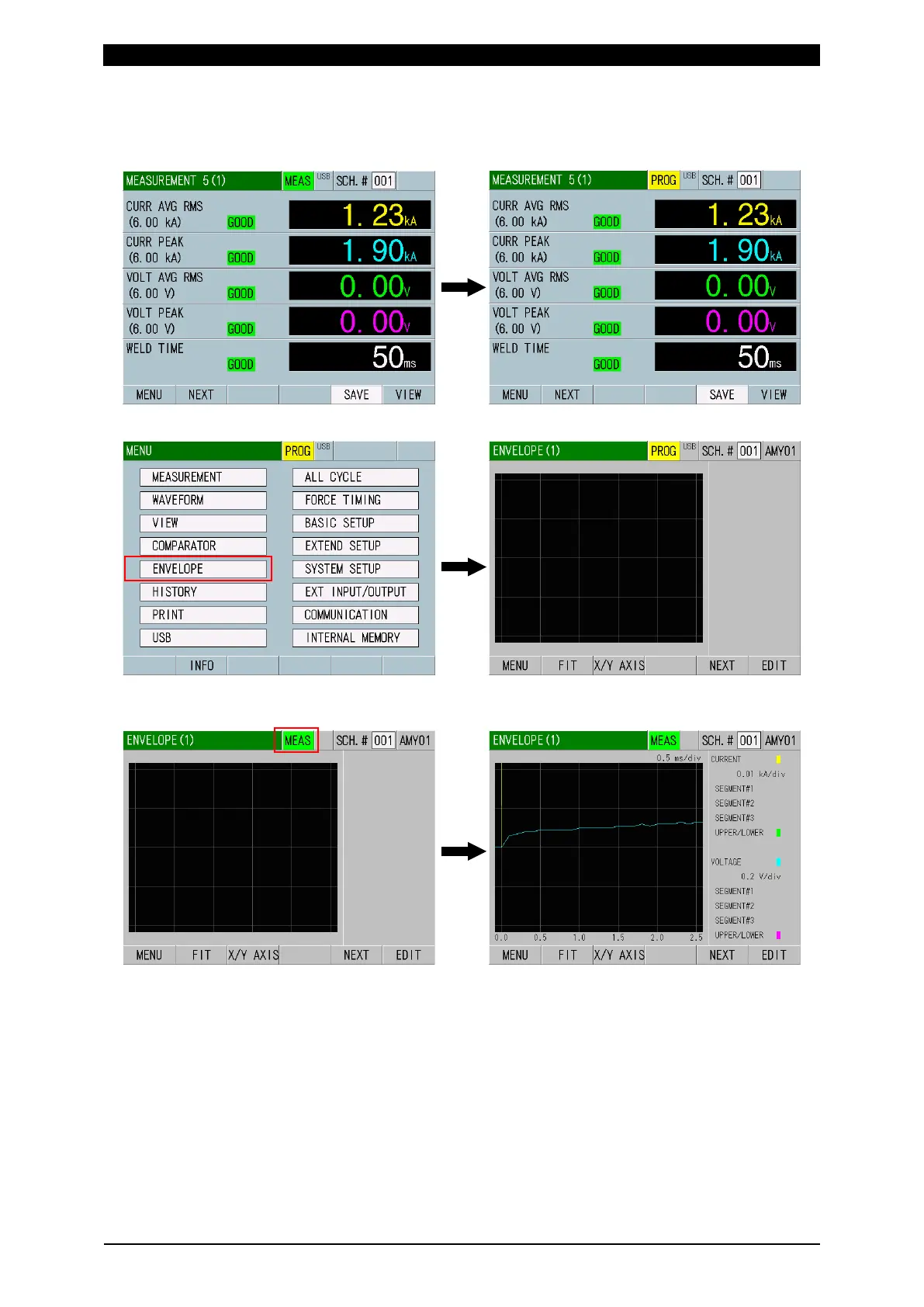
How to create the upper/lower limit threshold based on the measured waveform
1) When the power is turned on, the MEASUREMENT screen appears. Touch
MEAS to change it to PROG.
2) Touch the MENU key and select ENVELOPE on the MENU screen.
3) Touch PROG to change it to MEAS on the ENVELOPE (1) screen to measure
an actual welding waveform.



 To Next Page