MM-400A
8. Operation Screens
8-27
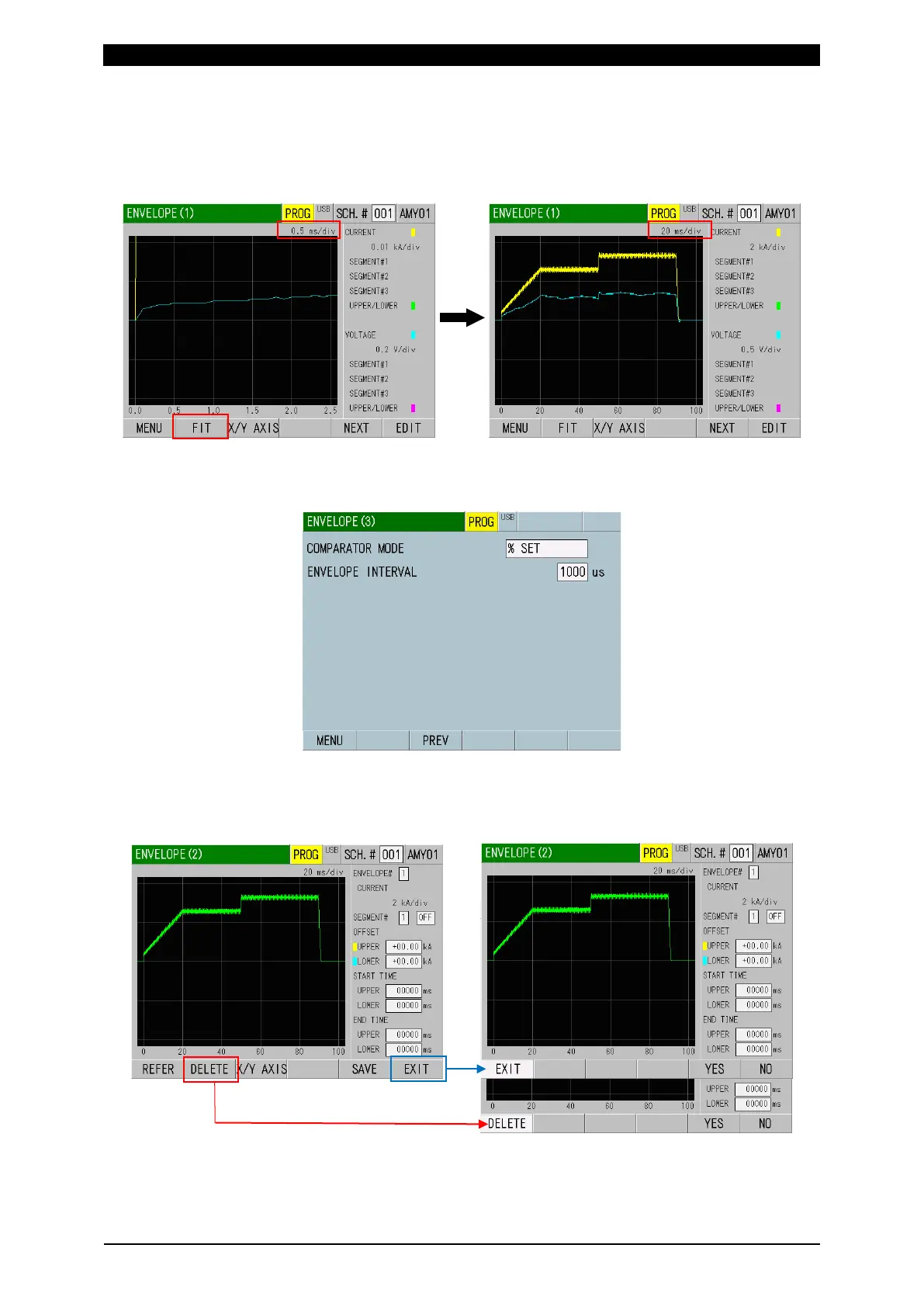
4) Change MEAS to PROG.
When the waveform does not fit in screen size, touch the FIT key. Perform
welding actually and measure a median waveform of a good range. (When the
power supply is turned on and after the setting item is changed, XY-axis range
becomes the initial value.)
5) Touch the NEXT key to display the ENVELOPE (3) screen. On this screen,
select % SET or VALUE SET for COMPARATOR MODE and set ENVELOPE
INTERNAL. Touch the PREV key to return to the ENVELOPE (1) screen.
6) Touch the EDIT key to display the ENVELOPE (2) screen.
When the previous envelope data is still displayed, touch DELETE key and
touch YES. To modify the envelope setting, touch NO to return. To return to the
ENVELOPE (1) screen, touch the EXIT key and select YES.



 To Next Page